

Linux · Science & Education
GeoGebra
Dynamic mathematics software for solving equations, graphing functions, and exploring 2D and 3D geometry.
- License
- LicenseRef-proprietary
- Latest version
- 6-0-804-0 (October 4, 2023)
- Developer
- GeoGebra Institute
- Installs
- 46,532 (Flathub, 30 days)
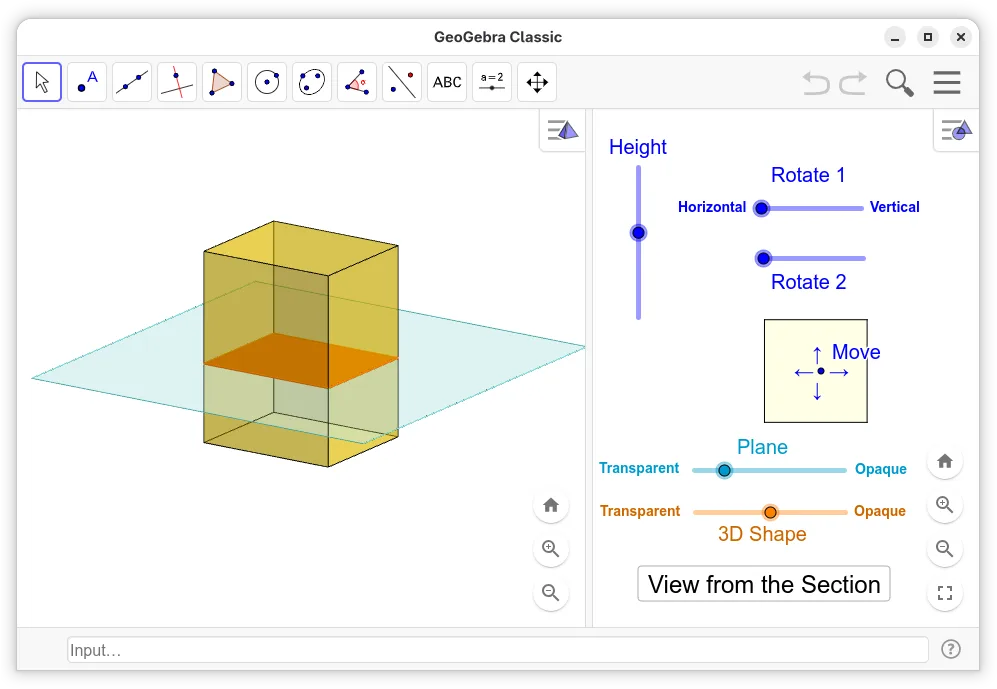
What is GeoGebra?
GeoGebra is a well-established dynamic mathematics tool that combines geometry, algebra, and calculus in one interface. It has been around for over a decade and is widely used in schools and universities. The Linux version is available via Flathub as an unverified wrapper, meaning it runs the standard desktop application but is not officially supported by the GeoGebra Institute for Linux specifically.
It is primarily aimed at students, teachers, and engineers who need to visualize mathematical concepts. If you are learning high school or early university math, it is an excellent companion. For advanced research, it serves as a lightweight alternative to heavier commercial suites, focusing on interactive exploration rather than symbolic computation depth.
Compared to Maple or Mathematica, GeoGebra is less powerful for complex symbolic algebra but far more intuitive for visual learning. It lacks the deep programming environment of Wolfram but offers a much lower barrier to entry. It is not a direct replacement for GraphPad Prism in statistical analysis, though it can handle basic data plotting and regression.
Best for: Students and educators who need an interactive tool to visualize equations, geometry, and basic data trends.
Key features of GeoGebra
- Interactive 2D and 3D graphing of functions
- Dynamic geometry construction tools
- Algebraic equation solving and manipulation
- Spreadsheet view for data entry and analysis
- Scripting capabilities using GeoGebraScript
- Export to PDF, PNG, and HTML formats
- Support for CAS (Computer Algebra System) commands
- Compatibility with GeoGebra Tube for sharing
Pros
- Free and widely available on major Linux distributions
- Excellent for visualizing mathematical concepts
- Low system requirements compared to commercial alternatives
- Large community and extensive online tutorial library
Cons
- Flathub wrapper is not officially verified by developers
- Symbolic engine is weaker than Mathematica or Maple
- Interface can feel cluttered for advanced users
- Limited statistical analysis compared to dedicated tools
Windows programs GeoGebra replaces
 Mathcad
 Wolfram Mathematica
 Maple
Maple GraphPad Prism
How to install GeoGebra on Linux
flatpak install flathub org.geogebra.GeoGebrasudo apt install geogebrasudo apt install geogebrasudo pacman -S geogebraTips for Windows users
If you are coming from Maple or Mathematica, expect a different workflow; GeoGebra is more visual and less code-centric. You can import .ggb files, which are standard across platforms. Shortcuts differ from Windows, so check the help menu for key bindings. For data analysis, note that it is not a full replacement for specialized stats software like GraphPad Prism; use it for quick plots and regression, not complex biostatistics.
Recent releases
- 6-0-804-0 —
- 6-0-803-0 —
- 6-0-802-0 —
- 6-0-801-0 —
GeoGebra: frequently asked questions
Is GeoGebra free on Linux?
Yes, the software is free to use. The Flathub package is a wrapper for the official desktop app, so you do not pay anything to install or run it.
Can I open files created on Windows?
Yes, GeoGebra uses the .ggb file format, which is cross-platform. Files saved on Windows will open correctly on Linux without conversion.
Is the Flathub version stable?
It is generally stable, but the wrapper is not officially verified by GeoGebra. If you encounter issues, you can also download the official Linux installer from their website.
Does it replace Wolfram Mathematica?
No, not fully. GeoGebra is better for visualization and education, while Mathematica is more powerful for advanced symbolic computation and programming.
Updated