

Linux · Office
HomeBank
HomeBank is a free, open‑source personal finance manager for Linux.
- License
- GPL-2.0+
- Latest version
- 5.10.4 (November 13, 2026)
- Developer
- Maxime Doyen
- Installs
- 2,183 (Flathub, 30 days)
What is HomeBank?
HomeBank has been maintained for many years, with the latest release 5.10.4 in November 2026. It originated as a simple tool to track personal expenses and has grown into a mature application that offers detailed filtering, reporting, and graphing capabilities. The project is licensed under GPL‑2.0+ and is packaged for all major distributions, so you’ll find it in Arch, Debian, Fedora, openSUSE and Ubuntu repositories.
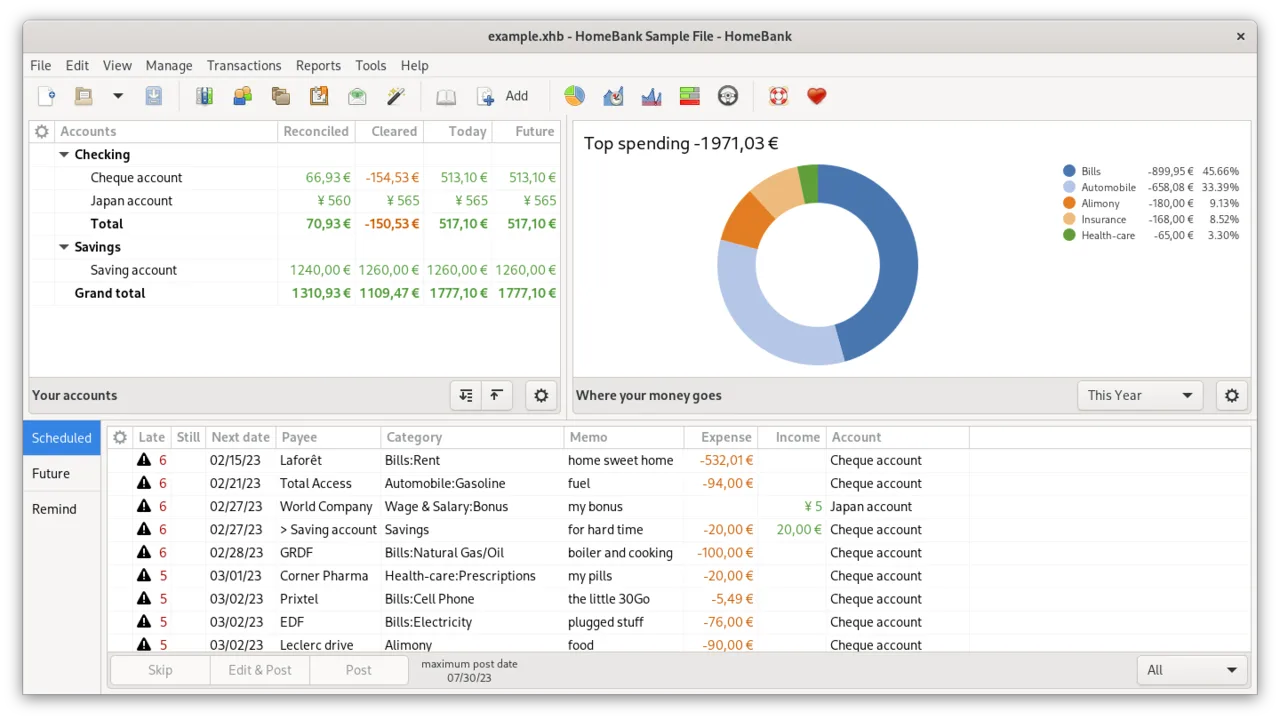
The program is aimed at anyone who wants to keep a clear view of their household budget without paying for commercial software. It works well for casual users who need quick entry of transactions, as well as for more detail‑oriented people who like to slice data by category, date or account. Its interface is straightforward, with a classic desktop layout that feels familiar to users of older Windows finance tools.
Compared with Microsoft Money, HomeBank lacks some of the integrated investment tracking features, but it makes up for that with fast import of CSV/QIF files, flexible date range filters, and a set of tidy graphs. The learning curve is low; you’ll recognize many of the same concepts—accounts, categories, and transactions—while enjoying a responsive GTK‑based UI that runs well on modest hardware.
Best for: Anyone who wants a solid, offline personal accounting tool without paying for proprietary software.
Key features of HomeBank
- Import and export of QIF, OFX and CSV files
- Customizable categories and payees
- Powerful filtering and search of transactions
- Automatic balance reconciliation
- Multiple account support with transfer handling
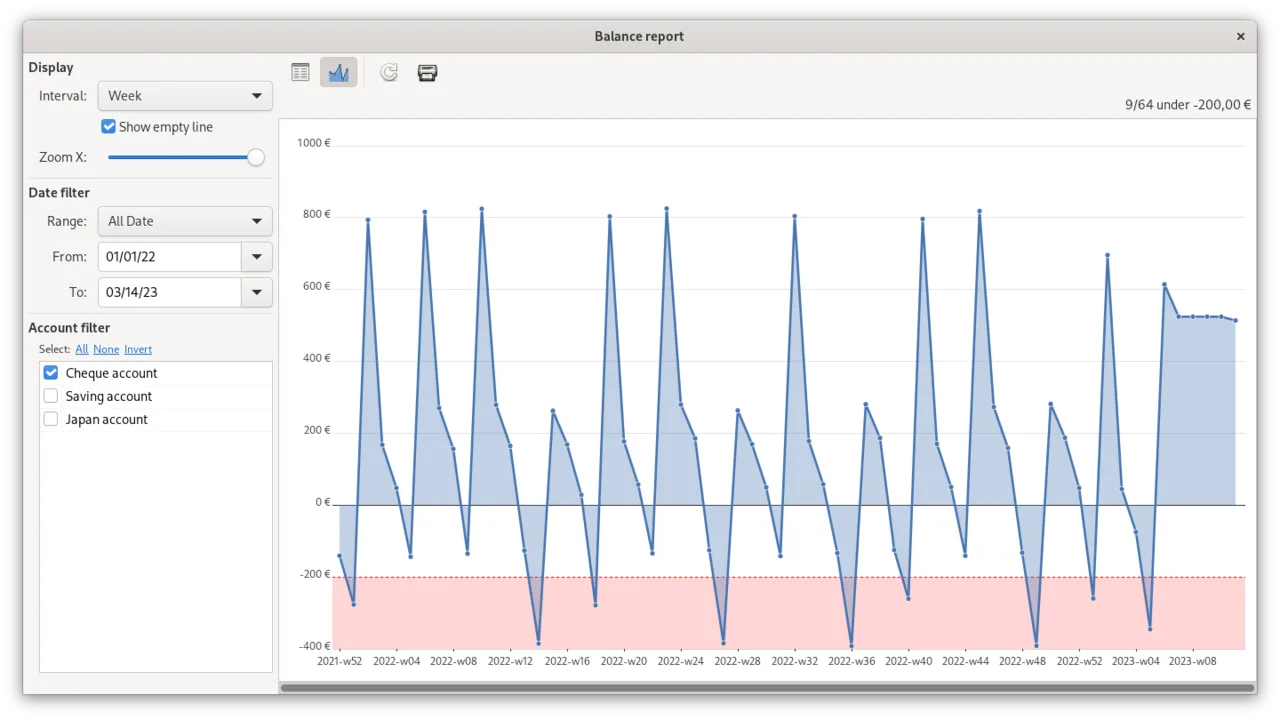
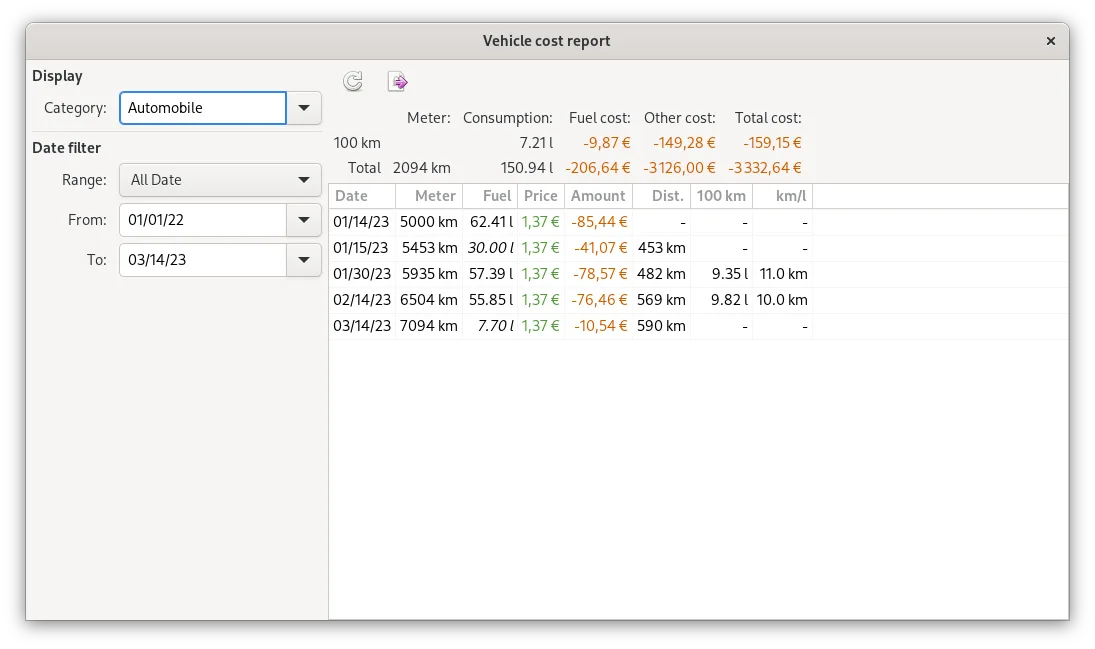
- Graphical reports: cash flow, expense distribution, trends
- Budget planning with alerts
- Command‑line tools for batch processing
Pros
- Completely free and open source
- Lightweight and fast on older machines
- Rich set of graphs and reports
- Easy import from common Windows finance formats
- Available in all major Linux distro repos
Cons
- No built‑in investment portfolio tracking
- Interface feels dated compared to modern web apps
- Limited mobile or cloud sync options
Windows programs HomeBank replaces
How to install HomeBank on Linux
flatpak install flathub fr.free.Homebanksudo apt install homebanksudo apt install homebanksudo dnf install homebanksudo pacman -S homebanksudo zypper install homebankTips for Windows users
Export your Microsoft Money data to QIF or CSV, then import those files into HomeBank via the File → Import menu. Most keyboard shortcuts (Ctrl+N for new transaction, Ctrl+S to save) are similar, but HomeBank uses the standard GTK shortcuts (Ctrl+Q to quit). Expect to rebuild any custom reports manually, but the built‑in graphs cover most everyday needs.
Recent releases
- 5.10.4 —
This is a maintenance release with bugfix... - change: scheduled list, default columns consistent when → who/what → how much - change: scheduled list, merged Late+Still columns to Late/Left - change: scheduled list, overdue is in clear text without redundant…
- 5.10.3 —
This is a maintenance release with bugfix... - new: factorised some pickers - new: ledger quicksearch support multi terms search - new: ledger quicksearch support " for exact search (terms with space) - new: completed translation of 60 languages using Claude…
- 5.10.2 —
This is a maintenance release with bugfix... - bugfix: #2156412 safety approve option mixup - bugfix: #2156372 currency modification date is not persisted due to extra space in code - bugfix: #2155966 main window different colours for 0.00 account balances -…
- 5.10.1 —
This is a maintenance release with bugfix... - change: the input field helper icon + fixed some spacing inconsistency - change: transaction, added some missing input tooltips and reworked existing - change: category, payee and tag window add input now have a…
HomeBank: frequently asked questions
Can HomeBank read Money files directly?
HomeBank cannot read Money's native .mny files; you need to export to QIF or CSV from Money first.
Is there a way to sync HomeBank data across multiple computers?
HomeBank stores data in a local file; you can sync it manually using a cloud service like Nextcloud or a version‑controlled repository.
Does HomeBank support multiple languages?
Yes, the interface is translated into many languages via the standard gettext system.
How do I back up my HomeBank database?
Simply copy the .homebank file (usually in ~/.homebank) to a safe location; the format is portable across HomeBank versions.
Updated