

Linux · Programming
KDevelop
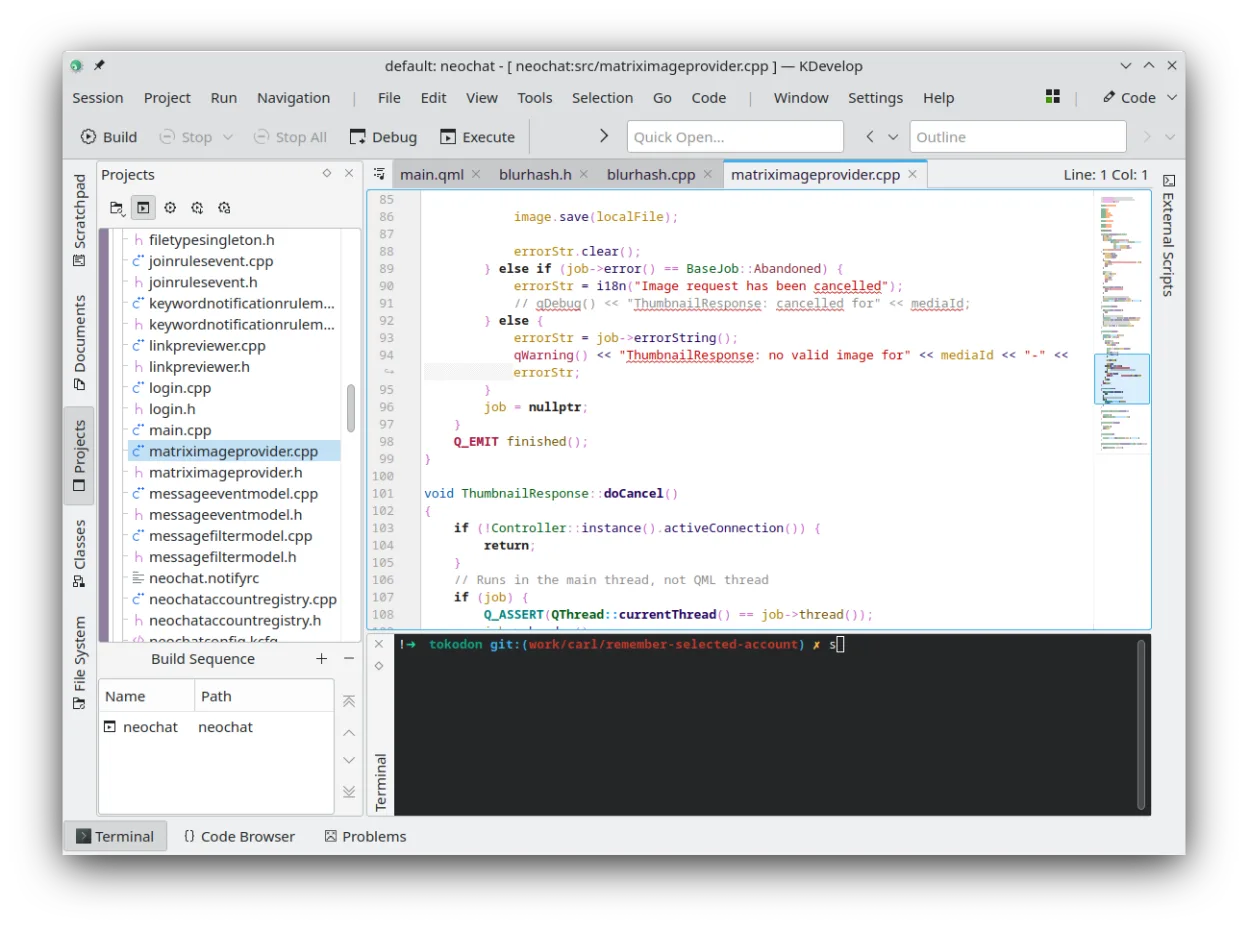
KDevelop is a free, plugin-based IDE for KDE supporting C++, Python, PHP, and other languages with strong debugging tools.
- License
- GPL-2.0-or-later
- Latest version
- 6.5.260403 (July 2, 2026)
- Developer
- KDE
- Installs
- 682 (Flathub, 30 days)
What is KDevelop?
KDevelop is a mature, open-source IDE developed by the KDE community. It uses a plugin architecture to support multiple languages and build systems. While it started with C/C++ focus, it now handles Python, PHP, and JS/QML via extensions. It has been around for decades, making it a stable choice for developers who prefer a unified workspace over scattered command-line tools.
It is best for developers who need a full IDE experience on Linux, particularly those working in C++ or C. It suits users who want integrated debugging, version control, and project management without switching between terminal and editor. It is less ideal for quick script edits where a lightweight editor like gedit or Kate suffices, but it shines for larger projects requiring structure.
Compared to Notepad++, KDevelop is heavier but offers more. Notepad++ is a fast, light text editor with syntax highlighting. KDevelop provides a full IDE with project management, debugging, and refactoring tools. If you only need to edit text files, KDevelop is overkill. If you need to compile, debug, and manage code, KDevelop replaces the need for separate tools.
Best for: Developers who need a full-featured IDE for C/C++ or other supported languages on Linux.
Key features of KDevelop
- Integrated debugger for C/C++ and other languages
- Plugin system for adding language support
- Built-in version control integration (Git, SVN)
- Project management for multiple build systems
- Syntax highlighting and code completion
- Refactoring tools for C/C++
Pros
- Free and open source with no cost
- Strong C/C++ support with robust debugging
- Highly extensible via plugins
- Native KDE integration and performance
Cons
- Steeper learning curve than simple text editors
- Heavier resource usage than Notepad++
- Some language support requires extra plugins
Windows programs KDevelop replaces
 Notepad++
How to install KDevelop on Linux
flatpak install flathub org.kde.kdevelopsudo apt install kdevelopsudo apt install kdevelopsudo dnf install kdevelopsudo pacman -S kdevelopsudo zypper install kdevelopTips for Windows users
If you are coming from Notepad++, expect a larger interface. Your .c, .cpp, .py, and .php files will open directly. Shortcuts differ; check the menu for common actions like Find/Replace. KDevelop uses project files to manage builds, so you may need to create a new project to enable debugging and build tools. For simple text edits, consider using a lighter editor, but for coding, KDevelop offers a more complete workflow.
Recent releases
- 6.5.260403 —
- 6.5.260402 —
- 6.5.260401 —
- 6.5.260400 —
KDevelop: frequently asked questions
Can KDevelop replace Visual Studio Code?
Yes, for many use cases. It offers similar features like debugging and extensions, though the plugin ecosystem is smaller than VS Code's.
Does KDevelop support Python?
Yes, via an external plugin. It provides syntax highlighting, linting, and debugging support for Python projects.
Is KDevelop free?
Yes, it is free and open source under the GPL-2.0-or-later license. You can download it from Flathub or your distro's package manager.
How hard is it to set up C++ projects?
It is straightforward. You can create a new project, select your compiler, and start coding. KDevelop handles build configuration automatically for common setups.
Updated