

Linux · Accessories
Flameshot
Flameshot is a lightweight screenshot tool with built‑in annotation and upload features.
- License
- GPL-3.0-or-later
- Latest version
- 14.0.0 (June 8, 2026)
- Developer
- Flameshot Developers
- Installs
- 12,221 (Flathub, 30 days)


What is Flameshot?
Flameshot originated as a community‑driven fork of scrot, adding a graphical editor and DBus support. It has been actively maintained for years and is now packaged in most major Linux distributions, showing a mature codebase and regular releases. The tool is aimed at developers, power users, and anyone who needs quick, editable screenshots without leaving the desktop.
Unlike ShareX on Windows, which bundles a massive set of capture, upload, and automation options, Flameshot focuses on the core workflow: capture, annotate, and optionally upload. Its UI is minimalistic, appearing as a crosshair overlay with a small toolbar, which feels snappy and unobtrusive on the Linux desktop.
If you are used to the extensive customisation of ShareX, you will find Flameshot simpler but faster for everyday tasks. It integrates well with desktop environments via DBus, allowing you to bind it to a keyboard shortcut and pipe images directly to other apps.
Best for: Users who need quick, editable screenshots with minimal overhead.
Key features of Flameshot
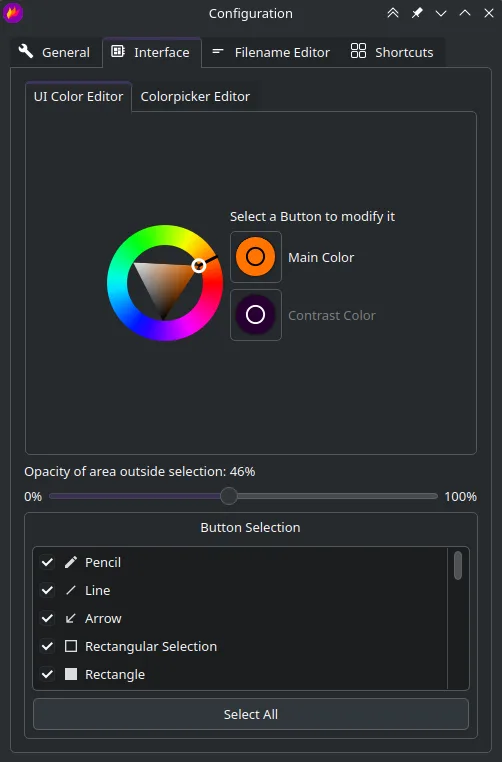
- Customizable crosshair and toolbar appearance
- In‑app drawing, text, arrows, and blur tools
- One‑click upload to Imgur
- DBus interface for scripting
- Configurable keyboard shortcuts
- Copy to clipboard or save to file instantly
- Support for PNG and JPEG output
Pros
- Fast, low‑resource footprint
- Intuitive annotation tools
- Easy to bind to a hotkey
- Works across most desktop environments
Cons
- Less automation than ShareX (no batch workflows)
- Limited built‑in cloud services beyond Imgur
- No built‑in video capture
Windows programs Flameshot replaces
How to install Flameshot on Linux
flatpak install flathub org.flameshot.Flameshotsudo apt install flameshotsudo apt install flameshotsudo dnf install flameshotsudo pacman -S flameshotsudo zypper install flameshotTips for Windows users
Map the default Flameshot shortcut (usually PrintScreen) to the same key you used for ShareX, then configure the toolbar to show the tools you use most. Exported images are PNG by default, which works with most Linux image viewers; you can change the format in the settings. For uploading, set your Imgur client ID once in the preferences to keep the workflow similar to ShareX's auto‑upload feature.
Recent releases
- 14.0.0 —
- 13.3.0 —
- 13.2.0 —
- 13.1.0 —
Flameshot: frequently asked questions
How do I capture a selected area with Flameshot?
Press the configured shortcut (default PrintScreen) and drag to select the region; the toolbar appears for annotation.
Can I copy a screenshot directly to the clipboard?
Yes, click the clipboard icon in the toolbar or press Ctrl+C after annotating.
How do I change the default save location?
Open Flameshot settings, go to the "General" tab, and set the "Save path" to your preferred directory.
Is there a way to script Flameshot with the command line?
Flameshot provides a DBus interface and a CLI (flameshot gui and flameshot full) that can be called from scripts.
Updated