

Linux · Sound & Video
MuseScore
MuseScore is free, open-source music notation software for creating and playing back professional-quality sheet music.
- License
- GPL-3.0-only
- Latest version
- 4.7.5 (September 8, 2026)
- Developer
- MuseScore Limited
- Installs
- 3,783 (Flathub, 30 days)


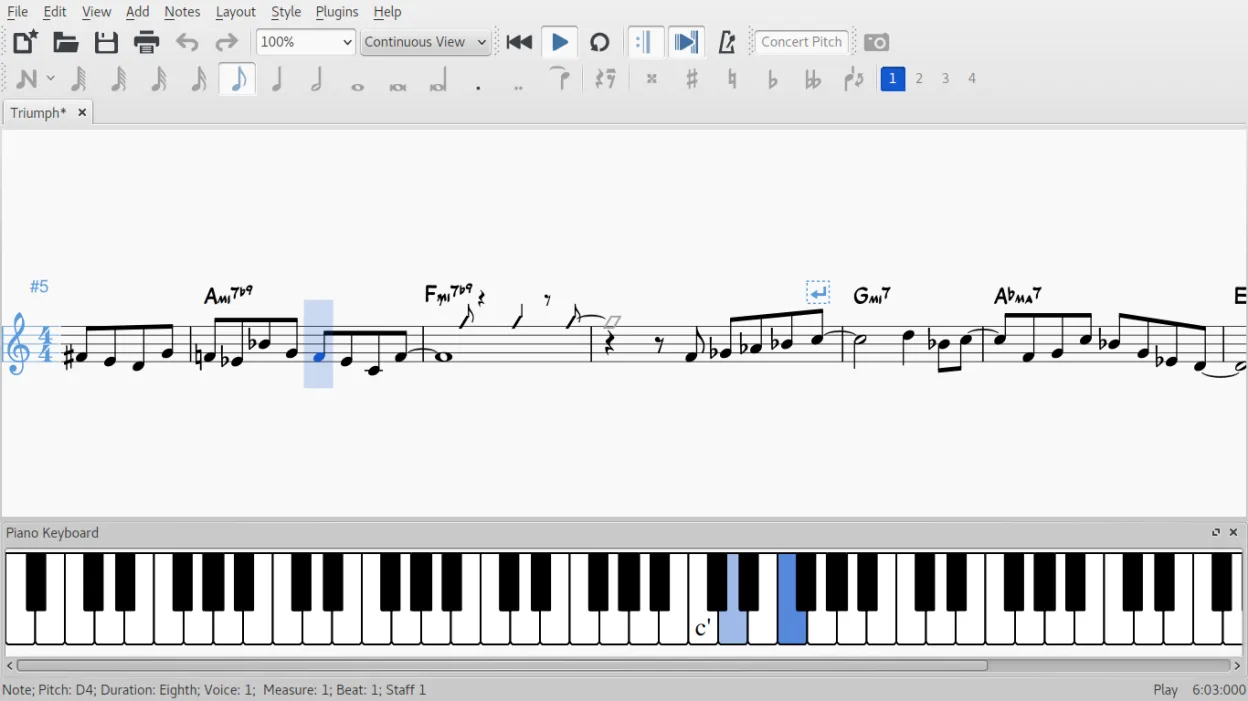
What is MuseScore?
MuseScore is a mature, actively developed music notation editor first released in 2002. It has evolved into a full-featured alternative to commercial tools, with stable performance across Linux, Windows, and macOS. Its codebase is open and community-supported, with regular updates and extensive documentation.
It's ideal for composers, arrangers, students, and educators who need to write, edit, and share sheet music. Whether you're scoring for a small ensemble or preparing lead sheets, MuseScore handles complex layouts and playback. The built-in sharing to musescore.com also makes collaboration easy.
Compared to Sibelius, MuseScore feels lighter and less polished in places, but covers most core notation tasks just as well. It lacks some of the AI-assisted features and deep orchestral templates of high-end tools, but its playback with SoundFonts and layout control are solid. The interface takes some getting used to, but it's functional and customizable.
Best for: Creating, editing, and sharing sheet music on a budget with solid notation and playback.
Key features of MuseScore
- WYSIWYG editor with real-time audio playback
- Supports unlimited staves and four voices per staff
- Import/export MIDI, MusicXML, PDF, WAV, and more
- Built-in mixer and SoundFont support
- Direct upload to musescore.com
- Plugins and custom styles for extending functionality
- Lyrics, chord symbols, and lead sheet notation
- Cross-staff beaming and additive time signatures
Pros
- Free and open source with no paywalls
- Active development and strong community
- Exports high-quality PDF and audio
- Good compatibility with MusicXML and MIDI
- Extensible via plugins and scripting
Cons
- Playback realism depends on SoundFonts; default sounds are basic
- Interface can feel cluttered to new users
- Some advanced engraving features are missing compared to Sibelius
- Crashes occasionally with large scores
Windows programs MuseScore replaces
 Sibelius
How to install MuseScore on Linux
flatpak install flathub org.musescore.MuseScoresudo apt install musescore2sudo apt install musescore2sudo dnf install musescoresudo pacman -S musescoresudo zypper install musescoreTips for Windows users
If you're coming from Sibelius, expect a simpler workflow with less automation. MuseScore uses MusicXML for reliable transfers, but formatting may shift. Keyboard shortcuts differ—spend time in Preferences to remap. The mixer is less advanced, but you can route external MIDI. Use the handbook to learn layout quirks; things like system breaks and part extraction work differently.
Recent releases
- 4.7.5 —
- 4.7.4 —
- 4.7.3 —
- 4.7.2 —
MuseScore: frequently asked questions
Can MuseScore open Sibelius files?
Not directly. You’ll need to export from Sibelius to MusicXML or MIDI first. MusicXML preserves notation best, though complex formatting may not transfer perfectly.
Is MuseScore available in my language?
Yes, it supports dozens of languages. The interface language follows your system settings, or you can change it in Preferences > General.
How do I get better playback sound?
Install high-quality SoundFonts and load them in MuseScore under Synthesizer. Many free and paid options exist, including orchestral and piano packs.
Can I use MuseScore offline?
Yes, all core features work without internet. Uploading to musescore.com requires a connection, but saving and playback do not.
Updated