

Linux · Sound & Video
Kodi
Kodi is a free, open-source media center for playing video, music, and podcasts from local or network sources.
- License
- GPL-2.0-only GPL-2.0-or-later…
- Latest version
- 21.3-Omega (October 31, 2025)
- Developer
- Team Kodi
- Installs
- 16,480 (Flathub, 30 days)

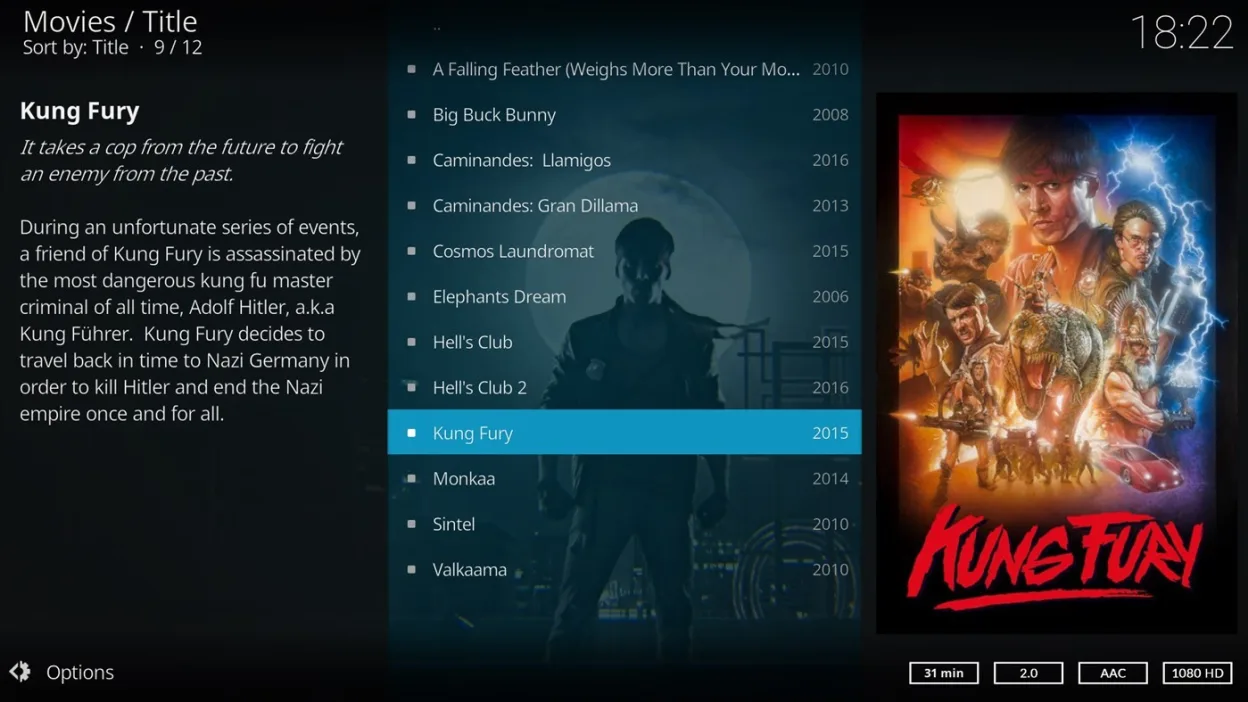
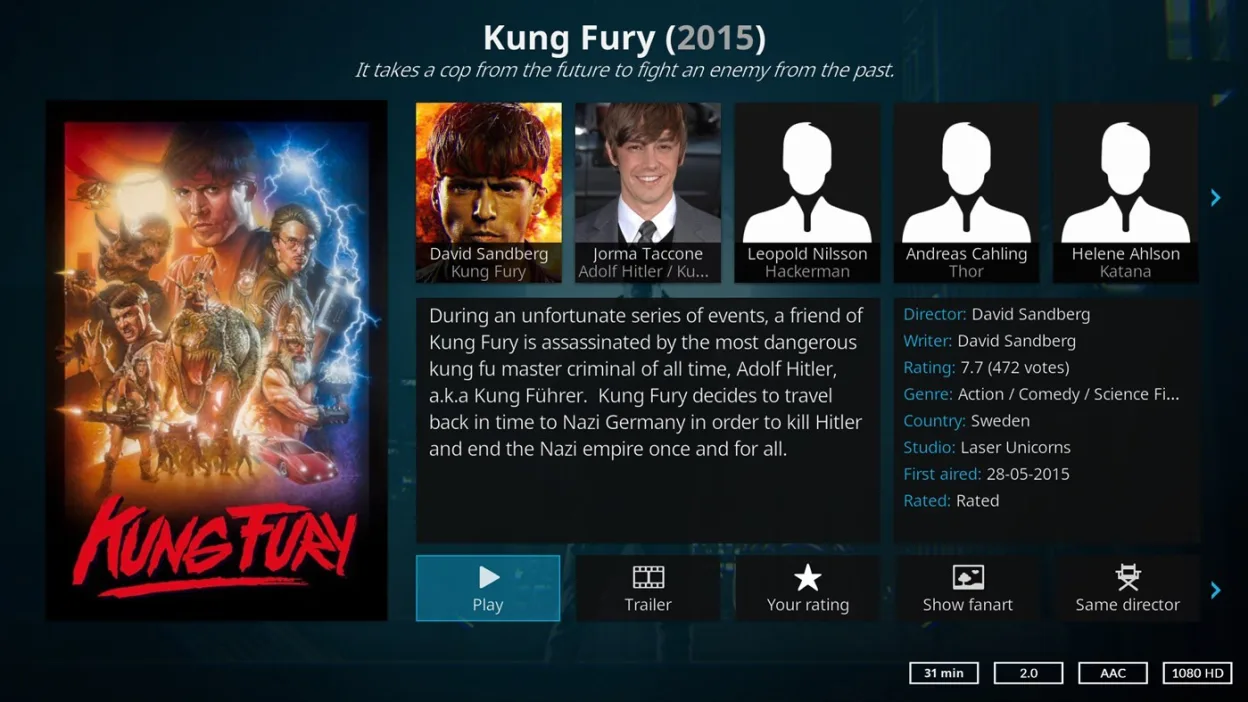
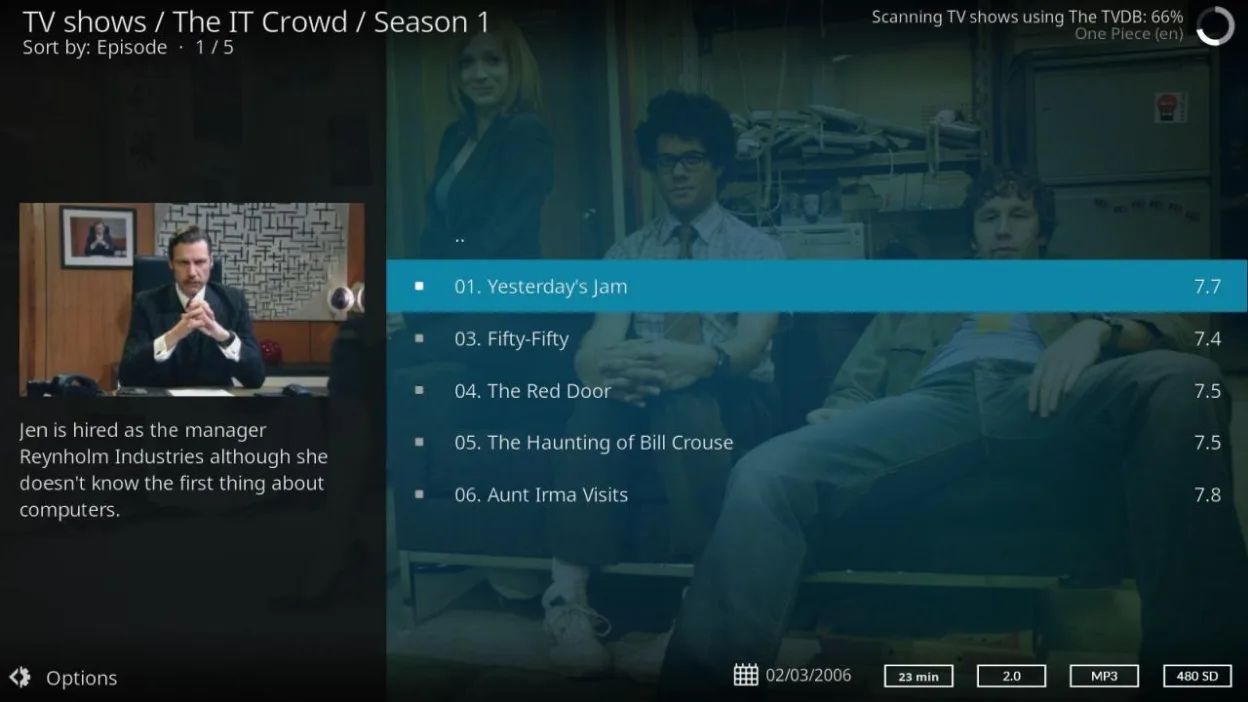
What is Kodi?
Kodi is a mature media player that aggregates video, music, and podcasts from local drives, NAS devices, and the internet. It evolved from Xbox Media Center, focusing on a 10-foot interface designed for televisions and remote controls. The project is driven by a large volunteer community, ensuring long-term stability and frequent updates across various hardware platforms.
It targets users who want a dedicated media hub rather than a simple file player. This includes home theater enthusiasts, people with large local media libraries, and those who prefer a distraction-free interface for living room setups. It is not ideal for quick, casual file playback on a desktop where keyboard navigation is preferred.
Compared to PotPlayer, Kodi feels heavier and more structured. While PotPlayer is a lightweight, highly configurable desktop player, Kodi is a full application suite. You lose some of PotPlayer’s granular codec tweaking in favor of a unified, menu-driven experience. The interface is less cluttered but requires more initial setup for library organization.
Best for: Users who want a dedicated, visually appealing media center for their TV or living room setup.
Key features of Kodi
- Supports video, music, podcasts, and photos
- Plays from local, network (SMB/NFS), and internet sources
- Optimized 10-foot UI for TV and remote control use
- Highly customizable skins and interface layouts
- Extensive plugin ecosystem for online content
- Cross-platform support for Linux, Windows, macOS, and more
- Library management with metadata scraping
- Hardware acceleration for smooth playback
Pros
- Completely free and open source with no ads or tracking
- Runs on almost any Linux distribution and hardware
- Strong community support and regular updates
- Excellent for organizing large local media collections
- Native support for remote controls and TV interfaces
Cons
- Steeper learning curve than simple desktop players
- Can be resource-heavy compared to lightweight players
- Library setup requires initial configuration time
- Interface may feel bloated for quick file browsing
Windows programs Kodi replaces
How to install Kodi on Linux
flatpak install flathub tv.kodi.Kodisudo apt install kodisudo apt install kodisudo pacman -S kodi-tools-texturepackerTips for Windows users
Coming from PotPlayer, expect a different workflow. PotPlayer is often used for quick, direct file playback with keyboard shortcuts, while Kodi is designed as a library-based application. You will likely need to set up media sources (folders or network shares) and let Kodi scan them to build a library. Keyboard navigation works, but the interface is optimized for mouse or remote control. If you just want to open a file quickly, Kodi’s 'Play' menu or file browser is less direct than PotPlayer’s drag-and-drop. Ensure your codecs are handled by Kodi’s built-in support or install necessary GStreamer plugins if using a specific distro build.
Recent releases
- 21.3-Omega —
- 21.2-Omega —
- 21.1-Omega —
- 21.0-Omega —
Kodi: frequently asked questions
Does Kodi work on Linux?
Yes, Kodi is natively supported on Linux. It is available in the official repositories of major distributions like Debian, Ubuntu, and Arch, as well as via Flatpak.
Is Kodi better than VLC on Linux?
Kodi is better for a dedicated media center experience with library management and TV-friendly UI. VLC is better for quick, lightweight playback of individual files on a desktop.
Can I use a remote control with Kodi on Linux?
Yes, Kodi supports standard infrared and Bluetooth remote controls. You may need to configure input mappings in the settings if your remote is not recognized automatically.
Does Kodi support 4K playback?
Yes, Kodi supports 4K playback with hardware acceleration. Performance depends on your GPU and driver support, but it handles modern codecs well on most modern Linux hardware.
Updated