

Linux · Programming
NetBeans
NetBeans is an open‑source IDE from Apache that supports Java, JavaScript, PHP, C/C++ and more.
- License
- Apache-2.0
- Latest version
- 31 (August 12, 2026)
- Developer
- Apache Software Foundation
- Installs
- 2,880 (Flathub, 30 days)
What is NetBeans?
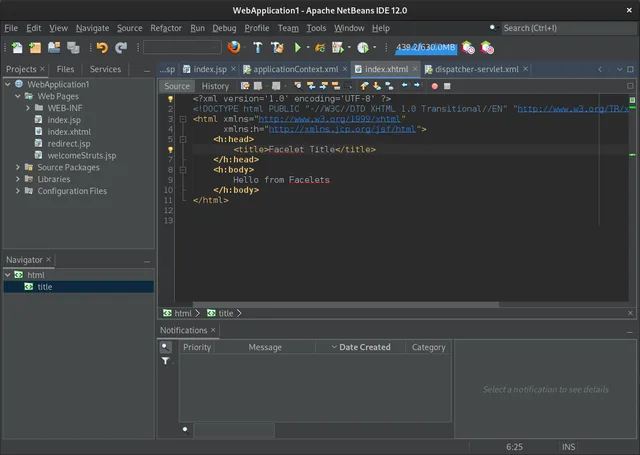
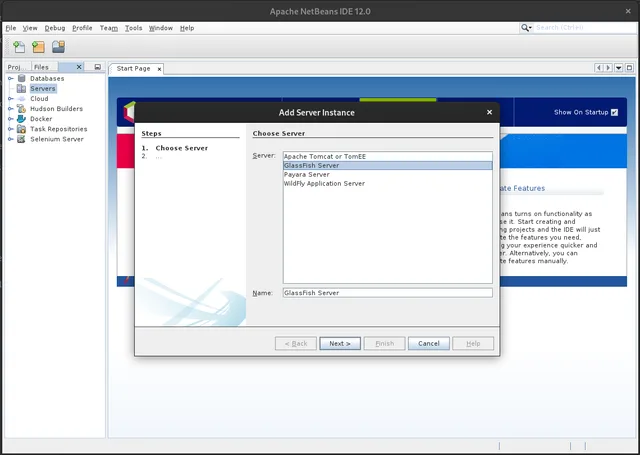
NetBeans began in 2000 as a Java IDE from Sun Microsystems before being donated to the Apache Software Foundation. Over the years it added support for web, mobile and desktop development, and the latest release, 31, brings a refreshed UI and better JavaFX integration. The IDE is aimed at developers who need a single environment for multiple languages, especially those working on Java EE or Android projects. It offers a modular architecture that lets you add or remove language support. Compared with Visual Studio, NetBeans feels lighter and more focused on Java. It lacks some of the deep integration Visual Studio has with Microsoft ecosystems, but it provides a consistent experience across Linux, Windows and macOS without the need for a paid license.
Best for: Developers who need a single, free IDE that handles Java and other languages on Linux.
Key features of NetBeans
- Modular plug‑in system for Java, JavaScript, PHP, C/C++
- Built‑in profiler and debugger
- Maven, Gradle and Ant project support
- JavaFX and Swing GUI builders
- Version control integration (Git, SVN, Mercurial)
- Code completion, refactoring and static analysis
- Cross‑platform UI
- Rich community documentation
Pros
- Free and open source
- Supports multiple languages
- Active community and regular releases
- Good integration with build tools
- Cross‑platform consistency
Cons
- UI can feel dated compared to newer IDEs
- Performance may lag with very large projects
- Limited native support for .NET languages
- Learning curve for advanced plug‑in configuration
Windows programs NetBeans replaces
How to install NetBeans on Linux
flatpak install flathub org.apache.netbeanssudo apt install netbeanssudo apt install netbeanssudo pacman -S netbeansTips for Windows users
If you come from Visual Studio, the file extensions (.java, .js, .php, .cpp) stay the same. NetBeans uses the same keyboard shortcuts for common actions (Ctrl+S to save, Ctrl+Shift+F for formatting). The project structure is different: NetBeans uses a .nbproject folder instead of a .sln file. Workflow changes: you’ll manage builds via Maven/Gradle from the IDE, not through a separate build system. The debugger and profiler are integrated, but you may need to adjust your breakpoints and watch expressions to match NetBeans syntax. Overall, the learning curve is moderate; the IDE’s help system and online tutorials help bridge the gap.
Recent releases
- 31 —
- 30 —
- 29 —
- 28 —
NetBeans: frequently asked questions
Is NetBeans free on Linux?
Yes, NetBeans is distributed under the Apache-2.0 license and is free to use on all platforms.
Can I use NetBeans for Android development?
NetBeans supports Android via the Android SDK plug‑in, but the community recommends Android Studio for the latest features.
How do I add C++ support?
Install the C/C++ plug‑in from the IDE’s plug‑in manager; it will add project templates and a compiler integration.
Does NetBeans support Docker?
You can use the Docker plug‑in to run containers from within the IDE, but it is not bundled by default.
Updated