
 NetBeansLinux
vs
Visual StudioWindows
NetBeansLinux
vs
Visual StudioWindows
NetBeans as a Linux alternative to Visual Studio
Updated
Our verdict
NetBeans is a solid, mature IDE for Java, JavaScript, and C/C++ development on Linux, but it is not a direct replacement for Visual Studio if your primary focus is .NET or C# development. While it offers excellent debugging, refactoring, and Git integration, it lacks native support for the .NET ecosystem. For developers working with Java, PHP, or C/C++, it is a capable, free alternative. However, C# developers should look toward Rider or Visual Studio Code with extensions, as NetBeans does not handle .NET projects natively. Choose NetBeans only if your workflow centers on its supported languages.
- License
- Apache-2.0
- Price
- Free
- Latest version
- 31 (August 12, 2026)
- Rating
- —
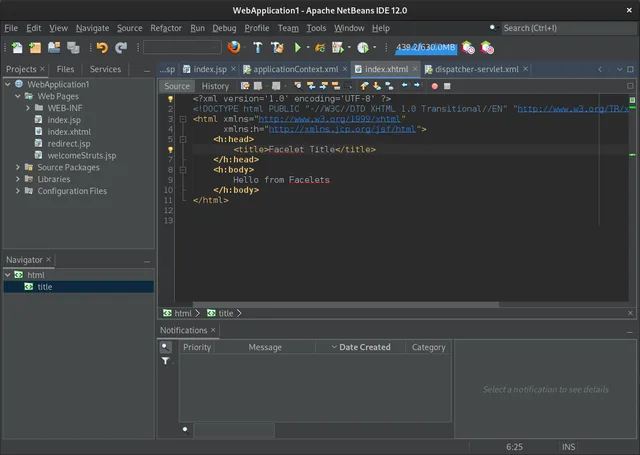
What works the same
- Integrated debugger and static code analysis tools
- Native Git version control integration
- Modular plugin architecture for extending functionality
- Built-in project management and build tool support (Maven, Ant, etc.)
- Customizable UI layout and keyboard shortcuts
What is different
- No native support for .NET, C#, or Visual Basic
- Lacks the vast Visual Studio Marketplace extension ecosystem
- No integrated Windows Forms or WPF designers
- Different build system defaults (Maven/Ant vs. MSBuild)
- Smaller community focus compared to the massive VS user base
Opening your Visual Studio files
NetBeans cannot natively open or build Visual Studio solution (.sln) or project (.csproj) files intended for .NET or C# development. If you are working on C/C++ projects, you may be able to import source code and create a new NetBeans project, but build configurations and dependencies will need to be manually reconfigured. There is no direct file format compatibility for the core .NET workflow.
Switching from Visual Studio to NetBeans, step by step
- Install NetBeans via your package manager or Flathub
- Create a new project in NetBeans matching your target language
- Import your source code files into the new project structure
- Configure your Git repository settings and remote origins
- Set up your build tools (Maven, Ant, or CMake) as required
- Adjust keyboard shortcuts and UI layout to match your preferences
Key features of NetBeans
- Modular plug‑in system for Java, JavaScript, PHP, C/C++
- Built‑in profiler and debugger
- Maven, Gradle and Ant project support
- JavaFX and Swing GUI builders
- Version control integration (Git, SVN, Mercurial)
- Code completion, refactoring and static analysis
- Cross‑platform UI
- Rich community documentation
How to install NetBeans on Linux
flatpak install flathub org.apache.netbeanssudo apt install netbeanssudo apt install netbeanssudo pacman -S netbeansFrequently asked questions
Can I use NetBeans for C# development?
No, NetBeans does not have native support for C# or the .NET framework. You will need a different IDE like Rider or Visual Studio Code with C# extensions.
Does NetBeans support Windows Forms?
No, it does not. NetBeans provides GUI builders for JavaFX and Swing, but not for Windows-specific UI frameworks like WinForms or WPF.
Is NetBeans free to use?
Yes, NetBeans is open-source software licensed under Apache-2.0 and is free to download and use.
5 other alternatives to Visual Studio
 Visual Studio CodeA lightweight, extensible code editor that supports debugging, Git, and many languages.FreeFlatpakVisual Studio Code vs Visual StudioMonoDevelopMonoDevelop is an open‑source IDE for .NET and C# development on Linux.Open sourceFreeMonoDevelop vs Visual Studio
 EclipseEclipse is a free, Java‑centric integrated development environment that runs natively on Linux.Open sourceFreeFlatpakEclipse vs Visual Studio
 KDevelopKDevelop is a free, plugin-based IDE for KDE supporting C++, Python, PHP, and other languages with strong…Open sourceFreeFlatpakKDevelop vs Visual Studio
 GeanyGeany is a lightweight, fast IDE that supports many languages and plugins out of the box.Open sourceFreeFlatpakGeany vs Visual Studio