

Linux · Internet
Nextcloud Desktop Client
Syncs local folders with a Nextcloud server to keep files consistent across devices.
- License
- GPL-2.0+
- Latest version
- 35.0.0 (October 12, 2026)
- Developer
- Nextcloud GmbH
- Installs
- 9,643 (Flathub, 30 days)
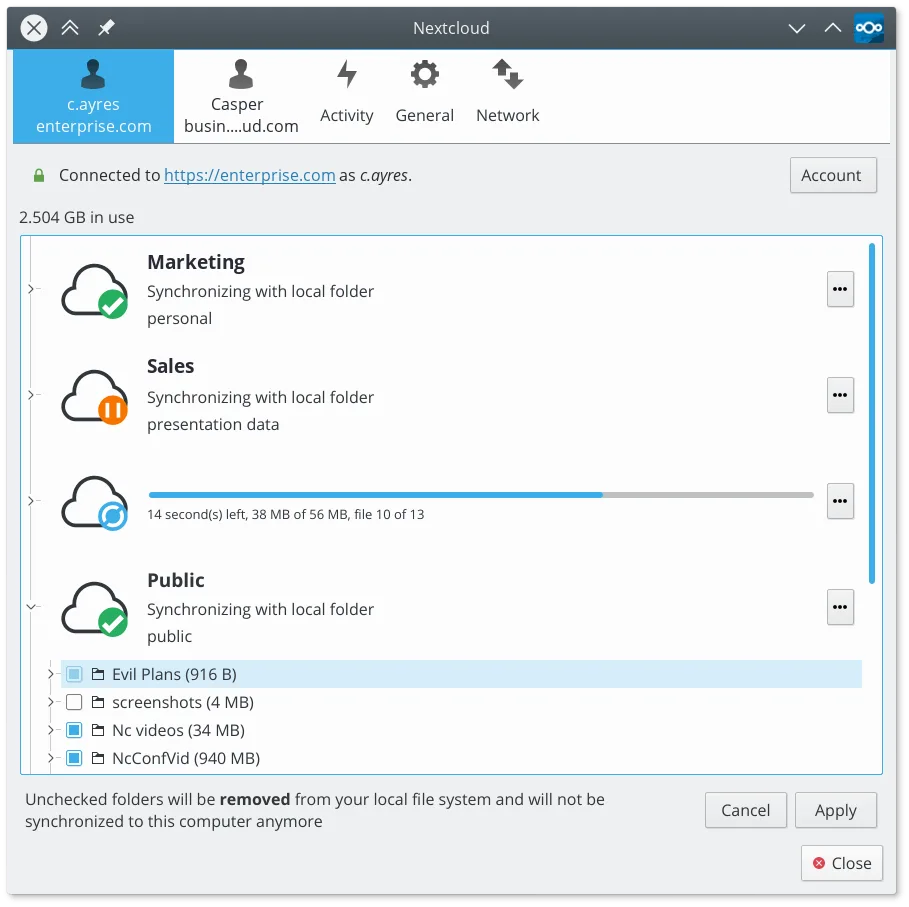
What is Nextcloud Desktop Client?
The Nextcloud Desktop Client is a mature, open-source file synchronization tool that mirrors local directories to a Nextcloud server. It has been developed by Nextcloud GmbH for years, evolving from the ownCloud client lineage. The software is stable, regularly updated, and supports large-scale deployments as well as personal use cases.
It is ideal for users who want self-hosted cloud storage or those using Nextcloud servers at work. It suits individuals who need offline access to their documents and photos without relying on proprietary cloud services like Google Drive or Dropbox. It is also good for teams sharing folders with specific permissions.
Compared to Google Drive for Desktop, the Nextcloud client feels more like a traditional sync tool. It does not index your entire drive for search; you rely on your local file manager. The interface is minimal, often just a tray icon, which some users prefer for its low resource usage and lack of intrusive notifications.
Best for: Users who want self-hosted cloud storage with offline access and full control over their data.
Key features of Nextcloud Desktop Client
- Two-way synchronization of files and folders
- Support for selective sync to save disk space
- Version history and file restoration
- Integration with Nextcloud server features like sharing links
- Conflict resolution for simultaneous edits
- Support for large files and binary data
- Tray icon for quick status and pause/resume
- Cross-platform support including Linux, Windows, and macOS
Pros
- Fully open-source and free to use
- No data caps or subscription fees for the client
- Works with any Nextcloud-compatible server
- Low resource consumption compared to some proprietary clients
- Strong privacy controls since you control the server
Cons
- Requires a running Nextcloud server to function
- No built-in file search index (relies on OS search)
- Initial setup can be complex for non-technical users
- Occasional sync conflicts if multiple users edit files simultaneously
Windows programs Nextcloud Desktop Client replaces
How to install Nextcloud Desktop Client on Linux
flatpak install flathub com.nextcloud.desktopclient.nextcloudTips for Windows users
Coming from Google Drive, note that Nextcloud does not index files for global search; use your file manager’s search instead. Map your sync folders to local directories, not network drives, for best performance. If you used Google Drive’s version history, Nextcloud offers similar features via the server’s file versions. Ensure your server is configured correctly before syncing large libraries to avoid long initial transfers.
Recent releases
- 35.0.0 —
- 34.0.5 —
- 34.0.4 —
- 34.0.3 —
Nextcloud Desktop Client: frequently asked questions
Does Nextcloud Desktop work without a Nextcloud server?
No, it requires a Nextcloud server instance. It can connect to any server running Nextcloud, including self-hosted or third-party hosted options.
Can I sync only specific folders to save space?
Yes, you can use selective sync to choose which folders are downloaded locally. Other files remain available online but do not consume local disk space.
Is the Nextcloud client available on Flathub?
Yes, the official Nextcloud Desktop Client is available on Flathub, making it easy to install on modern Linux distributions.
How does it handle file conflicts?
If two users edit the same file simultaneously, the client creates a conflict copy. You can then merge changes manually or restore a previous version.
Updated