

Linux · Programming
Postman
Postman is a cross-platform API development environment for building, testing, and collaborating on APIs.
- License
- LicenseRef-proprietary=https://www.postm…
- Latest version
- 12.37.3 (November 19, 2026)
- Developer
- Postman Inc.
- Installs
- 8,971 (Flathub, 30 days)
What is Postman?
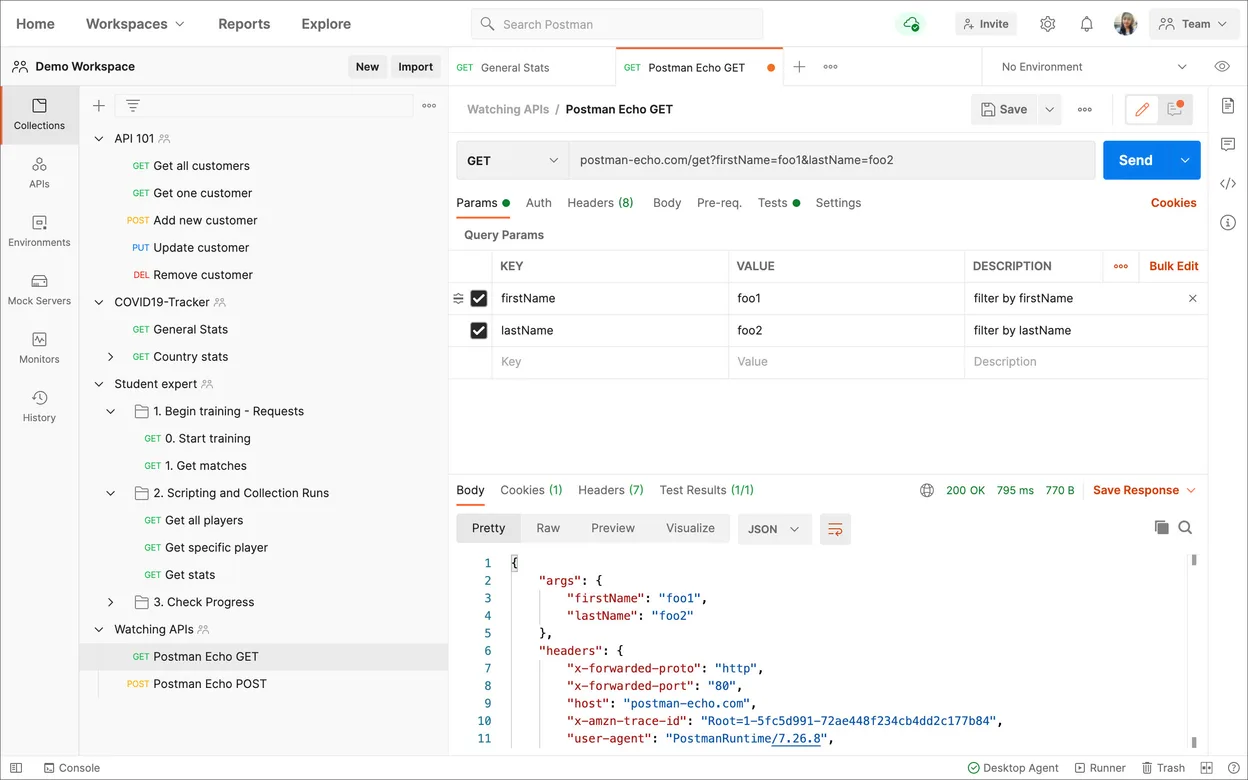
Postman has been a staple in API development for over a decade, evolving from a simple Chrome extension into a full-fledged desktop application. It handles the entire API lifecycle, from designing and documenting endpoints to writing automated tests. With millions of developers using it, the tool is mature and stable, with regular updates that keep pace with modern API standards like GraphQL and gRPC.
This tool is primarily for backend developers, QA engineers, and technical product managers who need to interact with APIs. It is especially useful for teams that rely on shared workspaces, as it allows multiple users to collaborate on the same API definitions, share environments, and run collections in CI/CD pipelines. If you are working with REST or GraphQL services, this is likely your primary interface.
Coming from Windows or macOS, the Linux version feels nearly identical in functionality and interface. The Electron-based design means the look and feel are consistent across platforms. However, you may notice slightly higher memory usage compared to native apps. The main difference is the distribution method; on Linux, you typically install it via Flatpak or AppImage, which isolates it from your system libraries.
Best for: Developers and teams who need a reliable, collaborative environment for building and testing APIs across multiple platforms.
Key features of Postman
- Create and send HTTP requests with various methods
- Automate API testing with JavaScript-based test scripts
- Manage environments and variables for different configurations
- Generate API documentation from your collections
- Collaborate via shared workspaces and team accounts
- Monitor API performance and uptime
- Supports GraphQL, SOAP, and gRPC protocols
- Integrates with CI/CD tools like Jenkins and GitLab CI
Pros
- Highly polished and user-friendly interface
- Excellent collaboration features for teams
- Large community and extensive documentation
- Consistent experience across Linux, Windows, and macOS
Cons
- Proprietary software, not open source
- Can be memory-intensive on Linux
- Advanced features require a paid subscription
- Occasional sync issues in large workspaces
Windows programs Postman replaces
How to install Postman on Linux
flatpak install flathub com.getpostman.PostmanTips for Windows users
Your existing Postman collections and environments will sync automatically if you log in with the same account. The file format for collections is JSON, so you can export/import them manually if needed. Shortcuts are largely the same as Windows (e.g., Ctrl+Enter to send request). One thing to note is that on Linux, you might need to enable hardware acceleration in settings if you experience lag, though this is rare on modern systems.
Recent releases
- 12.37.3 —
- 12.37.2 —
- 12.37.1 —
- 12.37.0 —
Postman: frequently asked questions
Is Postman free to use on Linux?
Yes, the core features for sending requests and managing collections are free. Advanced features like team collaboration, monitoring, and advanced automation require a paid plan.
How do I install Postman on Linux?
The recommended method is via Flatpak from Flathub. You can also download an AppImage or use the official .deb package for Debian-based systems.
Does Postman work offline on Linux?
Yes, you can send requests and manage local collections without an internet connection. However, syncing changes to the cloud requires connectivity.
Is there an open-source alternative to Postman?
Yes, tools like Insomnia (which has an open-source core) and Bruno are popular open-source alternatives that offer similar functionality.
Updated