

Linux · Sound & Video
Rubyripper
Rubyripper is a Linux CD ripper that aims for secure, accurate audio extraction.
- License
- GPL-2.0
- Latest version
- —
What is Rubyripper?
Rubyripper started as a small project in the early 2000s, targeting users who wanted a lightweight alternative to Windows CD‑ripping tools. It was built around the CD‑Paranoia library and focused on error‑free extraction, but it never gained widespread adoption and development slowed after 2008.
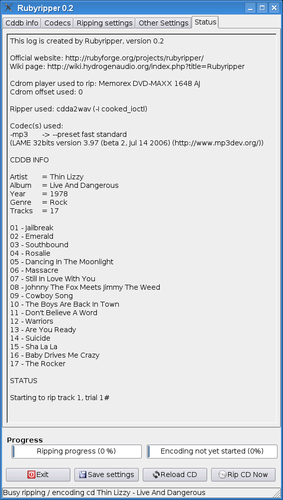
The tool is aimed at power users who prefer a command‑line workflow and are comfortable with manual configuration. It offers a simple interface but lacks the polished GUI of EAC or Easy CD‑DA Extractor.
Compared to its Windows counterparts, Rubyripper feels more basic and less user‑friendly. It lacks features like automatic track naming, metadata fetching, and a visual progress bar, making the experience more technical and less streamlined.
Best for: Users who prefer a command‑line tool and are comfortable managing output formats and metadata manually.
Key features of Rubyripper
- Command‑line interface
- Uses CD‑Paranoia for error‑free ripping
- Supports WAV, FLAC, and MP3 output
- Batch ripping of multiple discs
- Customizable bit‑rate and encoding settings
- No built‑in metadata fetching
Pros
- Accurate, error‑free extraction
- Lightweight and fast
- Free and open source
- Supports multiple output formats
Cons
- No GUI
- Limited metadata handling
- Unmaintained, no recent updates
- No automatic track naming
Windows programs Rubyripper replaces
 Easy CD-DA Extractor
 Exact Audio Copy (EAC)
Tips for Windows users
If you’re coming from EAC or Easy CD‑DA Extractor, expect to work with command‑line options instead of a wizard. Use rubyripper -o flac to rip to FLAC, and rubyripper -o wav for WAV. There is no automatic track naming; you’ll need to rename files manually or use a separate tagging tool. The workflow is more manual but offers full control over encoding settings.
Rubyripper: frequently asked questions
Is Rubyripper still maintained?
Development appears to have stopped around 2008; the latest release is from that period.
Can I use Rubyripper to rip DVDs?
No, it only handles audio CDs.
Does it support metadata fetching?
No, it does not automatically fetch or embed metadata.
What output formats are available?
WAV, FLAC, and MP3 are supported; other formats require additional tools.
Updated