

Linux · Office
Skrooge
Skrooge is a KDE‑based personal finance manager for simple bookkeeping on Linux.
- License
- GPL-2.0+
- Latest version
- 25.4.0 (April 24, 2025)
- Developer
- Stephane Mankowski
- Installs
- 464 (Flathub, 30 days)
What is Skrooge?
Skrooge has been in development for many years and is packaged in the major distributions, with the latest release 25.4.0 in 2025. It targets home users who need a straightforward way to track income, expenses and budgets without the complexity of full‑blown accounting suites.
The program lets you import data from a wide range of formats (QIF, CSV, OFX, Money‑Manager‑Ex, etc.) and export to the same, making migration from QuickBooks or other Windows tools possible. Its KDE interface feels familiar to desktop Linux users, offering tabs, instant filtering and infinite undo/redo.
Compared with QuickBooks, Skrooge lacks advanced payroll and multi‑user features, but it is lightweight, free and integrates well with the Linux desktop. It is best suited for personal finance, small household budgets, or hobby‑level bookkeeping.
Best for: Home users or hobbyists who need a simple, free tool for personal finance tracking.
Key features of Skrooge
- Import/export many formats (QIF, CSV, OFX, Money‑Manager‑Ex, etc.)
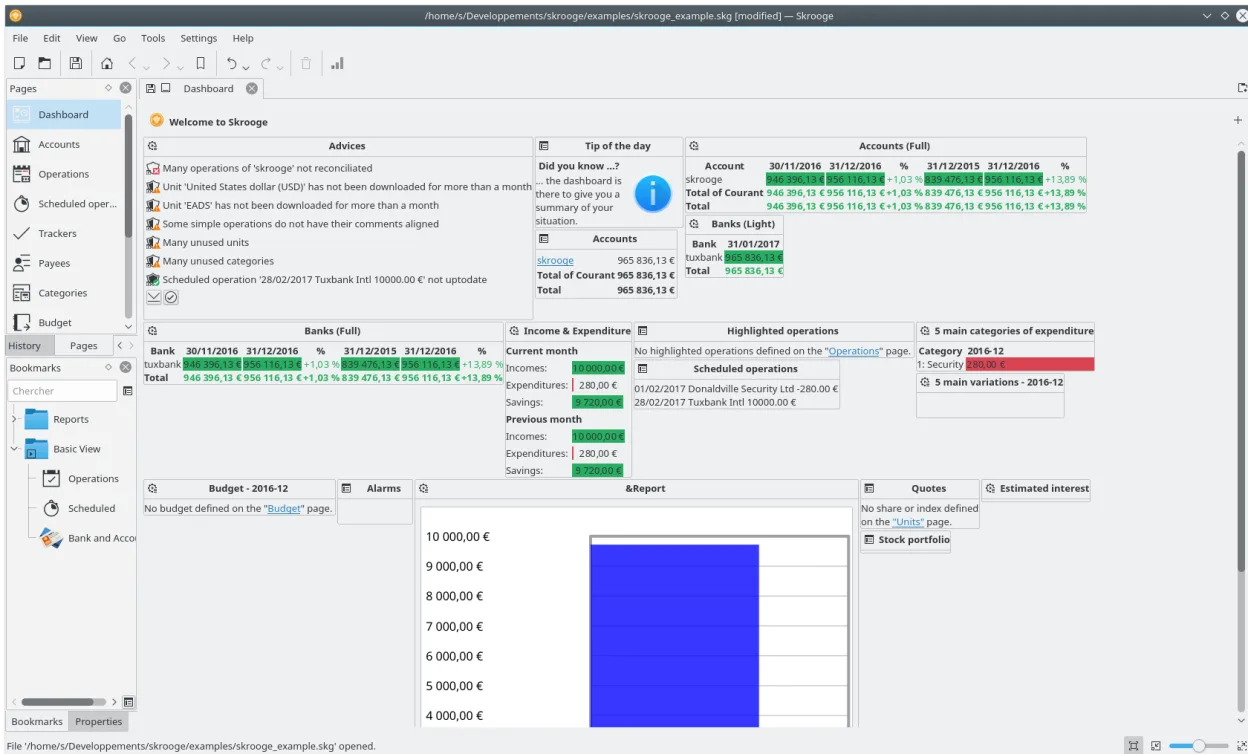
- Advanced graphical reports and dashboards
- Infinite undo/redo, even after closing a file
- Instant filtering of transactions and reports
- Scheduled and recurring transactions
- Multiple currencies and budgeting tools
- Mass update of transactions
- Customizable advice and alerts
Pros
- Free and open source under GPL‑2.0+
- Broad import/export support eases migration
- KDE UI is clean and responsive
- Infinite undo/redo prevents accidental data loss
- Multiple currencies and budgeting built‑in
Cons
- No built‑in invoicing or payroll modules
- Limited multi‑user collaboration
- KDE dependencies may be heavy on non‑KDE desktops
Windows programs Skrooge replaces
How to install Skrooge on Linux
flatpak install flathub org.kde.skroogesudo apt install skroogesudo apt install skroogesudo dnf install skroogesudo pacman -S skroogesudo zypper install skroogeTips for Windows users
Export your QuickBooks data to QIF or CSV, then import those files into Skrooge via the File → Import menu. Keyboard shortcuts are similar to other KDE apps (Ctrl+N for new transaction, Ctrl+F for filter). Expect to replace QuickBooks’ ribbon with tabbed panels and rely on the built‑in reports rather than custom templates.
Recent releases
- 25.4.0 —
- 25.1.0 —
- 2.33.0 —
- 2.32.0 —
Skrooge: frequently asked questions
Can Skrooge read QuickBooks files directly?
Not directly; export your QuickBooks data to QIF or CSV first, then import those files into Skrooge.
Is there a mobile app for Skrooge?
No official mobile client exists; you can export data and view it elsewhere if needed.
How do I back up my Skrooge data?
Skrooge stores data in a plain‑text XML file; simply copy the file to a backup location or use your distro’s backup tools.
Does Skrooge support multiple users on the same file?
It does not have concurrent multi‑user editing; users must coordinate manually.
Updated