
 MeshLabLinux
vs
3D BuilderWindows
MeshLab as a Linux alternative to 3D Builder
Updated
Our verdict
MeshLab is a solid replacement for 3D Builder if you're comfortable with a more technical interface. It handles STL, OBJ, and PLY import/export reliably and excels at repairing non-manifold geometry and cleaning up scanned meshes. While it lacks built-in slicing, it prepares models well for 3D printing. The UI is less intuitive than 3D Builder’s, so beginners may struggle. However, for users who prioritize mesh repair and manual control over simplicity, MeshLab is a capable, no-cost Linux alternative.
- License
- GPL-3.0-only
- Price
- Free
- Latest version
- 2025.07 (July 22, 2025)
- Rating
- —
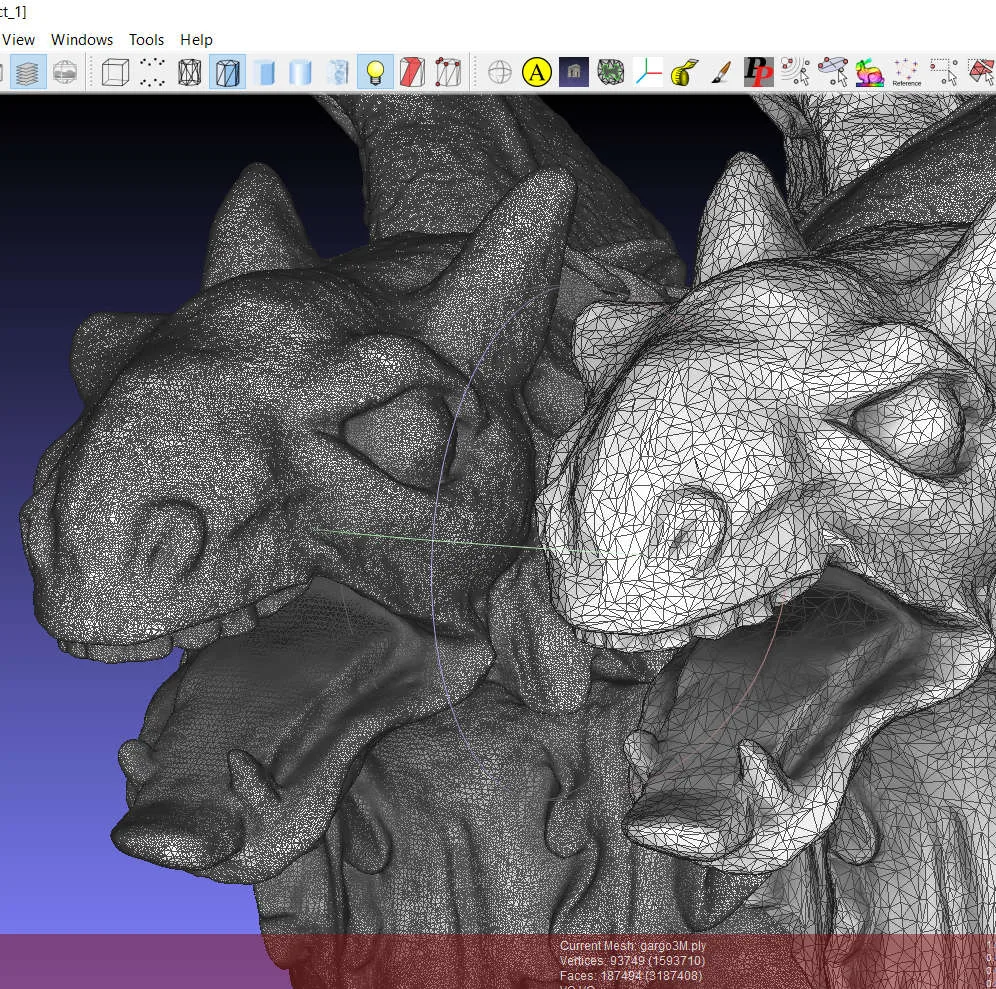
What works the same
- Supports import and export of STL, OBJ, and PLY formats
- Allows basic transformations like scale, rotate, and translate
- Can combine multiple meshes into a single model
- Offers wireframe and solid viewing modes
- Includes tools for 3D printing preparation, such as checking mesh integrity
What is different
- MeshLab has no built-in slicer; slicing must be done in a separate program
- UI is more complex and less beginner-friendly than 3D Builder
- No direct integration with 3D printer firmware or preview
- Lacks simple, guided workflows for common tasks
- Advanced features like scripting and batch processing go beyond 3D Builder’s scope
Opening your 3D Builder files
MeshLab reads and writes STL, OBJ, and PLY files directly, matching the formats used by 3D Builder. You can open models saved from 3D Builder without issues, and export them in formats ready for 3D printing. MeshLab also supports other mesh formats like OFF and X3D, increasing flexibility. While it doesn’t export to proprietary printer formats, standard STL output works with all common slicing tools.
Switching from 3D Builder to MeshLab, step by step
- Install MeshLab via your package manager or Flathub: 'flatpak install flathub org.meshlab.MeshLab'
- Open your 3D Builder-exported STL or OBJ file using File > Import
- Use Filters > Cleaning and Repairing to fix non-manifold edges, holes, or flipped normals
- Apply transforms under Filters > Transform with scale, rotate, or translate as needed
- Combine meshes using Filters > Sampling > Merge Visible Layers if required
- Export the final model via File > Export Mesh for use in your slicer
Key features of MeshLab
- Mesh cleaning and healing tools to fix broken geometry
- Polygon reduction and simplification algorithms
- Texture mapping and UV unwrapping capabilities
- Support for 3D printing preparation and analysis
- Processing of raw data from 3D digitization devices
- Rendering and visualization of 3D models
- Conversion between various 3D file formats
- Scripting support for batch processing
How to install MeshLab on Linux
flatpak install flathub net.meshlab.MeshLabsudo apt install meshlabsudo apt install meshlabsudo dnf install meshlabsudo zypper install meshlabFrequently asked questions
Can MeshLab slice models for 3D printing?
No, MeshLab does not include slicing. Use it to clean and prepare models, then export to a slicer like Ultimaker Cura or PrusaSlicer.
Is MeshLab harder to use than 3D Builder?
Yes, the interface is more technical. It’s powerful but assumes some familiarity with mesh editing concepts.
Does MeshLab support color 3D models?
Yes, it can handle colored meshes in formats like PLY and OBJ, though editing color is limited compared to dedicated tools.
4 other alternatives to 3D Builder
 BlenderBlender is a free, open-source 3D suite for modeling, animation, rendering, and video editing.Open sourceFreeFlatpakBlender vs 3D Builder
 FreeCADFreeCAD is an open‑source parametric 3D CAD modeler for design, engineering and 3D printing.Open sourceFreeFlatpakFreeCAD vs 3D Builder
 Wings 3DWings 3D is an open‑source advanced subdivision modeler for Linux.Open sourceFreeFlatpakWings 3D vs 3D Builder
 Bambu StudioBambu Studio is a free, open‑source 3D slicing application for Linux that lets you prepare models for 3D…Open sourceFreeFlatpakBambu Studio vs 3D Builder