
Windows · Sound & Video
Best Linux alternatives to Microsoft Stream
Microsoft Stream is an enterprise video sharing platform for Microsoft 365 users.
Updated
Quick answer
The best Linux alternative to Microsoft Stream is Plex.
1 Linux alternatives to Microsoft Stream
-
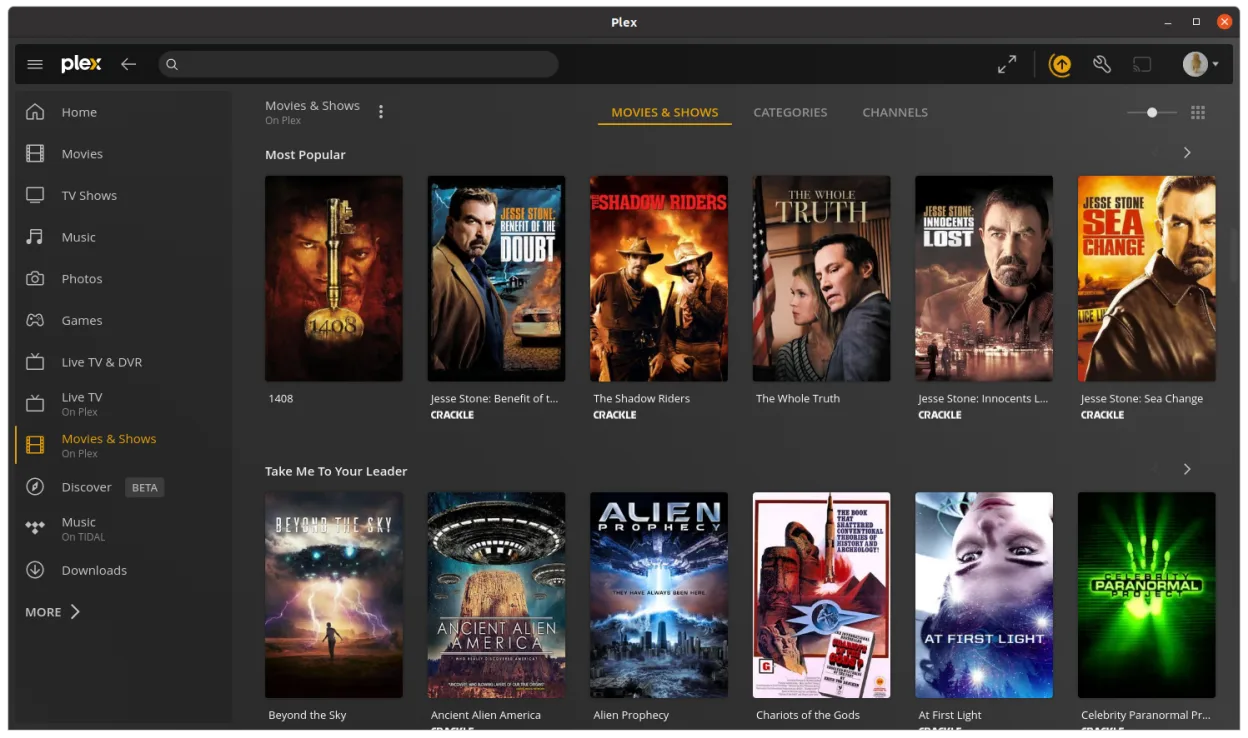
Plex is a desktop media player for Linux that streams local and networked content with a browser‑style interface.
Plex is not a direct replacement for Microsoft Stream. It can play and organize videos locally and across devices, but it lacks the enterprise‑level upload, transcoding, and Microsoft 365 integration that Stream provides. It is useful for small teams or individuals who need a simple media server…
Feature parity30%

What is Microsoft Stream?
Microsoft Stream lets teams upload, share and stream videos inside the Microsoft 365 ecosystem. It is used mainly by corporate and educational organizations to host training, meetings and internal communications. The service is part of the Microsoft 365 subscription, so it is not sold separately. Users pay for the overall Office 365 plan, which includes Stream as an add‑on. Because many companies want a cross‑platform solution that works on Linux, they look for alternatives that can host, transcode and stream video without relying on Microsoft’s cloud.
What a replacement for Microsoft Stream must do
- Upload and host video files
- Transcoding to multiple resolutions
- Web‑based playback for all devices
- Secure user authentication and permissions
- Integration with existing media libraries
- Support for standard codecs (H.264, AAC)
- Administrative dashboard for content management
Can you run Microsoft Stream on Linux?
There is no native Linux client for Microsoft Stream. Users can access the web interface from any browser on Linux. The desktop experience is limited to the web app; no reliable Wine/Proton or Bottles support has been reported.
Which alternative should you choose?
Jellyfin Desktop is best for users who need an open‑source media server that can run locally and stream to any device. Plex works well for those who want a polished interface and easy cloud sync, but it requires a paid subscription for full features.
Moving your Microsoft Stream files and habits
Exporting videos from Stream is done via the web portal by downloading the original files. The files are typically MP4 or WMV, which both Jellyfin and Plex can ingest without conversion. Metadata such as titles and descriptions can be copied manually.
Microsoft Stream: frequently asked questions
Can I use Stream on Linux?
Only through the web interface; no native client exists.
Is there a free alternative to Stream?
Yes, Jellyfin is free and open source; Plex offers a free tier with limited features.
Do I need a Microsoft 365 subscription to use Stream?
Yes, Stream is bundled with Microsoft 365 and requires a valid subscription.
Can I host my own Stream server?
No, Microsoft does not provide a self‑hosted version; you must use their cloud service.
How important is Microsoft Stream to you?
Know a better alternative? Suggest an alternative