
 NeovimLinux
vs
GoLandWindows
Neovim as a Linux alternative to GoLand
Updated
Our verdict
Neovim can replace GoLand for developers comfortable configuring tools and using modal editing, but it’s not a direct substitute out of the box. With plugins like LSP support via nvim-lspconfig, null-ls, and Go-specific tools (gopls, delve), Neovim gains Go syntax, completion, static analysis, debugging, and refactoring. However, these must be manually set up and fine-tuned. For lightweight Go work or experienced Vim users, it’s effective. For teams relying on GoLand’s integrated, polished experience, Neovim demands more effort and technical depth to match functionality.
- License
- Apache-2.0
- Price
- Free
- Latest version
- 0.12.6 (October 9, 2026)
- Rating
- —
What works the same
- Syntax highlighting for Go files
- Code completion and static analysis (with LSP setup)
- Integrated terminal for running Go commands
- Support for debugging Go programs (via DAP and delve)
- Refactoring support through external tools and plugins
What is different
- Neovim requires manual configuration; GoLand works immediately
- GoLand has built-in, reliable refactoring; Neovim needs external tools like gopls
- No native GUI project management in Neovim like GoLand
- Debugging in Neovim is more complex to set up and use
- Dependency management in Neovim relies on command-line tools, not visual interface
Opening your GoLand files
Neovim opens .go files directly and handles GoLand project files (like go.mod and .gitignore) without issue, since they are plain text. GoLand-specific files (such as workspace settings in .idea/) are not used by Neovim and can be ignored. You retain full access to your Go source and dependency files. No conversion is needed—just open the files in Neovim. Configuration portability depends on your Neovim setup, not project-level files.
Switching from GoLand to Neovim, step by step
- Install Neovim 0.12.6 or later from your distro’s repo or Flathub
- Set up a plugin manager (e.g., packer.nvim) and install LSP support
- Configure nvim-lspconfig with gopls for Go language features
- Install a DAP adapter (e.g., nvim-dap) with delve for debugging
- Add goimports or gofumpt via null-ls for formatting and linting
- Use the built-in terminal (:term) to run go build, go test, etc.
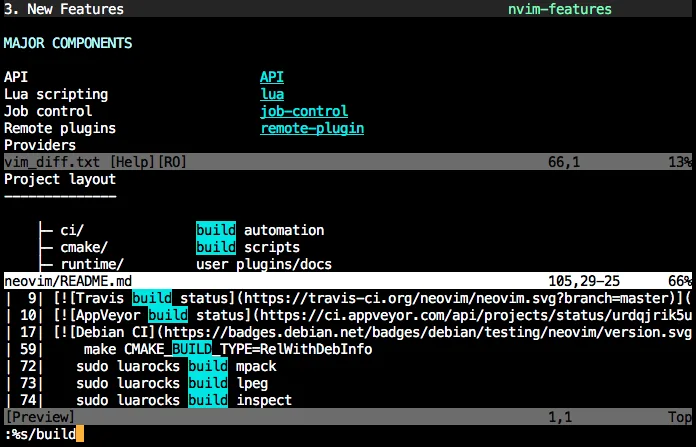
Key features of Neovim
- Modal editing with insert, normal, visual, command modes
- Built‑in terminal emulator
- Extensible via Lua and Vimscript
- Remote plugins via RPC
- Asynchronous job control
- Configurable UI with floating windows and splits
How to install Neovim on Linux
flatpak install flathub io.neovim.nvimsudo apt install neovimsudo apt install neovimsudo dnf install neovimsudo pacman -S neovimsudo zypper install neovimFrequently asked questions
Can Neovim do Go refactoring like renaming functions across packages?
Yes, but only if you set up gopls properly. It supports rename, find references, and other LSP features. Reliability depends on your configuration and project structure.
Is debugging Go in Neovim as easy as in GoLand?
No. Debugging requires setting up DAP and delve, and the interface is less intuitive. It works well for experienced users but lacks GoLand’s visual simplicity.
Do I need to pay for Neovim like GoLand?
No. Neovim is free and open-source under Apache-2.0. All core features and plugins are available at no cost.
3 other alternatives to GoLand
 Visual Studio CodeA lightweight, extensible code editor that supports debugging, Git, and many languages.FreeFlatpakVisual Studio Code vs GoLand
 ZedZed is a high-performance code editor written in Rust, offering IDE features like LSP support and real-time…Open sourceFreeFlatpakZed vs GoLand
 Sublime TextSublime Text is a lightweight, fast source code editor with a minimal interface and powerful extensibility.FlatpakSublime Text vs GoLand