
Windows · Sound & Video
Best Linux alternatives to OpenShot
OpenShot is a free, open-source video editor for basic cutting, transitions, and export, available on Linux natively.
Updated
Quick answer
The best Linux alternative to OpenShot is Kdenlive. Other strong options: Shotcut, PiTiVi, Flowblade.
5 Linux alternatives to OpenShot
-

Kdenlive is a free, feature‑rich non‑linear video editor built on the MLT framework.
Kdenlive is a solid replacement for OpenShot, especially for users who want more advanced features without leaving Linux. It covers all basic trimming, multi‑track editing, and export options that OpenShot offers, and adds a richer set of effects, color tools, and proxy editing for smoother…
Feature parity85% -

Shotcut is a free, open-source video editor for Linux with support for a wide range of formats via FFmpeg.
Shotcut can replace OpenShot for users who need a free, open‑source editor that handles basic trimming, multi‑track editing, and export to common formats. It offers a more feature‑rich workflow and GPU acceleration, but its interface is less beginner‑friendly than OpenShot’s. Those who are…
Feature parity85% -
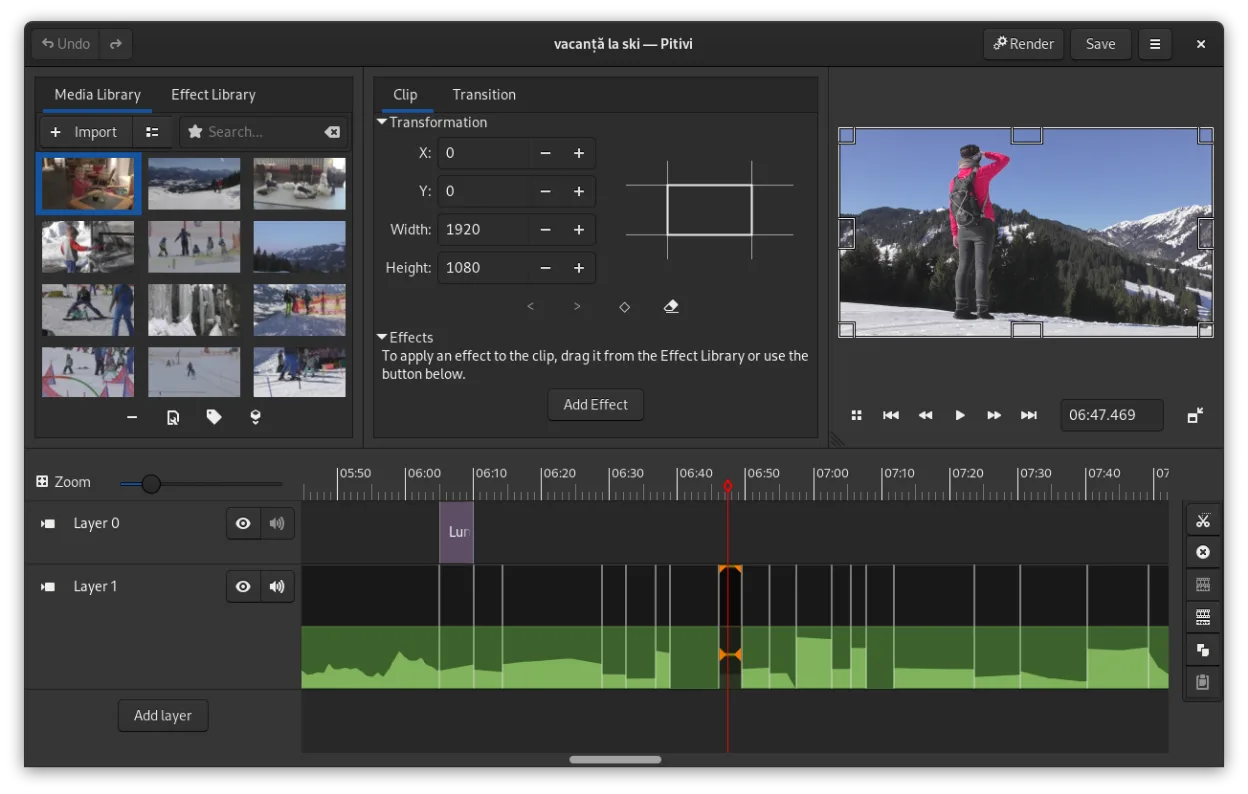
PiTiVi is a free, open-source, non-linear video editor for Linux built on GStreamer with a clean GNOME-integrated interface.
PiTiVi is a strong replacement for OpenShot if you are comfortable with a slightly steeper learning curve. While OpenShot is often praised for its immediate simplicity, PiTiVi offers a more robust non-linear editing experience with a framerate-independent timeline. It handles basic trimming…
Feature parity85% -

Flowblade is a fast, stable, multitrack non-linear video editor for Linux, suitable for beginners to professionals.
Flowblade is a solid alternative to OpenShot, particularly if you find OpenShot's interface cluttered or its performance inconsistent. It is a native Linux application focused on stability and speed, making it ideal for users who need reliable multi-track editing without the overhead of heavier…
Feature parity85% -

Olive is a free, open‑source non‑linear video editor for Linux.
Olive is a valid native Linux replacement for OpenShot, but it is not a drop-in swap. It targets non-linear editing with a node-based compositing panel, which offers more power but a steeper learning curve than OpenShot’s simple timeline. For users needing basic trimming and standard exports, Olive…
Feature parity75%




What is OpenShot?
OpenShot is a straightforward video editor designed for hobbyists and beginners who need to trim clips, add simple transitions, and export videos without dealing with complex timelines. It is not built for professional multi-track color grading or advanced audio mixing, but it handles standard social media content and home movies well. The interface is intentionally simple to lower the barrier to entry for new users.
The software is completely free and open-source under the GNU General Public License. There are no hidden costs, subscriptions, or premium tiers. You can download and use the full feature set without watermarks or usage limits, making it a reliable option for personal and small-scale commercial projects where budget is a concern.
Many users seek a Linux alternative because they have switched operating systems and want to avoid running Windows via virtualization. Since OpenShot is cross-platform, it already runs natively on Linux, which simplifies the transition. However, some users may look for alternatives to explore different workflow styles, such as more advanced timeline controls or different rendering engines that might suit their specific hardware better.
What a replacement for OpenShot must do
- Basic video trimming and splitting
- Simple transition and effect application
- Multi-track timeline for video and audio
- Export to common formats like MP4 and WebM
- Support for standard codecs (H.264, H.265)
- Intuitive interface for beginners
- Free and open-source licensing
Can you run OpenShot on Linux?
OpenShot has a native Linux version, so you do not need Wine or Proton to run it. It is available through most major Linux distribution repositories and also as a standalone AppImage or Flatpak. The native build is stable and receives regular updates, ensuring compatibility with current Linux kernel and library versions. You should not need to rely on compatibility layers, as the software is designed with Linux as a first-class platform alongside Windows and macOS.
Which alternative should you choose?
If you want a direct replacement with a similar simplicity, stick with OpenShot itself since it runs natively on Linux. If you find OpenShot too limiting and want a professional-grade tool with a steeper learning curve, Kdenlive is a strong choice for its robust feature set. Shotcut is a good middle ground, offering more power than OpenShot but with a modular interface that can be customized. PiTiVi is another option for a simpler, more streamlined experience, while Flowblade and Olive are less common but worth exploring if you prefer specific workflow styles or are interested in newer development projects.
Moving your OpenShot files and habits
Migrating from OpenShot on Windows to Linux is straightforward because the project file format is consistent across platforms. You can copy your .osp project files and raw media assets to your Linux machine and open them directly in the Linux version of OpenShot. If you switch to a different editor like Kdenlive or Shotcut, you will likely need to re-import your media and rebuild your timeline, as project files are not universally compatible. Exported videos remain standard video files, so there is no loss of quality or format issues when moving finished projects.
Side-by-side comparison
OpenShot: frequently asked questions
Is OpenShot available on Linux?
Yes, OpenShot has a native Linux version available via package managers, AppImage, and Flatpak. It does not require Wine.
Can I open my Windows OpenShot projects on Linux?
Yes, .osp project files are compatible across platforms. Just copy the project and media files to your Linux system.
Is OpenShot suitable for professional video editing?
It is best for basic to intermediate editing. For professional workflows with advanced color grading and audio, consider Kdenlive or Shotcut.
Does OpenShot have a paid version?
No, OpenShot is completely free and open-source. There are no paid tiers or premium features.
How important is OpenShot to you?
Know a better alternative? Suggest an alternative