
Windows · Sound & Video
Best Linux alternatives to Shotcut
Shotcut is a free, open‑source video editor that runs on Windows, macOS and Linux.
Updated
Quick answer
The best Linux alternative to Shotcut is Kdenlive. Other strong options: Olive, Flowblade, OpenShot.
5 Linux alternatives to Shotcut
-

Kdenlive is a free, feature‑rich non‑linear video editor built on the MLT framework.
Kdenlive is a solid replacement for Shotcut. It offers a more feature‑rich timeline, proxy editing, and advanced color‑grading tools that many Shotcut users will appreciate. For beginners who just need basic cuts and transitions, Shotcut’s lighter footprint may feel easier, but for anyone looking…
Feature parity85% -

Olive is a free, open‑source non‑linear video editor for Linux.
Olive is a valid Linux alternative for basic video editing, but it is not a drop-in replacement for Shotcut. Shotcut is a mature, stable tool with broad codec support and reliable export options. Olive is still in early development (version 0.1.2), meaning it lacks the stability and feature depth…
Feature parity40% -

Flowblade is a fast, stable, multitrack non-linear video editor for Linux, suitable for beginners to professionals.
Flowblade can replace Shotcut for users who need a Linux‑only, multitrack editor with a focus on speed and stability. It offers a non‑linear timeline, keyframe animation, audio mixing, and export to MP4/MKV/AVI. It is best suited for Linux users who prefer a dedicated desktop app over a…
Feature parity75% -

OpenShot is a free, open-source, non-linear video editor for Linux and other platforms, built with Python and MLT.
OpenShot is a capable alternative to Shotcut for Linux users who prioritize simplicity over power. It handles basic non-linear editing, transitions, and effects well, making it suitable for beginners or casual editors. However, it lacks the advanced audio mixing and precise codec control found in…
Feature parity75% -
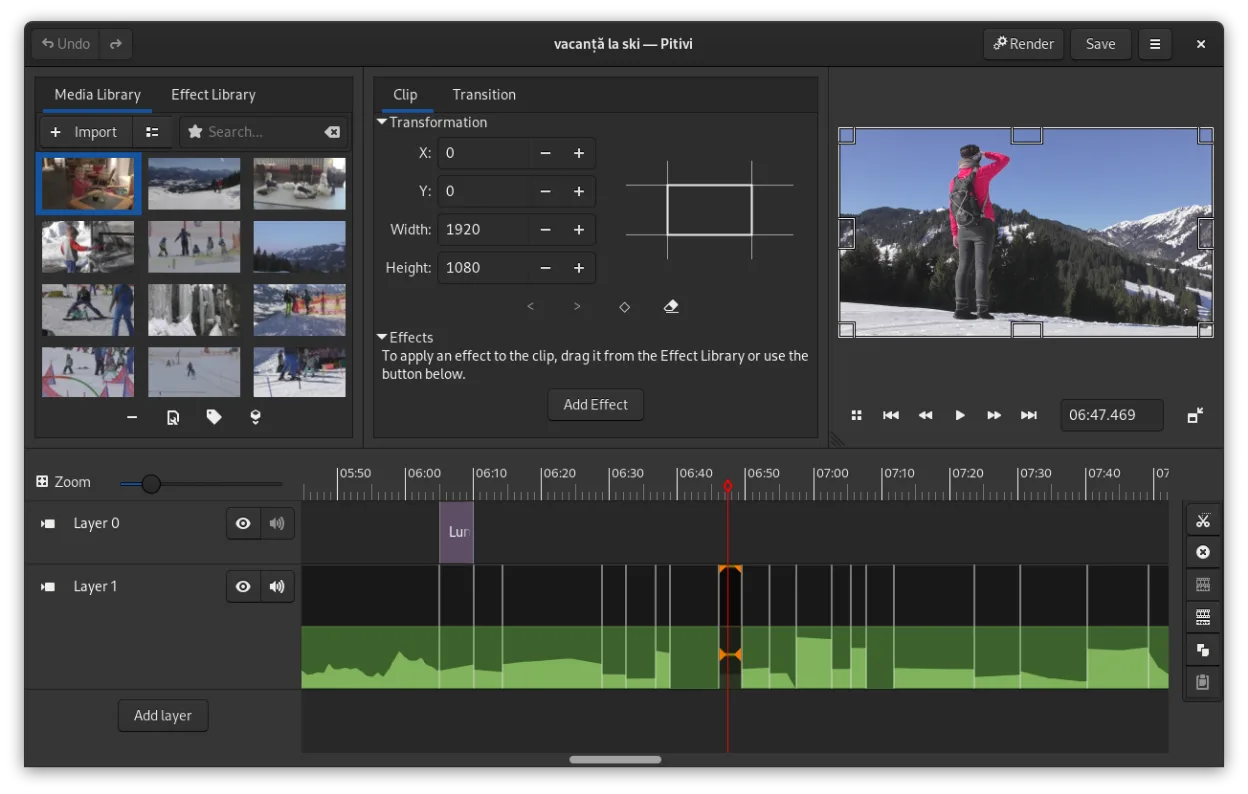
PiTiVi is a free, open-source, non-linear video editor for Linux built on GStreamer with a clean GNOME-integrated interface.
PiTiVi can replace Shotcut for users who need a simple, GNOME‑centric editor that handles most common codecs via GStreamer. It offers a non‑modal timeline, ripple/roll editing, keyframe animation, and crossfades, which covers many everyday tasks. However, it lacks some of Shotcut’s advanced filter…
Feature parity70%





What is Shotcut?
Shotcut is a non‑linear video editor aimed at hobbyists, educators and small‑business creators who need to cut, trim and add effects to video footage. It is distributed under the GPL‑3 license, so anyone can download, use or modify it without paying. Users often look for a Linux alternative because they want a fully native experience, better integration with Linux file systems and no need to run Windows emulation layers.
What a replacement for Shotcut must do
- Cross‑platform compatibility
- Support for common video/audio codecs
- Non‑linear editing timeline
- Basic effects and transitions
- Export to popular formats (MP4, MKV, AVI)
- Keyboard shortcuts
- Batch processing
Can you run Shotcut on Linux?
Shotcut ships a native Linux binary for both 32‑bit and 64‑bit systems, available as a flatpak, snap or direct download. There is no web version. It does not rely on Wine or Proton; the Linux build is the official distribution.
Which alternative should you choose?
Kdenlive is best for users who need a feature‑rich, professional‑grade editor. Olive offers a modern UI with a focus on speed. Flowblade is lightweight and good for quick edits. OpenShot is suitable for beginners with simple workflows. PiTiVi is ideal for those who prefer a GNOME‑centric experience.
Moving your Shotcut files and habits
Shotcut uses standard media file formats, so you can open most projects created in other editors by importing the source files. It does not have a proprietary project format, so there is no need to export a special file for migration. Simply copy the media files and use the same timeline layout in the new editor.
Side-by-side comparison
Shotcut: frequently asked questions
Is Shotcut free to use?
Yes, Shotcut is free and open source under the GPL‑3 license.
Does Shotcut support 4K video?
Yes, it can handle 4K footage provided the underlying system meets the hardware requirements.
Can I use Shotcut on a Chromebook?
Only if the Chromebook supports Linux (Crostini) and you install the Linux version; otherwise not natively.
Does Shotcut have a mobile version?
No, Shotcut is only available for desktop operating systems.
How important is Shotcut to you?
Know a better alternative? Suggest an alternative