
Windows · System Tools
Best Linux alternatives to Bottles
Bottles is a user-friendly GUI for managing Wine prefixes, simplifying the process of running Windows applications on Linux.
Updated
Quick answer
The best Linux alternative to Bottles is PlayOnLinux 4. Other strong options: Lutris.
2 Linux alternatives to Bottles
-
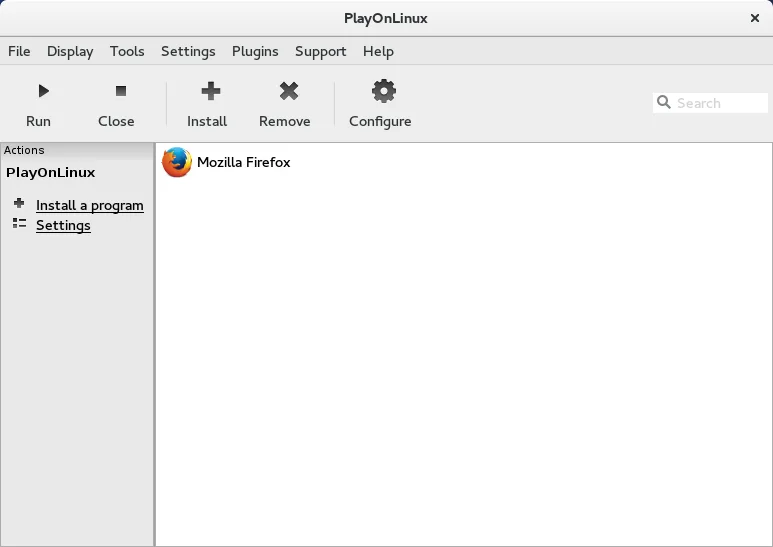
PlayOnLinux is a graphical front‑end for Wine that lets you install and run Windows games and applications on Linux with a few clicks.
PlayOnLinux 4 is a functional, older alternative to Bottles, but it is not a direct drop-in replacement for modern users. While it handles the core job of managing Wine prefixes and installing Windows apps via scripts, it lacks the contemporary UI, granular dependency management, and native gaming…
Feature parity65% -

Lutris is a free, open‑source platform that centralises installation and launching of PC and console games on Linux.
Lutris is a strong replacement for Bottles if your primary goal is running games. It offers a more mature, script-driven approach to managing Wine prefixes and Proton, with a vast library of community installers. However, it is less focused on general-purpose Windows application isolation than…
Feature parity85%


What is Bottles?
Bottles serves as a front-end for Wine, allowing users to create, manage, and isolate Windows environments without deep technical knowledge. It targets gamers and developers who need to run specific Windows software on Linux but lack the expertise to configure Wine manually. The interface organizes applications into distinct containers, keeping dependencies and settings separate for stability.
The software is open-source and free to use, typically distributed via community repositories or direct download. There is no paid tier or subscription model. Development is community-driven, with updates focused on improving compatibility layers and user experience. Users can contribute to the project or report bugs through standard open-source channels.
People look for alternatives because Bottles is still maturing, and some users prefer different management styles. Others might want a tool that integrates more deeply with specific gaming platforms or offers different dependency management. Some users may find Bottles' containerization model too restrictive or prefer a more traditional Wine prefix management approach.
What a replacement for Bottles must do
- Wine prefix management
- Dependency installation
- Application isolation
- Compatibility layer support
- User-friendly GUI
- Configuration backup
- Integration with gaming platforms
Can you run Bottles on Linux?
Bottles is a native Linux application designed specifically for this purpose. It does not run on Windows or macOS. It relies on Wine and various compatibility layers like Proton or DXVK, which must be installed on the host system. Since it is a Linux-native tool, it does not require Wine to run itself, but it uses Wine to run the Windows applications it manages.
Which alternative should you choose?
If you want a modern, containerized approach with a clean interface, Bottles is the best fit. If you prefer a more traditional, script-based environment with extensive community scripts, PlayOnLinux 4 is a solid choice. For users who primarily want to manage Steam games and need a tool that integrates directly with the Steam client, Lutris is the recommended alternative.
Moving your Bottles files and habits
Migrating from Bottles to another Wine-based tool involves exporting your Wine prefixes. Bottles stores these in a specific directory structure. You can manually copy these prefix folders to the location expected by your new tool, such as the default Wine prefix directory or Lutris's app directory. Be aware that environment variables and specific dependency installations may need to be reconfigured in the new tool, as they are not always automatically recognized.
Side-by-side comparison
| App | License | Flatpak | Latest version | Feature parity | Rating |
|---|---|---|---|---|---|
| PlayOnLinux 4 | GPL-3.0 | ✓ | 4.4 | 65% | — |
| Lutris | GPL-3.0-or-later | ✓ | 0.5.23 | 85% | — |
Bottles: frequently asked questions
Is Bottles free?
Yes, Bottles is free and open-source software.
Can I use Bottles to play Steam games?
Yes, Bottles can manage Steam games by creating a Wine prefix and installing Steam within it, though Lutris is often preferred for direct Steam integration.
Do I need to install Wine separately?
Bottles can manage Wine installations, but you typically need a compatible Wine version installed on your system for it to function.
Is Bottles stable for daily use?
Bottles is generally stable for many applications, but as with all Wine-based tools, compatibility varies by application. Some software may require specific tweaks or dependencies.
How important is Bottles to you?
Know a better alternative? Suggest an alternative