
 Podman DesktopLinux
vs
Docker ToolboxWindows
Podman Desktop as a Linux alternative to Docker Toolbox
Updated
Our verdict
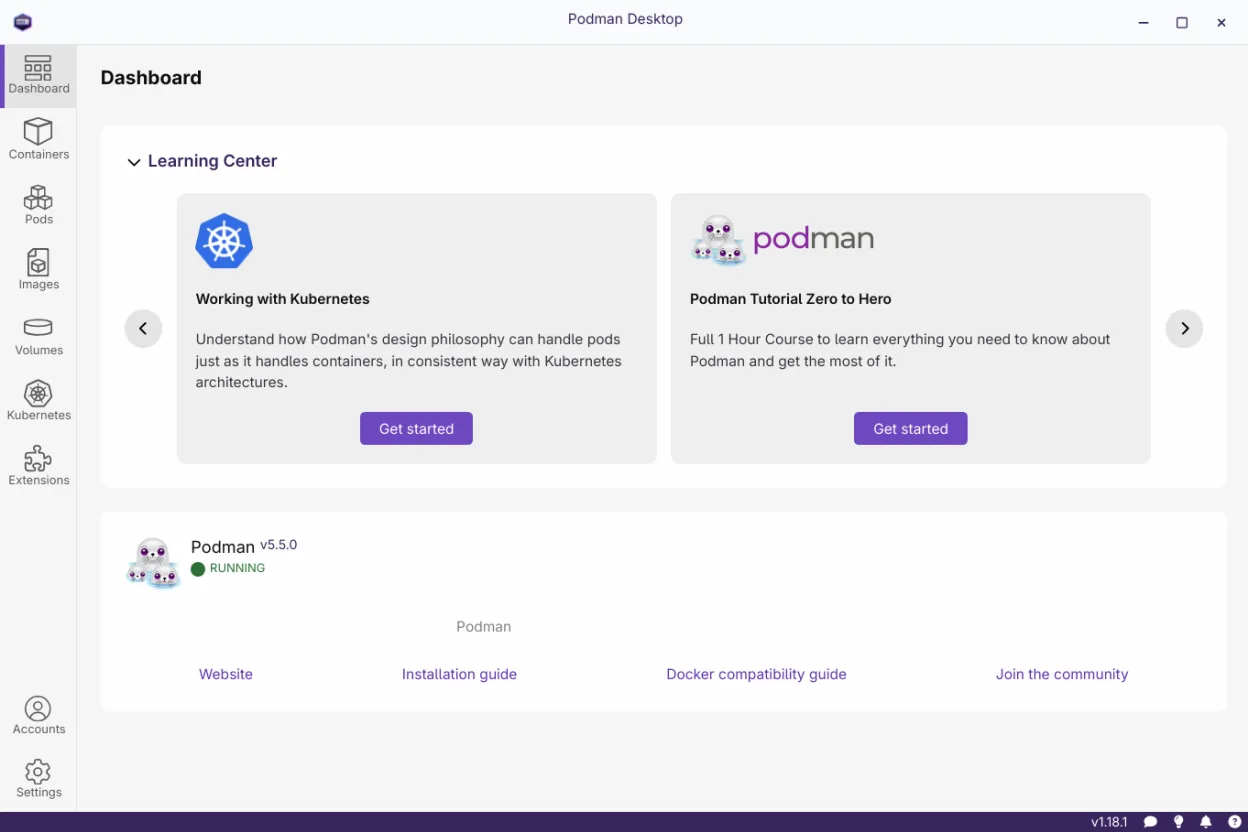
Podman Desktop is a good replacement for Docker Toolbox, especially for developers moving from older Docker setups on Windows to modern Linux environments. It eliminates VirtualBox by using native container runtimes like Podman and supports rootless containers by default. The GUI handles image building, container management, and Kubernetes deployment, with solid CLI integration. While it lacks some Docker Toolbox automation, its support for multiple engines, plugins, and registries makes it suitable for local development and CI/CD workflows. Best for Linux users wanting a lightweight, open-source alternative without legacy virtualization.
- License
- Apache-2.0
- Price
- Free
- Latest version
- 1.31.0 (November 18, 2026)
- Rating
- —
What works the same
- Both allow building images from Dockerfile or Containerfile
- Support running, stopping, and managing containers and pods
- Enable pushing and pulling images from OCI-compliant registries
- Provide terminal access inside containers for debugging
- Offer integration with local Kubernetes environments
What is different
- Podman Desktop runs natively on Linux without VirtualBox; Docker Toolbox relies on VirtualBox on older systems
- Podman Desktop supports rootless containers by default; Docker Toolbox requires elevated privileges
- Podman Desktop can manage multiple container engines (Podman, Docker, Lima); Docker Toolbox only supports Docker
- Docker Toolbox includes docker-machine for cloud provisioning; this feature is missing in Podman Desktop
- Proxy and machine resource configuration in Podman Desktop are still marked as work in progress
Opening your Docker Toolbox files
Podman Desktop can open and build from standard Dockerfiles and Containerfiles used with Docker Toolbox, with no conversion needed. Images built with Docker Toolbox can be pulled and run if pushed to a shared registry. Container configurations using Compose files (docker-compose.yml) are supported when using Podman with Compose via CLI. However, direct import of Docker Toolbox VM configurations or custom VirtualBox-based setups is not supported.
Switching from Docker Toolbox to Podman Desktop, step by step
- Install Podman and Podman Desktop using your distribution's package manager
- Convert existing Dockerfiles to use rootless-compatible instructions if needed
- Push Docker Toolbox images to a registry or save them as OCI archives for reuse
- Use Podman Machine to create and configure a Podman VM if running containers locally
- Open Podman Desktop and add your container engine, then import registries and Compose projects
- Launch and manage containers directly from the UI or via CLI alongside the desktop app
Key features of Podman Desktop
- Build images from Containerfile or Dockerfile
- Pull and push images to OCI registries
- Start, stop, restart containers and pods
- Terminal access inside containers
- Inspect logs and resource usage
- Manage multiple container engines (Podman, Docker, Lima)
- Configure registries and proxy settings
- Support for plug‑ins and Docker Desktop extensions
How to install Podman Desktop on Linux
flatpak install flathub io.podman_desktop.PodmanDesktopsudo apt install libpodsudo apt install podmansudo dnf install podmansudo pacman -S podman-dockersudo zypper install podmanFrequently asked questions
Can Podman Desktop run on Windows like Docker Toolbox?
No, Podman Desktop is primarily a Linux application. While Podman has limited Windows support via WSL2, Podman Desktop does not offer a native Windows version and is not intended as a direct Docker Toolbox replacement on Windows.
Does Podman Desktop require Docker to be installed?
No, it works with Podman by default but can also manage Docker if it's installed. You can switch between engines or use them side by side, but Docker is not a requirement.
Is Kubernetes support fully integrated in Podman Desktop?
Yes, you can deploy and test containers on local Kubernetes clusters if a compatible backend like minikube, kind, or OpenShift Local is running and connected.