
 GeanyLinux
vs
Sublime TextWindows
GeanyLinux
vs
Sublime TextWindows
Geany como alternativa Linux ao Sublime Text
Atualizado em
Nossa avaliação
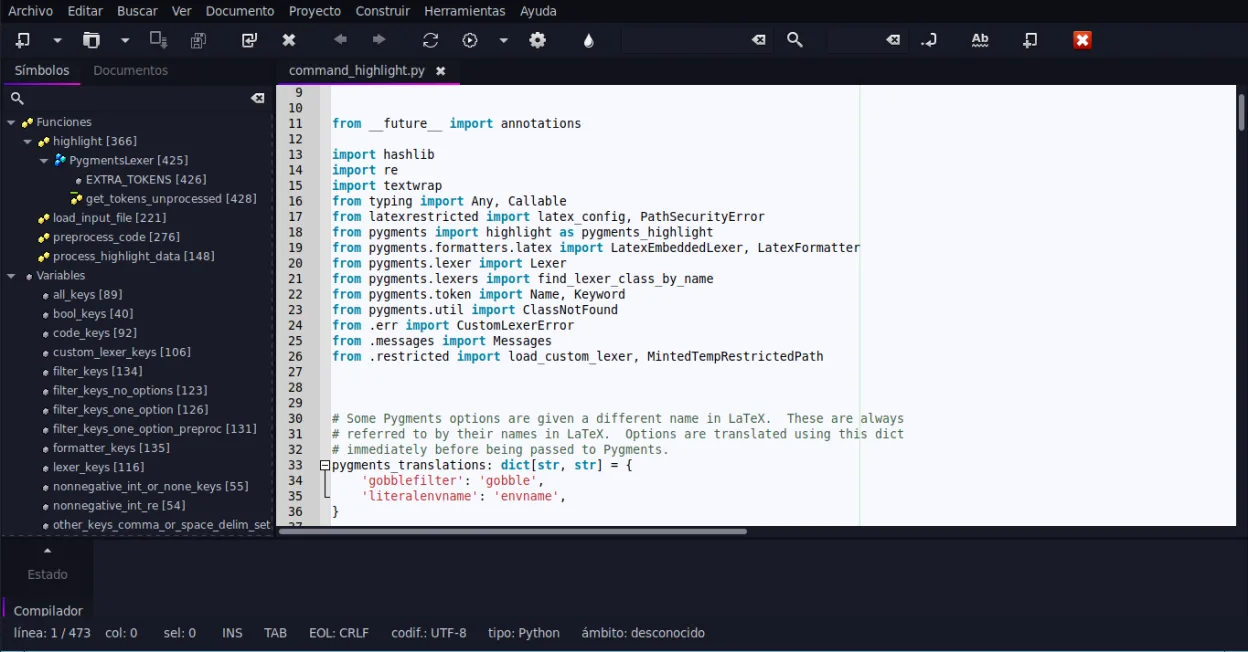
Geany can replace Sublime Text for users who need a lightweight editor with basic IDE features and prefer a free, open‑source solution. It offers syntax highlighting, code folding, regex search/replace, and a built‑in terminal, making it suitable for small to medium projects. However, it lacks the extensive package ecosystem and advanced UI customization that power users rely on in Sublime. It is best for students, hobbyists, or developers working on single‑file scripts or small projects.
- Licença
- GPL-2.0+
- Preço
- Grátis
- Versão mais recente
- 2.1.0 (6 de julho de 2025)
- Avaliação
- —
O que funciona igual
- Both provide syntax highlighting for many languages
- Both support code folding and regex search/replace
- Both have plugin systems (Python API in Sublime, plugin manager in Geany)
- Both allow theme/customization
O que muda
- Geany bundles an IDE‑style interface with build/run buttons, while Sublime is a plain editor
- Geany has a built‑in terminal emulator; Sublime relies on external terminals or plugins
- Geany’s plugin ecosystem is smaller and less mature than Sublime’s Package Control
- Geany’s UI is more traditional; Sublime offers a minimal, distraction‑free interface
- Geany’s auto‑completion is limited to common constructs, whereas Sublime offers extensive context‑aware completion
Abrindo seus arquivos do Sublime Text
Sublime Text files are plain text with optional .sublime‑project or .sublime‑workspace JSON files. Geany can open any plain‑text source file without issue. Exporting or converting the project/workspace files is not supported; users would need to recreate project settings manually in Geany.
Trocando o Sublime Text pelo Geany, passo a passo
- 1. Install Geany from your distribution’s package manager or Flathub.
- 2. Open your source files (.c, .py, .html, etc.) with Geany; syntax highlighting will activate automatically.
- 3. Configure the embedded terminal via Tools → Configure Terminal if you need command‑line access.
- 4. Install desired plugins through Tools → Plugins → Plugin Manager and enable them.
- 5. Set up build commands in Tools → Build System for languages that need compiling.
- 6. Adjust theme and font settings under Edit → Preferences → Interface to match your visual preferences.
Principais recursos do Geany
- Destaque de sintaxe para mais de 30 linguagens
- Autocompletar de código e conclusão automática de estruturas comuns
- Emulador de terminal integrado
- Gerenciador de plugins com plugins pré-instalados
- Dobra de código e listas de símbolos
- Suporte a preenchimento automático de tags XML/HTML
Como instalar o Geany no Linux
flatpak install flathub org.geany.Geanysudo apt install geanysudo apt install geanysudo dnf install geanysudo pacman -S geanysudo zypper install geanyPerguntas frequentes
Does Geany support the same regex search/replace as Sublime?
Yes, Geany’s Find/Replace dialog supports regular expressions, just like Sublime’s Find panel.
Can I use Geany for large Python projects?
Geany can open and edit large Python files, but it lacks advanced project management features such as virtual environment integration that Sublime can handle via plugins.
Is Geany free and open source?
Yes, Geany is released under the GPL‑2.0+ license and is available in major Linux distributions and Flathub.
Outras 4 alternativas ao Sublime Text
 KateKate é um editor de texto rico em recursos, focado em programadores, da KDE, com suporte a mais de 300…Código abertoGrátisFlatpakKate vs Sublime Text
 geditgedit é o editor de texto leve e de uso geral do GNOME, adequado para anotações, documentos e edição básica…Código abertoGrátisFlatpakgedit vs Sublime Text
 NeovimNeovim é um fork moderno do Vim que adiciona extensibilidade, suporte avançado a interface gráfica e…Código abertoGrátisFlatpakNeovim vs Sublime Text