
 GIMPLinux
vs
Creative CloudWindows
GIMP como alternativa Linux ao Creative Cloud
Atualizado em
Nossa avaliação
GIMP is a solid replacement for Adobe Creative Cloud if you rely mainly on Photoshop for photo editing, retouching, and raster graphics work. It handles layers, masks, blending modes, and scripting well, and supports PSD files. Artists and hobbyists will find it capable and free. However, professionals needing precise color workflows, advanced typography, or integration with other Adobe tools (like Lightroom or Illustrator) will face gaps. GIMP lacks non-destructive editing by default and has a steeper learning curve. It’s best for those willing to adapt workflows.
- Licença
- GPL-3.0+ AND LGPL-3.0+
- Preço
- Grátis
- Versão mais recente
- 3.2.8 (2 de novembro de 2026)
- Avaliação
- —
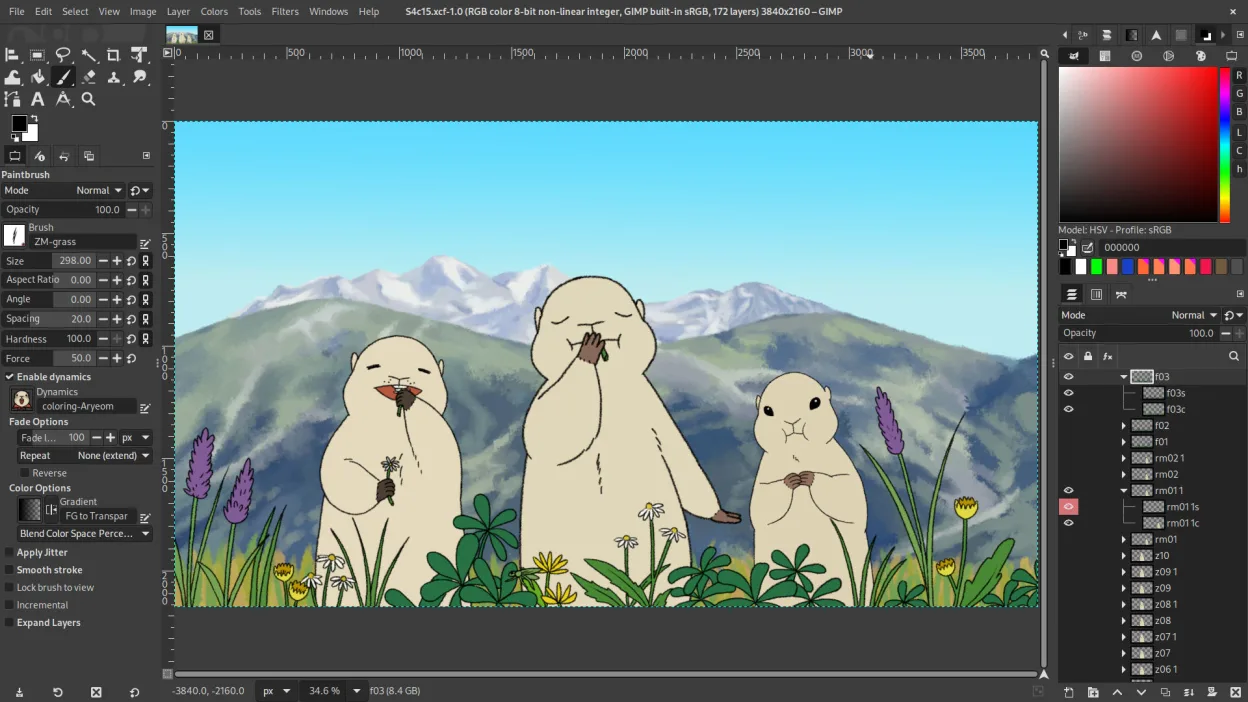
O que funciona igual
- Layer-based editing with masks, transparency, and blending modes
- Support for Photoshop-compatible plugins via compatibility layers
- Advanced brush engine for digital painting and retouching
- Batch processing and scripting with Python, Script-Fu, and GEGL
- Extensive file format support including PSD, PNG, JPEG, and TIFF
O que muda
- No built-in non-destructive editing (requires G'MIC or other plug-ins)
- Weaker typography and vector tools compared to Photoshop
- No native integration with Adobe ecosystem (e.g., Lightroom, Illustrator)
- Interface customization is limited compared to Photoshop’s workspace flexibility
- Color management support exists but is less refined for print workflows
Abrindo seus arquivos do Creative Cloud
GIMP can open and edit Photoshop (PSD) files, preserving layers, masks, and basic blending modes. However, complex PSDs with advanced features like smart objects, layer effects, or nested groups may not translate perfectly. Text layers with special formatting can lose fidelity. Exporting to PSD is possible but not always reliable for round-tripping into Photoshop. For basic to intermediate use, compatibility is acceptable, but heavy PSD users should test workflows carefully.
Trocando o Creative Cloud pelo GIMP, passo a passo
- Install GIMP via your distribution’s package manager or Flathub
- Import brushes, gradients, and custom scripts from old setup if available
- Install G'MIC for enhanced filters and non-destructive editing options
- Use the PSD import feature to open existing Creative Cloud projects
- Customize the interface with dockable panels and keyboard shortcuts to match your workflow
Principais recursos do GIMP
- Edição baseada em camadas com máscaras, modos de mesclagem e transparência
- Motor avançado de pincéis para pintura digital e retoque
- Suporte a plug‑ins compatíveis com Photoshop (via camadas de compatibilidade)
- Processamento em lote e scripting com Script-Fu, Python ou GEGL
- Edição não destrutiva possível via plug‑ins como G'MIC
- Suporte extensivo a formatos: PNG, JPEG, TIFF, PSD, WebP e mais
- Interface customizável com painéis ancoráveis e temas
- Gerenciamento de cores com suporte a perfis ICC
Como instalar o GIMP no Linux
flatpak install flathub org.gimp.GIMPsudo apt install gimpsudo apt install gimpsudo dnf install gimpsudo pacman -S gimpsudo zypper install gimpPerguntas frequentes
Can GIMP replace Photoshop completely?
For most photo editing, retouching, and raster work, yes. But it lacks smart objects, advanced typography, and some non-destructive tools. Professionals relying on those will need workarounds.
Is GIMP really free?
Yes. GIMP is free and open-source under GPL-3.0+ and LGPL-3.0+. No subscription, no ads, no paywalls.
How well does GIMP handle tablets and digital painting?
GIMP supports pressure-sensitive tablets via Wacom and others. The brush engine is capable, though less refined than Photoshop’s. Artists find it usable but may miss advanced brush dynamics.
Outras 3 alternativas ao Creative Cloud
 InkscapeInkscape é um editor de gráficos vetoriais livre e de código aberto que rivaliza com o Adobe Illustrator e o…Código abertoGrátisFlatpakInkscape vs Creative Cloud
 KritaKrita é um programa de pintura digital e ilustração de código aberto com recursos completos.Código abertoGrátisFlatpakKrita vs Creative Cloud
 darktabledarktable é um editor de fotos gratuito e de código aberto que gerencia arquivos RAW e oferece um fluxo de…Código abertoGrátisFlatpakdarktable vs Creative Cloud