
 GIMPLinux
vs
Procreate (iPad/Tablet)Windows
GIMP como alternativa Linux ao Procreate (iPad/Tablet)
Atualizado em
Nossa avaliação
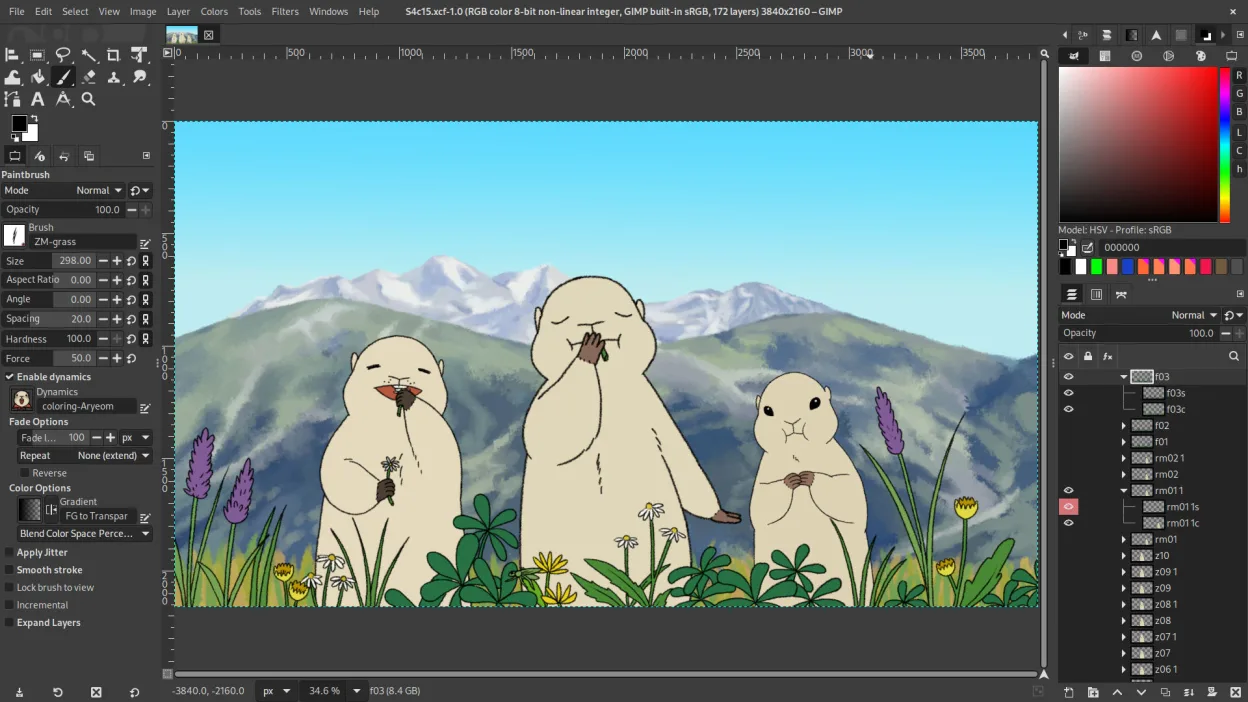
GIMP can serve as a basic replacement for Procreate for users who need free, cross‑platform raster editing and basic illustration tools. It offers layers, blending modes, brush creation, pressure sensitivity via tablets, and export to PNG, PSD, TIFF. However, it lacks Procreate’s intuitive touch interface, native iPad stylus support, and the high‑performance brush engine tuned for tablets. It is best suited for users who are comfortable with a desktop workflow and can tolerate a steeper learning curve.
- Licença
- GPL-3.0+ AND LGPL-3.0+
- Preço
- Grátis
- Versão mais recente
- 3.2.8 (2 de novembro de 2026)
- Avaliação
- —
O que funciona igual
- Layer management with blending modes
- Custom brush creation and pressure sensitivity
- Export to PNG, PSD, TIFF
- Support for high‑resolution canvases
- Tablet integration (Wacom, etc.)
O que muda
- No native touch‑optimized UI; relies on mouse/pen input
- Brush engine slower and less fluid than Procreate’s proprietary engine
- No native Procreate file format support (only PSD, limited compatibility)
- Limited undo history depth compared to Procreate’s infinite history
- No built‑in animation or canvas scaling tools present in Procreate
Abrindo seus arquivos do Procreate (iPad/Tablet)
GIMP can open and export PSD files, which are the most common format used by Procreate. It does not natively read Procreate’s proprietary .procreate files; users must first export from Procreate to PSD or PNG before importing into GIMP.
Trocando o Procreate (iPad/Tablet) pelo GIMP, passo a passo
- Export your Procreate artwork to PSD or PNG from the iPad.
- Transfer the exported file to your Linux machine via USB, cloud, or email.
- Open the file in GIMP and verify layer structure and brush strokes.
- Adjust any layer masks or blending modes if they appear incorrect.
- Save the GIMP project as a .xcf to preserve layers for future edits.
- Export final artwork to the desired format (PNG, PSD, TIFF).
Principais recursos do GIMP
- Edição baseada em camadas com máscaras, modos de mesclagem e transparência
- Motor avançado de pincéis para pintura digital e retoque
- Suporte a plug‑ins compatíveis com Photoshop (via camadas de compatibilidade)
- Processamento em lote e scripting com Script-Fu, Python ou GEGL
- Edição não destrutiva possível via plug‑ins como G'MIC
- Suporte extensivo a formatos: PNG, JPEG, TIFF, PSD, WebP e mais
- Interface customizável com painéis ancoráveis e temas
- Gerenciamento de cores com suporte a perfis ICC
Como instalar o GIMP no Linux
flatpak install flathub org.gimp.GIMPsudo apt install gimpsudo apt install gimpsudo dnf install gimpsudo pacman -S gimpsudo zypper install gimpPerguntas frequentes
Can GIMP open Procreate .procreate files?
No, GIMP does not support the .procreate format. You must export from Procreate to PSD or PNG first.
Does GIMP support pressure sensitivity on tablets?
Yes, GIMP works with Wacom and other tablets that provide pressure data via the X11 or Wayland drivers.
Is GIMP suitable for high‑resolution illustration?
Yes, GIMP can handle large canvases, but performance may lag on very high‑resolution files compared to Procreate’s optimized engine.
Outras 4 alternativas ao Procreate (iPad/Tablet)
 KritaKrita é um programa de pintura digital e ilustração de código aberto com recursos completos.Código abertoGrátisFlatpakKrita vs Procreate (iPad/Tablet)
 MyPaintMyPaint é um programa rápido, gratuito e de código aberto para pintura raster, focado na dinâmica dos pincéis…Código abertoGrátisFlatpakMyPaint vs Procreate (iPad/Tablet)
 InkscapeInkscape é um editor de gráficos vetoriais livre e de código aberto que rivaliza com o Adobe Illustrator e o…Código abertoGrátisFlatpakInkscape vs Procreate (iPad/Tablet)
 BlenderBlender é uma suíte 3D gratuita e de código aberto para modelagem, animação, renderização e edição de vídeo.Código abertoGrátisFlatpakBlender vs Procreate (iPad/Tablet)