
 GIMPLinux
vs
Procreate (iPad/Tablet)Windows
GIMP as a Linux alternative to Procreate (iPad/Tablet)
Updated
Our verdict
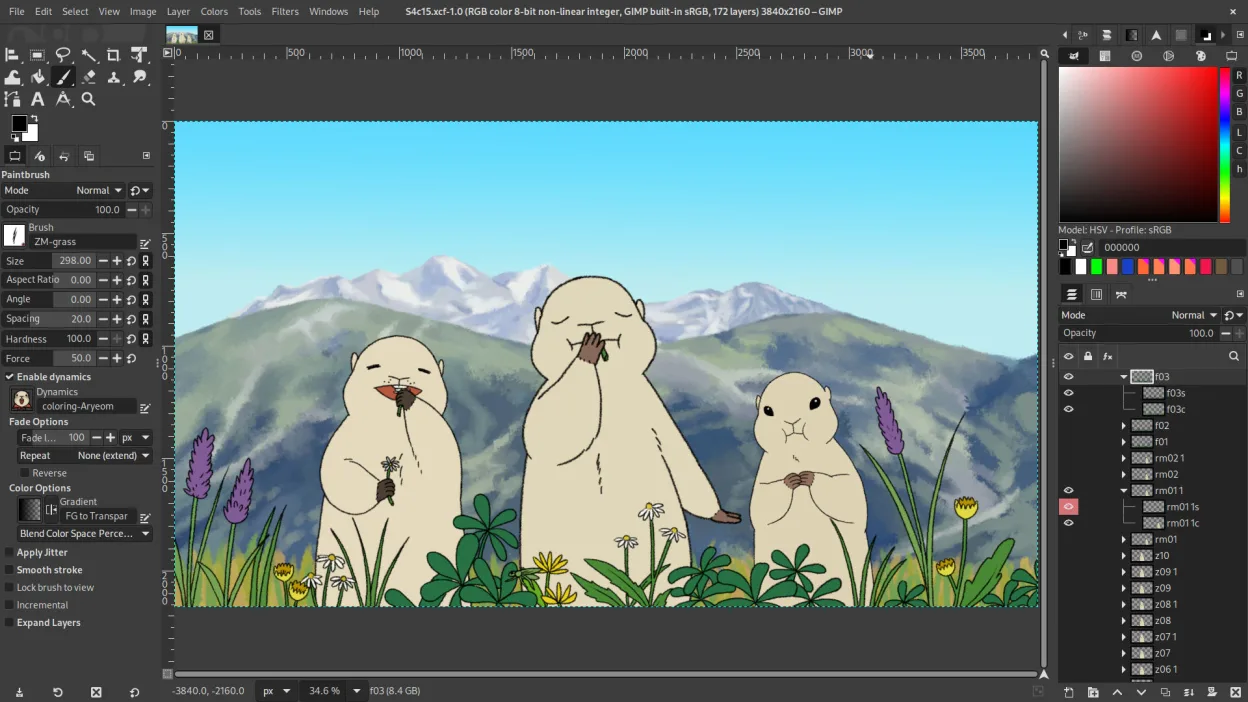
GIMP can serve as a basic replacement for Procreate for users who need free, cross‑platform raster editing and basic illustration tools. It offers layers, blending modes, brush creation, pressure sensitivity via tablets, and export to PNG, PSD, TIFF. However, it lacks Procreate’s intuitive touch interface, native iPad stylus support, and the high‑performance brush engine tuned for tablets. It is best suited for users who are comfortable with a desktop workflow and can tolerate a steeper learning curve.
- License
- GPL-3.0+ AND LGPL-3.0+
- Price
- Free
- Latest version
- 3.2.8 (November 2, 2026)
- Rating
- —
What works the same
- Layer management with blending modes
- Custom brush creation and pressure sensitivity
- Export to PNG, PSD, TIFF
- Support for high‑resolution canvases
- Tablet integration (Wacom, etc.)
What is different
- No native touch‑optimized UI; relies on mouse/pen input
- Brush engine slower and less fluid than Procreate’s proprietary engine
- No native Procreate file format support (only PSD, limited compatibility)
- Limited undo history depth compared to Procreate’s infinite history
- No built‑in animation or canvas scaling tools present in Procreate
Opening your Procreate (iPad/Tablet) files
GIMP can open and export PSD files, which are the most common format used by Procreate. It does not natively read Procreate’s proprietary .procreate files; users must first export from Procreate to PSD or PNG before importing into GIMP.
Switching from Procreate (iPad/Tablet) to GIMP, step by step
- Export your Procreate artwork to PSD or PNG from the iPad.
- Transfer the exported file to your Linux machine via USB, cloud, or email.
- Open the file in GIMP and verify layer structure and brush strokes.
- Adjust any layer masks or blending modes if they appear incorrect.
- Save the GIMP project as a .xcf to preserve layers for future edits.
- Export final artwork to the desired format (PNG, PSD, TIFF).
Key features of GIMP
- Layer-based editing with masks, blending modes, and transparency
- Advanced brush engine for digital painting and retouching
- Support for Photoshop-compatible plug-ins (via compatibility layers)
- Batch processing and scripting with Script-Fu, Python, or GEGL
- Non-destructive editing possible through plug-ins like G'MIC
- Extensive format support: PNG, JPEG, TIFF, PSD, WebP, and more
- Customizable interface with dockable panels and themes
- Color management with ICC profile support
How to install GIMP on Linux
flatpak install flathub org.gimp.GIMPsudo apt install gimpsudo apt install gimpsudo dnf install gimpsudo pacman -S gimpsudo zypper install gimpFrequently asked questions
Can GIMP open Procreate .procreate files?
No, GIMP does not support the .procreate format. You must export from Procreate to PSD or PNG first.
Does GIMP support pressure sensitivity on tablets?
Yes, GIMP works with Wacom and other tablets that provide pressure data via the X11 or Wayland drivers.
Is GIMP suitable for high‑resolution illustration?
Yes, GIMP can handle large canvases, but performance may lag on very high‑resolution files compared to Procreate’s optimized engine.
4 other alternatives to Procreate (iPad/Tablet)
 KritaKrita is a full‑featured open‑source digital painting and illustration program.Open sourceFreeFlatpakKrita vs Procreate (iPad/Tablet)
 MyPaintMyPaint is a fast, free, open‑source raster painting program focused on brush dynamics and tablet use.Open sourceFreeFlatpakMyPaint vs Procreate (iPad/Tablet)
 InkscapeInkscape is a free, open‑source vector graphics editor that rivals Adobe Illustrator and CorelDRAW.Open sourceFreeFlatpakInkscape vs Procreate (iPad/Tablet)
 BlenderBlender is a free, open-source 3D suite for modeling, animation, rendering, and video editing.Open sourceFreeFlatpakBlender vs Procreate (iPad/Tablet)