
 MyPaintLinux
vs
PaintWindows
MyPaintLinux
vs
PaintWindows
MyPaint como alternativa Linux ao Paint
Atualizado em
Nossa avaliação
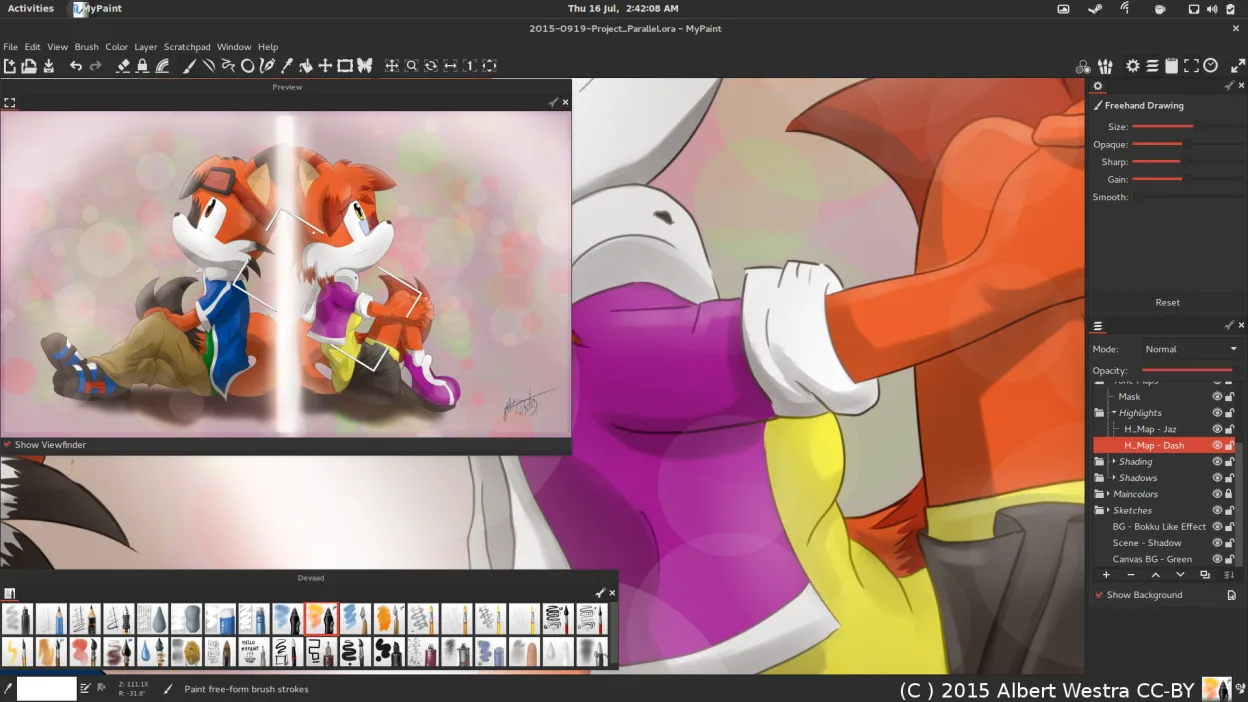
MyPaint is a good replacement for Paint if you're moving beyond basic edits into drawing or digital art, especially with a tablet. It excels for artists who want expressive brushes and a clean workspace. However, for users who only need to crop, resize, or annotate simple images, MyPaint is overkill. Its interface hides tools by default, which can confuse beginners. If your goal is casual sketching or painting with rich brush dynamics, it's a strong step up. For quick edits, stick with simpler tools.
- Licença
- GPL-2.0+
- Preço
- Grátis
- Versão mais recente
- 2.0.1 (29 de maio de 2020)
- Avaliação
- —
O que funciona igual
- Both are raster graphics editors
- Support freehand drawing with a mouse or stylus
- Allow creating and saving image files
- Offer basic layer support
- Export to PNG and JPEG
O que muda
- MyPaint focuses on brush customization; Paint offers only basic tools
- MyPaint assumes tablet use; Paint is designed for mouse
- MyPaint has a minimal, canvas-first UI; Paint shows all tools upfront
- MyPaint supports pressure sensitivity; Paint does not
- Paint allows simple text and shapes; MyPaint lacks built-in text tools
Abrindo seus arquivos do Paint
MyPaint can open and export PNG and JPEG files, which are common formats used by Paint, so basic image exchange works. It also supports OpenRaster (.ora), which Paint cannot read. BMP files, often associated with Paint, are not explicitly listed as supported in MyPaint—conversion may be needed. If you're sharing simple drawings or screenshots saved as PNG, compatibility is solid. For BMP or complex Paint files with text or shapes, expect manual rework.
Trocando o Paint pelo MyPaint, passo a passo
- Install MyPaint via your distro’s package manager or Flatpak
- Connect and calibrate your graphics tablet if using one
- Open a new canvas and explore the default brushes
- Use Ctrl+Z and Shift+Ctrl+Z for unlimited undo/redo
- Export your work as PNG or JPEG for sharing
Principais recursos do MyPaint
- Mecanismo de pincel com centenas de parâmetros configuráveis
- Suporta sensibilidade à pressão e inclinação em tablets gráficos
- Interface simples e livre de distrações, focada apenas na tela
- Suporte a camadas com modos básicos de mesclagem
- Exportação para PNG, JPEG, OpenRaster e outros formatos comuns
- Extensível por meio de plugins em Python
- Pacotes de pincéis pré-instalados de artistas profissionais
- Histórico de desfazer/refazer com número ilimitado de passos
Como instalar o MyPaint no Linux
flatpak install flathub org.mypaint.MyPaintsudo apt install mypaintsudo apt install mypaintsudo dnf install mypaintsudo pacman -S mypaintsudo zypper install mypaintPerguntas frequentes
Can I use MyPaint with a mouse instead of a tablet?
Yes, but it's designed for pressure-sensitive tablets. With a mouse, you lose brush dynamics like pressure control, limiting its strengths.
Does MyPaint have a text tool?
No, MyPaint does not include a text tool. You’ll need to add text in another program or use an external editor.
Is MyPaint suitable for editing screenshots?
Not ideal. It lacks cropping, arrow tools, and text—basic screenshot-editing features. Use GIMP or Pinta instead.
Outras 4 alternativas ao Paint
 PintaPinta é um editor de bitmap gratuito e de código aberto que imita o Paint.NET com uma interface simples e…Código abertoGrátisFlatpakPinta vs Paint
 GIMPGIMP é um editor de gráficos raster gratuito e de código aberto para edição de fotos, pintura digital e…Código abertoGrátisFlatpakGIMP vs Paint
 KolourPaintO KolourPaint é um editor de gráficos raster leve do KDE, ideal para desenhos rápidos e ajustes simples em…Código abertoGrátisFlatpakKolourPaint vs Paint
 DrawpileDrawpile is a collaborative drawing application that lets multiple users paint together on the same canvas in…Código abertoGrátisFlatpakDrawpile vs Paint