
 ReaperLinux
vs
Ableton Live SuiteWindows
Reaper as a Linux alternative to Ableton Live Suite
Updated
Our verdict
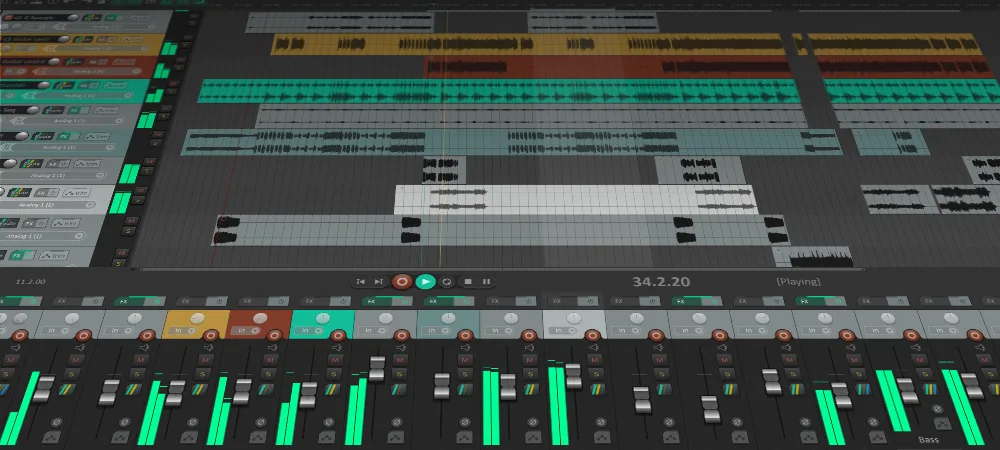
Reaper can replace Ableton Live Suite for many users, especially those who need a lightweight, highly customizable DAW that supports multitrack recording, MIDI editing, and a wide range of plugins. It excels in audio production and mixing, but it lacks Ableton’s dedicated session view, clip launching, and built‑in instruments that are central to live performance workflows. Musicians who prioritize live performance or use Ableton’s extensive library of virtual instruments may find Reaper less convenient, while composers, producers, and engineers who focus on recording and mixing will benefit from Reaper’s flexibility and low cost.
- License
- LicenseRef-proprietary=https://www.reape…
- Price
- freemium
- Latest version
- 7.85 (November 5, 2026)
- Rating
- —
What works the same
- Both support multitrack audio and MIDI recording and editing
- Both host VST, AU, and LV2 plugins
- Both provide full automation and modulation capabilities
- Both allow batch processing and exporting of projects
What is different
- Reaper has no native session/live performance view like Ableton’s Clip View
- Ableton offers built‑in instruments (e.g., Operator, Analog) and audio effects that Reaper does not ship with
- Ableton’s workflow is optimized for live performance and remixing; Reaper is more linear and studio‑centric
- Reaper lacks Ableton’s Max for Live integration
- Ableton’s file format (.als) is not natively supported by Reaper
Opening your Ableton Live Suite files
Reaper does not open Ableton Live Suite (.als) project files directly. Users must export their Ableton projects to a neutral format such as WAV or MIDI, then import those files into Reaper. Reaper can also import standard audio and MIDI files, but it cannot read Ableton’s proprietary project structure or embedded device chains.
Switching from Ableton Live Suite to Reaper, step by step
- Export all Ableton tracks as individual WAV or AIFF files using the "Render to Disk" function.
- Export MIDI clips as .mid files from Ableton’s session view.
- Create a new Reaper project and import the exported audio and MIDI files into separate tracks.
- Re‑assign any VST plugins by dragging them onto the appropriate Reaper tracks, recreating automation and routing as needed.
- Adjust any global settings (tempo, time signature, grid) to match the original Ableton project.
- Save the Reaper project and back it up.
Key features of Reaper
- Multitrack audio and MIDI recording
- Full mixing console with VST, AU, and LV2 support
- Non-destructive editing and automation
- Built‑in FX and plugin host
- Customizable UI and shortcuts
- Support for external audio interfaces
- Batch processing and export options
How to install Reaper on Linux
flatpak install flathub fm.reaper.ReaperFrequently asked questions
Can I use Ableton’s built‑in instruments in Reaper?
No. Reaper does not include Ableton’s native instruments. You would need to use equivalent VST plugins or third‑party instruments that match the sound you need.
Is Reaper free for commercial use?
Reaper offers a 60‑day fully functional evaluation period. After that, a discounted license can be purchased for a one‑time fee, which is valid for all commercial and non‑commercial projects.
Does Reaper support Max for Live?
No. Reaper does not support Max for Live. If you rely on Max for Live devices, you would need to find alternative VST solutions or use Ableton for those specific tasks.
5 other alternatives to Ableton Live Suite
 ArdourArdour is a professional open-source digital audio workstation for recording, editing, and mixing audio and…Open sourceFreeFlatpakArdour vs Ableton Live Suite
 Bitwig StudioBitwig Studio is a modern, cross‑platform DAW that blends production, performance, and sound design in one…FlatpakBitwig Studio vs Ableton Live Suite
 LMMSLMMS is a free digital audio workstation for composing, sequencing, and mixing music using synths and samples.Open sourceFreeFlatpakLMMS vs Ableton Live Suite
 RosegardenRosegarden is a free MIDI sequencer and score editor for Linux, blending DAW and notation features.Open sourceFreeFlatpakRosegarden vs Ableton Live Suite
 QtractorQtractor is a free, open-source Audio/MIDI multi-track sequencer for Linux, designed as a desktop audio…Open sourceFreeFlatpakQtractor vs Ableton Live Suite