
 PiTiViLinux
vs
ShotcutWindows
PiTiVi as a Linux alternative to Shotcut
Updated
Our verdict
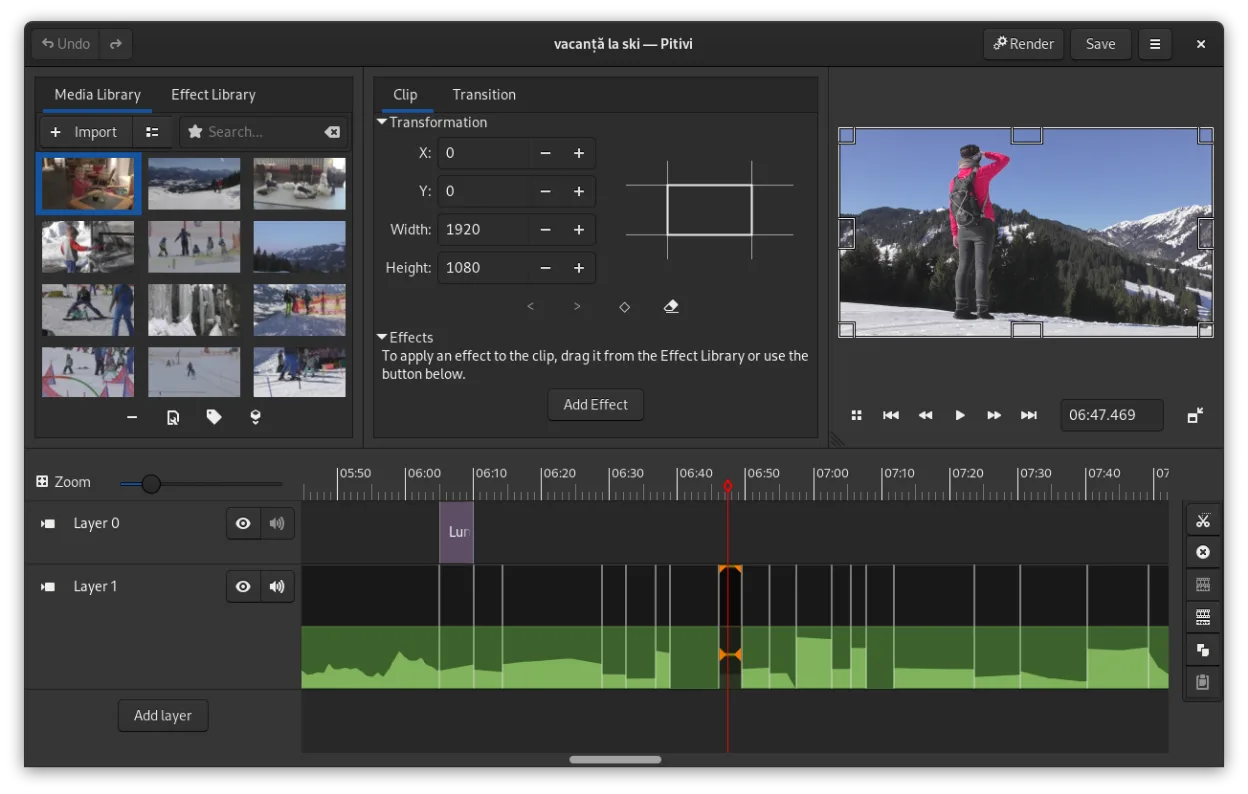
PiTiVi can replace Shotcut for users who need a simple, GNOME‑centric editor that handles most common codecs via GStreamer. It offers a non‑modal timeline, ripple/roll editing, keyframe animation, and crossfades, which covers many everyday tasks. However, it lacks some of Shotcut’s advanced filter library, extensive format support, and batch rendering. It is best suited for hobbyists or small‑project editors on Linux, not for users who rely on Shotcut’s deep feature set or Windows‑specific workflow.
- License
- LGPL-2.0+
- Price
- Free
- Latest version
- 2023.03 (March 26, 2023)
- Rating
- —
What works the same
- Both are free, open‑source non‑linear editors
- Support common video/audio codecs via underlying frameworks
- Provide timeline editing with cuts and transitions
- Offer keyboard shortcuts for editing actions
- Allow export to MP4, MKV, AVI
What is different
- PiTiVi uses GStreamer; Shotcut uses FFmpeg, giving Shotcut broader codec support
- PiTiVi lacks batch rendering and advanced filter chaining available in Shotcut
- PiTiVi’s UI is GNOME‑centric; Shotcut has a more cross‑platform look
- Shotcut provides a built‑in playlist and more export presets
- PiTiVi does not support native Windows project files
Opening your Shotcut files
PiTiVi cannot open Shotcut project files (.mlt). It can import the raw media files used in a Shotcut project, but you will need to rebuild the timeline manually. Exporting from PiTiVi to common formats (MP4, MKV, AVI) is straightforward, but Shotcut’s export presets are not directly transferable.
Switching from Shotcut to PiTiVi, step by step
- 1. Install PiTiVi from your distro’s package manager or Flathub.
- 2. Export all media assets from your Shotcut project to a folder.
- 3. Open PiTiVi and import the same media files into a new project.
- 4. Re‑create cuts, transitions, and keyframes manually in PiTiVi’s timeline.
- 5. Use PiTiVi’s export dialog to render to the desired format.
- 6. Verify the output and adjust settings if needed.
- faq
Key features of PiTiVi
- Non-linear editing with a framerate-independent timeline
- Supports any format handled by GStreamer
- Keyframe animation for effects and filters
- Ripple and roll editing for efficient timeline adjustments
- Custom aspect ratios, framerates, and render presets
- Crossfades and SMPTE-standard transitions
- Detachable UI panels for multi-monitor setups
- Non-modal editing workflow with playhead-centric design
How to install PiTiVi on Linux
flatpak install flathub org.pitivi.Pitivisudo apt install pitivisudo apt install pitivisudo dnf install pitivisudo pacman -S pitivisudo zypper install pitivi4 other alternatives to Shotcut
 KdenliveKdenlive is a free, feature‑rich non‑linear video editor built on the MLT framework.Open sourceFreeFlatpakKdenlive vs Shotcut
 OliveOlive is a free, open‑source non‑linear video editor for Linux.Open sourceFreeFlatpakOlive vs Shotcut
 FlowbladeFlowblade is a fast, stable, multitrack non-linear video editor for Linux, suitable for beginners to…Open sourceFreeFlatpakFlowblade vs Shotcut
 OpenShotOpenShot is a free, open-source, non-linear video editor for Linux and other platforms, built with Python and…Open sourceFreeFlatpakOpenShot vs Shotcut