
 Signal DesktopLinux
vs
WhatsAppWindows
Signal DesktopLinux
vs
WhatsAppWindows
Signal Desktop as a Linux alternative to WhatsApp
Updated
Our verdict
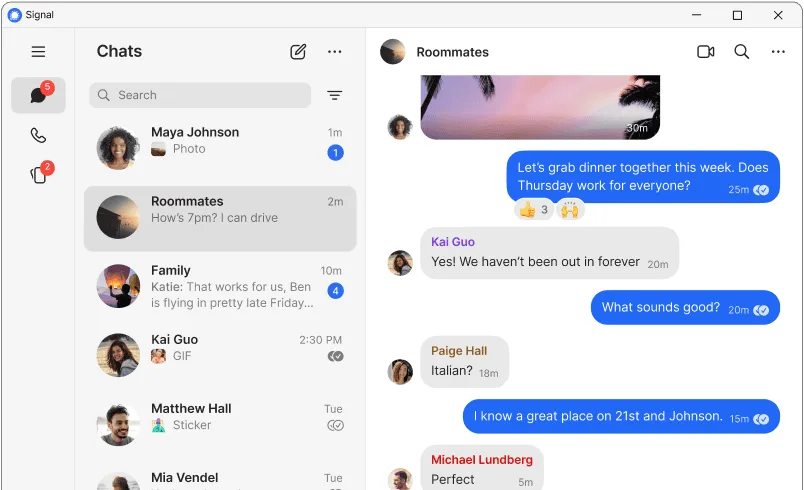
Signal Desktop is a solid replacement for WhatsApp if you prioritize privacy and already use or can switch your contacts to Signal. It matches WhatsApp’s core functions: encrypted texts, voice and video calls, group chats, and file sharing. The desktop app works well alongside the mobile app, syncing messages and calls. However, it requires a phone number and an active mobile Signal installation, just like WhatsApp. It’s especially good for users who want to leave Meta’s ecosystem and don’t mind a smaller contact base.
- License
- AGPL-3.0-only
- Price
- Free
- Latest version
- 8.33.0 (October 28, 2026)
- Rating
- —
What works the same
- Both use phone numbers as identifiers
- End-to-end encryption by default
- Support for voice and video calls
- Group chats with large participant limits
- File and media sharing across devices
What is different
- Signal has no ads or data mining, unlike WhatsApp
- Signal Desktop requires Signal on mobile to set up, while WhatsApp Desktop can work standalone after pairing
- Signal supports disappearing messages, WhatsApp does not by default
- Smaller user base, so harder to reach existing WhatsApp-only contacts
- No built-in status/stories feature like WhatsApp
Opening your WhatsApp files
Signal can import media from WhatsApp if manually transferred, but there's no direct import of chat history between WhatsApp and Signal. Exporting WhatsApp chats to text is possible on Android, but importing into Signal isn't supported. Files sent in WhatsApp can be saved and opened in Signal, as both handle common formats like JPG, MP4, and PDF. Signal does not read WhatsApp database files directly.
Switching from WhatsApp to Signal Desktop, step by step
- Install Signal on your phone and register with your number
- Verify your identity and transfer contacts
- Install Signal Desktop from Flathub or official site
- Open the desktop app and scan the QR code from your phone
- Confirm sync and start using on desktop
Key features of Signal Desktop
- End-to-end encryption for all messages and calls
- HD voice and video calls
- Group chats with up to 1,000 members
- Disappearing messages
- File sharing with no size limits
- Screen sharing during calls
- Stickers and animated emojis
- No ads, no tracking, no data mining
How to install Signal Desktop on Linux
flatpak install flathub org.signal.Signalsudo pacman -S signal-desktopFrequently asked questions
Can I use Signal Desktop without a phone?
No. Signal Desktop requires a paired smartphone with Signal installed. It’s not standalone.
Is Signal really private compared to WhatsApp?
Yes. Signal is a nonprofit with fully open source code, no data collection, and stronger privacy practices than WhatsApp, which shares data with Meta.
Do my WhatsApp contacts automatically appear in Signal?
No. Only contacts who also use Signal will appear. You’ll need to invite others manually.
