
Windows · Internet
Best Linux alternatives to WhatsApp
WhatsApp is a mobile-first messaging app for texts, calls, and media sharing, requiring a phone number and owned by Meta.
Updated
Quick answer
The best Linux alternative to WhatsApp is Signal Desktop. Other strong options: Telegram, Tox.
3 Linux alternatives to WhatsApp
-
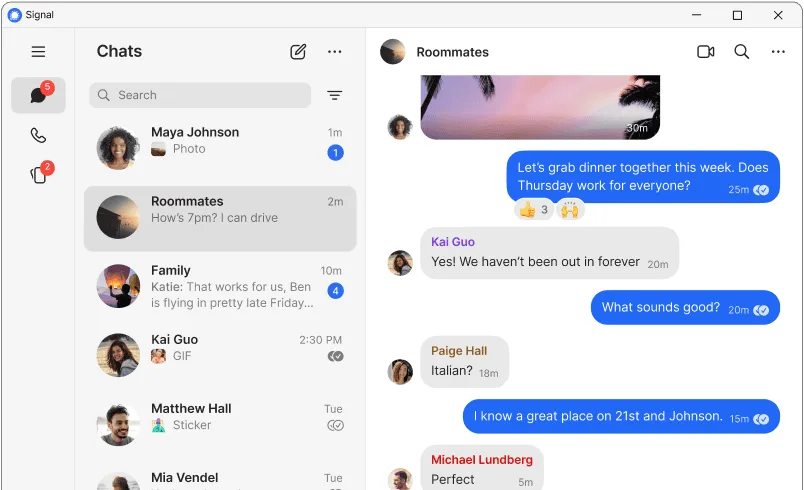
End-to-end encrypted messenger for text, voice, and video calls, requiring a paired phone account.
Signal Desktop is a solid replacement for WhatsApp if you prioritize privacy and already use or can switch your contacts to Signal. It matches WhatsApp’s core functions: encrypted texts, voice and video calls, group chats, and file sharing. The desktop app works well alongside the mobile app…
Feature parity90% -

Telegram is a fast, secure, cloud‑based instant messenger with unlimited file sharing and cross‑device sync.
Telegram is a strong replacement for WhatsApp on Linux, especially for users who want faster sync, larger file sharing, and true multi-device support without phone dependency. It covers core messaging, voice calls, group chats, and media sharing. While voice and video calls in Telegram are…
Feature parity90% -
Tox is a free, peer‑to‑peer instant messenger offering encrypted text, voice, and video chat.
Tox can replace WhatsApp for users who prioritize privacy and don't rely on phone-number-based contacts. It supports encrypted texts, voice and video calls, file transfers, and group chats without central servers. However, it lacks mobile-first design and seamless sync across devices, making it…
Feature parity65%


What is WhatsApp?
WhatsApp is widely used for personal and business communication, especially in regions like Latin America, India, and Africa. It supports text, voice, and video messaging, group chats, and file sharing. Most users access it via smartphones, though it links to mobile devices via desktop apps.
The app is free to use but proprietary, owned by Meta. It collects user data for business purposes, though messages are end-to-end encrypted. No direct cost exists for features, but usage relies on phone number registration and internet access.
People seek Linux alternatives because WhatsApp lacks a full native Linux client and ties accounts to phones. Privacy concerns, dependency on Meta, and the desire for desktop-first workflows also drive interest in decentralized or open-source options.
What a replacement for WhatsApp must do
- Send and receive text messages
- Make voice and video calls
- Share files and media
- Support for group chats
- Mobile and desktop sync
- End-to-end encryption
- Contact-based messaging (by phone number or ID)
Can you run WhatsApp on Linux?
WhatsApp has no native Linux desktop app. The web version (web.whatsapp.com) works in browsers like Chrome or Firefox and can be wrapped with Electron tools. It functions via QR code pairing with a phone. Performance is reliable but depends on the phone being powered on. Wine and Bottles do not improve functionality, as the web app already runs well in Linux browsers.
Which alternative should you choose?
Signal Desktop suits privacy-focused users needing encryption and mobile sync. Telegram works for those prioritizing cloud chats and large groups. Jitsi Meet fits teams needing open video conferencing. Tox is for fully decentralized, peer-to-peer messaging without central servers.
Moving your WhatsApp files and habits
WhatsApp data cannot be directly exported to most alternatives due to proprietary formats. Chats can be manually backed up to email or transferred via tools like 'Move to iOS' or third-party scripts. Media and contacts can be saved locally. Signal allows importing from WhatsApp during setup. Other apps require manual contact addition.
Side-by-side comparison
| App | License | Flatpak | Latest version | Feature parity | Rating |
|---|---|---|---|---|---|
| Signal Desktop | AGPL-3.0-only | ✓ | 8.33.0 | 90% | — |
| Telegram | GPL-3.0 | ✓ | 7.3.3 | 90% | — |
| Tox | GPL-3.0 | — | 4.67.1 | 65% | — |
WhatsApp: frequently asked questions
Can I use WhatsApp on Linux without a phone?
No. WhatsApp requires a working phone with the app installed and active internet to pair the web or desktop version.
Is WhatsApp available in the terminal or CLI on Linux?
No official CLI tool exists. Unofficial third-party tools exist but are not recommended due to security risks.
Can I run WhatsApp Desktop on Linux with Electron?
Yes. You can wrap web.whatsapp.com using Electron or tools like nativefier for a desktop-like experience.
Does WhatsApp on Linux support voice and video calls?
Yes, through the web browser. You need a working microphone and camera; permissions are handled by the browser.
How important is WhatsApp to you?
Know a better alternative? Suggest an alternative