

Windows · Sound & Video
Best Linux alternatives to Ulead VideoStudio
Corel VideoStudio is a consumer‑grade video editor for Windows, aimed at hobbyists and semi‑professionals.
Updated
Quick answer
The best Linux alternative to Ulead VideoStudio is OpenShot. Other strong options: Avidemux, Cinelerra, PiTiVi.
5 Linux alternatives to Ulead VideoStudio
-

OpenShot is a free, open-source, non-linear video editor for Linux and other platforms, built with Python and MLT.
OpenShot is a solid, free replacement for Ulead VideoStudio if you are comfortable with open-source tools. It handles the core tasks: timeline editing, basic effects, titles, and audio mixing. The interface is straightforward, making it accessible for hobbyists. However, it lacks the polished…
Feature parity85% -

Avidemux is a free, open‑source video editor for simple cutting, filtering and encoding.
Avidemux is a partial replacement for Corel VideoStudio, suitable only if your workflow is strictly linear cutting, joining, and encoding. It lacks the timeline-based non-linear editing, complex transitions, and title overlays that define VideoStudio. If you need to mix audio tracks or apply visual…
Feature parity35% -

Cinelerra is a professional‑grade, open‑source non‑linear video editor and compositor for Linux.
Cinelerra is a capable but difficult replacement for Ulead VideoStudio. While it handles all core editing tasks, including 4K/8K support and complex compositing, it lacks the simplified, drag-and-drop interface that makes VideoStudio accessible to hobbyists. Cinelerra has a steep learning curve and…
Feature parity65% -
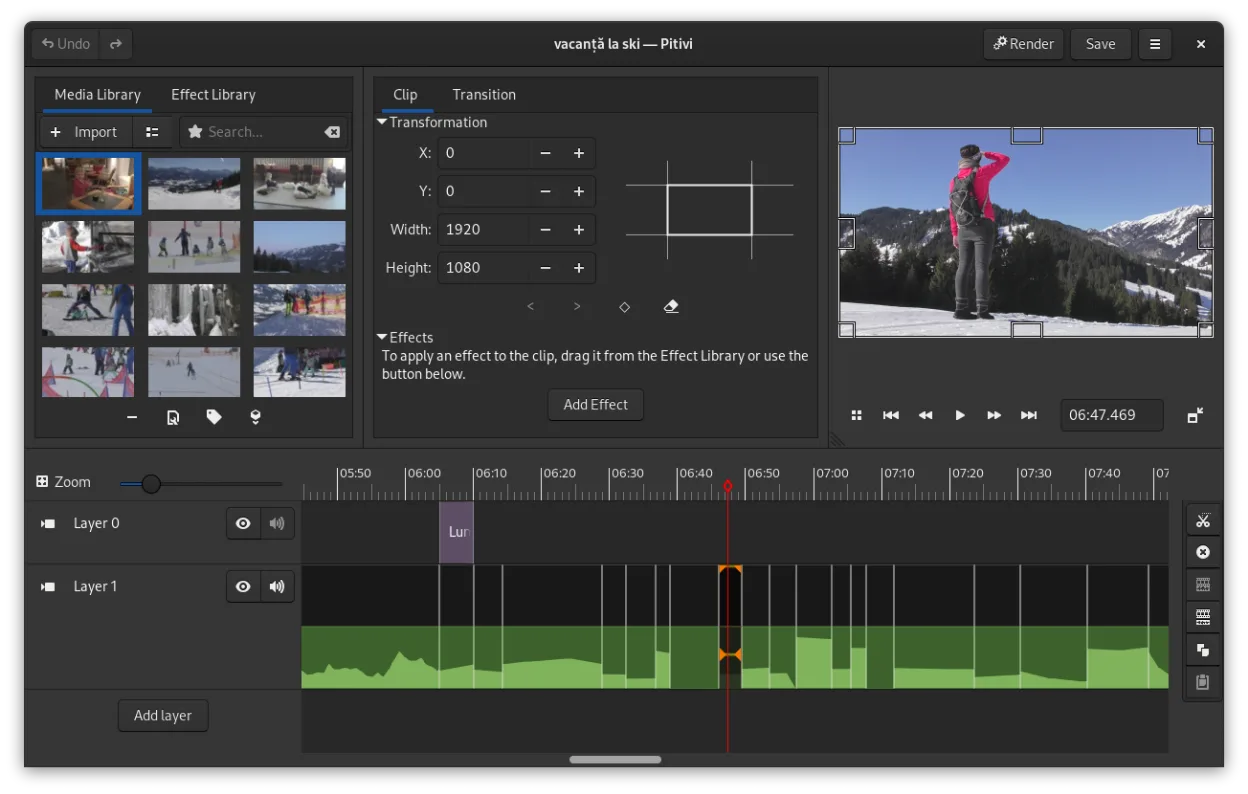
PiTiVi is a free, open-source, non-linear video editor for Linux built on GStreamer with a clean GNOME-integrated interface.
PiTiVi can serve as a practical replacement for Ulead (Corel) VideoStudio for hobbyists and semi‑professionals who need a straightforward timeline editor on Linux. It covers the essential editing workflow—cutting, trimming, transitions, titles and basic audio mixing—and handles the same common…
Feature parity70% -

Kino is a discontinued GTK+ DV video editor for Linux, aimed at simple capture and basic editing.
Kino can replace Ulead VideoStudio only for very basic DV‑centric editing. It offers a single‑track timeline, cut/trim/splice, and limited audio handling, plus export to DV, MPEG‑1, and Ogg Theora. It lacks the multi‑track, 4K support, advanced transitions, title layers, and format breadth that…
Feature parity35%


What is Ulead VideoStudio?
Corel VideoStudio (formerly Ulead VideoStudio) is a desktop video‑editing suite used by home users, YouTubers and small‑business creators to cut, splice, add effects and render video projects. It provides a timeline‑based interface, built‑in transitions, titles and basic colour correction, and it ships with a library of royalty‑free media.
The program is sold as a commercial product with a one‑time purchase or subscription model, depending on the region. Users receive a licence key and occasional updates, but the software runs only on Microsoft Windows.
Many Linux users need a comparable tool because they prefer open‑source ecosystems, avoid Windows licences, or run their workstations on Linux. They look for a native Linux editor that can handle the same basic editing tasks without resorting to emulation.
What a replacement for Ulead VideoStudio must do
- timeline‑based video editing
- basic transitions and effects
- title and text overlay
- audio track mixing
- export to common formats (MP4, AVI, MOV)
- support for HD/4K footage
- project file import/export
Can you run Ulead VideoStudio on Linux?
There is no native Linux version of Corel VideoStudio. It can be run under Wine with mixed results; some users report basic editing works, but performance and hardware acceleration are limited. No official web or cloud version exists, and Proton/Bottles are not officially supported.
Which alternative should you choose?
For casual users who need a straightforward interface, OpenShot or PiTiVi are good starting points. Users wanting more advanced timeline control and effects should try Cinelerma or Kino. Avidemux is suited for quick cuts and format conversion rather than full‑featured editing.
Moving your Ulead VideoStudio files and habits
VideoStudio projects are saved in proprietary .vsp files, which cannot be directly opened by Linux editors. The safest migration path is to export the finished video from VideoStudio to a standard format like MP4, then import that file into the Linux editor for further tweaks. Raw source clips can be reused directly, as most Linux tools accept common codecs.
Side-by-side comparison
Ulead VideoStudio: frequently asked questions
Can I run VideoStudio on Linux without Windows?
Only via compatibility layers like Wine; there is no native Linux build.
Will my existing .vsp project files open in OpenShot?
No, .vsp is proprietary. Export the video from VideoStudio first.
Is hardware acceleration available under Wine?
Generally not; you may get software rendering only, which can be slow for HD footage.
Do any of the listed alternatives support 4K editing?
Cinelerra and Kino handle 4K, though performance depends on your hardware; OpenShot and PiTiVi support it but may be less smooth.
How important is Ulead VideoStudio to you?
Know a better alternative? Suggest an alternative