
Windows · Sound & Video
Best Linux alternatives to Windows Voice Recorder
Windows Voice Recorder captures voice memos with a simple interface, typically used for quick notes or short audio clips.
Updated
Quick answer
The best Linux alternative to Windows Voice Recorder is Audacity. Other strong options: GNOME Sound Recorder, Kwave, ocenaudio.
4 Linux alternatives to Windows Voice Recorder
-

Audacity is a free, cross‑platform audio editor and recorder used for editing, mixing and restoring sound.
Audacity is a capable replacement for Windows Voice Recorder if you need more control over recordings, but it's overkill for simple voice memos. It records live audio reliably and supports basic note-taking, but its interface is more complex and geared toward editing. If you only need to capture…
Feature parity65% -
GNOME Sound Recorder is a simple audio recording app for Linux that captures voice and sound with minimal fuss.
GNOME Sound Recorder is a good replacement for Windows Voice Recorder if you need basic voice memo functionality on Linux. It handles quick recordings reliably, has a clean interface, and integrates well with the GNOME desktop. The ability to pause and resume recordings is a small advantage over…
Feature parity90% -
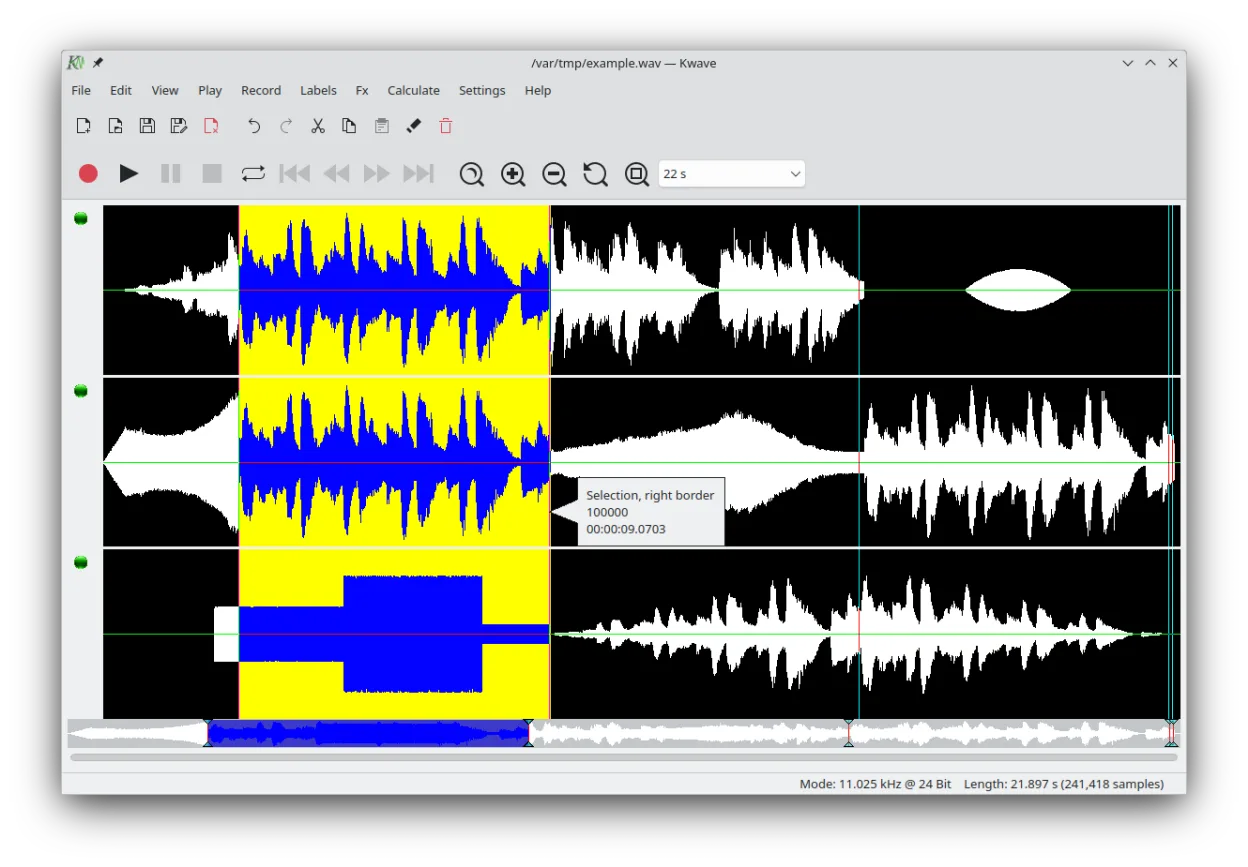
Kwave is a full-featured audio editor for recording, editing, and processing sound files on Linux.
Kwave is a capable replacement for Windows Voice Recorder if you need more control than basic recording. It handles recording and playback reliably, but its real strength is editing—useful for users who want to trim, clean up, or enhance voice memos. However, its interface is more complex than the…
Feature parity75% -

ocenaudio is a free, cross-platform audio editor with real-time effect preview and a clean interface.
ocenaudio is overkill for users who only need quick voice memos like Windows Voice Recorder provides, but it's a solid choice if you want more control over recordings. It handles basic recording and playback reliably, with the added benefit of editing tools if needed. However, its interface assumes…
Feature parity70%



What is Windows Voice Recorder?
Windows Voice Recorder is a basic audio recording tool for capturing voice notes, interviews, or short lectures. It's commonly used by students, journalists, and professionals who need quick, no-frills recordings without editing. The interface is minimal, focusing on record, pause, and stop functions, with playback support.
The app comes bundled with Windows 10 and later, so it's free for Windows users. There's no separate licensing or cost, and it doesn't require a subscription. It's not sold independently, and there's no mobile version tied to the desktop app.
People seek Linux alternatives because Windows Voice Recorder isn't available on Linux and has no direct port. Linux users need similar lightweight, easy-to-use recording tools. Some want minimal design, others need slightly more features like basic editing or format support.
Can you run Windows Voice Recorder on Linux?
There is no native Linux version of Windows Voice Recorder, nor is there a web version. It does not run reliably under Wine or Proton, and no community patches make it functional. Users must rely on native Linux alternatives. Tools like Bottles or Lutris won't help because the app depends on Windows-specific audio APIs that aren't fully supported in compatibility layers.
Which alternative should you choose?
GNOME Sound Recorder is best for users wanting a clean, simple interface similar to the Windows app. Audacity suits those who also want editing, even if it's more complex. ocenaudio offers a balance with a modern UI and light editing. Parole is a player, not a recorder, so it's not sufficient alone. Kwave is more for waveform editing and less ideal for quick voice notes.
Moving your Windows Voice Recorder files and habits
Windows Voice Recorder saves files in M4A or WAV format. Most Linux apps support these, so transferring recordings is straightforward. Copy files via USB or cloud storage, then open them in Audacity, ocenaudio, or GNOME Sound Recorder. No special conversion is needed for playback. Metadata like timestamps may not transfer if re-importing into different software.
Side-by-side comparison
| App | License | Flatpak | Latest version | Feature parity | Rating |
|---|---|---|---|---|---|
| Audacity | GPL-3.0-only | ✓ | 3.7.8 | 65% | — |
| GNOME Sound Recorder | GPL-3.0 | — | 42.0 | 90% | — |
| Kwave | GPL-2.0+ | ✓ | 26.08.2 | 75% | — |
| ocenaudio | — | — | — | 70% | 5/5 |
Windows Voice Recorder: frequently asked questions
Can I use Windows Voice Recorder on Linux with Wine?
No, it does not work reliably under Wine. Audio capture fails or crashes, and the interface often doesn't load. Use a native Linux alternative instead.
Which Linux app looks most like Windows Voice Recorder?
GNOME Sound Recorder has a similar minimalist design and basic controls, making it the closest visual and functional match.
Can I edit recordings in these Linux apps?
Audacity and ocenaudio support editing like trimming or adjusting volume. GNOME Sound Recorder only records and plays back.
Do these apps support MP3 recording?
Audacity and ocenaudio can record to MP3 if LAME is installed. GNOME Sound Recorder typically uses WAV or OGG by default.
How important is Windows Voice Recorder to you?
Know a better alternative? Suggest an alternative