
 WineZGUILinux
vs
Battle.netWindows
WineZGUI as a Linux alternative to Battle.net
Updated
Our verdict
WineZGUI is not a direct replacement for Battle.net in the traditional sense, but it can effectively run Blizzard games on Linux when used with the official Battle.net Windows client. It handles launching, prefix management, and desktop integration, making it usable for technically comfortable users. However, it requires manual setup and does not provide built-in game updates or social features. It's a viable option only if you're willing to manage the Windows Battle.net client through Wine and handle updates and authentication manually.
- License
- GPL-3.0-or-later
- Price
- Free
- Latest version
- 0.99.16 (January 16, 2026)
- Rating
- —
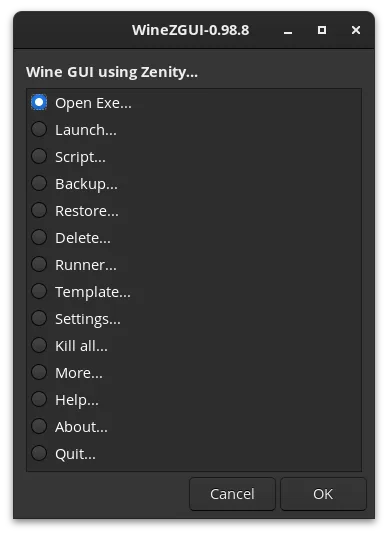
What works the same
- Allows installation and launching of the Windows Battle.net client
- Supports running Blizzard games through Wine with proper prefix isolation
- Enables desktop shortcuts for easy access to games
- Can maintain game state and account login between sessions with backup
- Supports Proton-GE and DXVK via winetricks for better game compatibility
What is different
- No built-in game library management or automatic updates
- Lacks integrated chat, friends list, or social features
- Requires manual setup of Wine, DXVK, and VCRUN2019
- Does not handle DRM or online authentication automatically
- No native Linux interface — relies on running the Windows client
Opening your Battle.net files
WineZGUI does not directly open or export Battle.net files. It runs the Windows version of the Battle.net installer and client as a .exe, so compatibility depends on Wine. Game files and installers from Battle.net can be used if already downloaded, but there is no direct import or conversion feature. Saved games and account data are stored within the Wine prefix, not in a cross-platform format.
Switching from Battle.net to WineZGUI, step by step
- Install WineZGUI and a compatible Wine runner like Proton-GE
- Download the Windows Battle.net installer from Blizzard's site
- Use WineZGUI to run the installer and create a new prefix
- Launch the Battle.net client through WineZGUI and log in
- Install and update games via the client as usual
- Create desktop shortcuts in WineZGUI for quick access
Key features of WineZGUI
- Runs Windows .exe files directly from file manager
- Creates desktop shortcuts for games
- Manages separate Wine prefixes per executable
- Imports existing Wine prefixes from Lutris, Bottles, or Heroic
- Supports custom Wine runners like Proton-GE
- Backs up and restores game prefixes
- Creates shareable game bundles (prefix + game + runner)
- Includes terminal access for debugging
How to install WineZGUI on Linux
flatpak install flathub io.github.fastrizwaan.WineZGUIsudo apt install winesudo apt install winesudo dnf install winesudo pacman -S winesudo zypper install wineFrequently asked questions
Can WineZGUI run Battle.net without installing Windows software?
No. WineZGUI runs the Windows version of the Battle.net client. You must download and install the official .exe from Blizzard.
Does WineZGUI handle game updates automatically?
No. Game updates are handled by the Windows Battle.net client running inside Wine, not by WineZGUI itself.
Is multiplayer and account sync supported?
Yes, but only through the Windows Battle.net client. Authentication and syncing work if Wine and network settings are properly configured.
2 other alternatives to Battle.net
 LutrisLutris is a free, open‑source platform that centralises installation and launching of PC and console games on…Open sourceFreeFlatpakLutris vs Battle.netHeroic Games LauncherHeroic Games Launcher is an open‑source tool that lets Linux users install and launch games from Epic, GOG…Open sourceFreeHeroic Games Launcher vs Battle.net