

Linux · Games
WineZGUI
WineZGUI is a Bash-based frontend for Wine that simplifies running Windows games on Linux with Zenity-driven menus and prefix management.
- License
- GPL-3.0-or-later
- Latest version
- 0.99.16 (January 16, 2026)
- Developer
- Mohammed Asif Ali Rizvan
- Installs
- 5,290 (Flathub, 30 days)
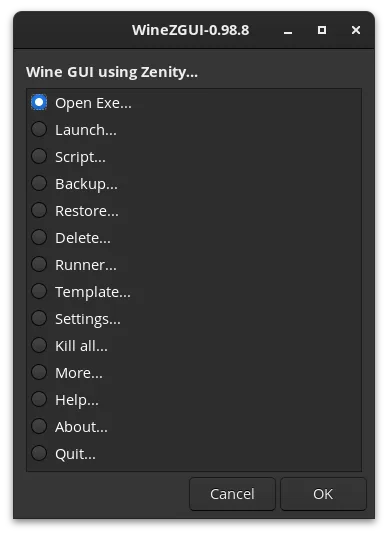
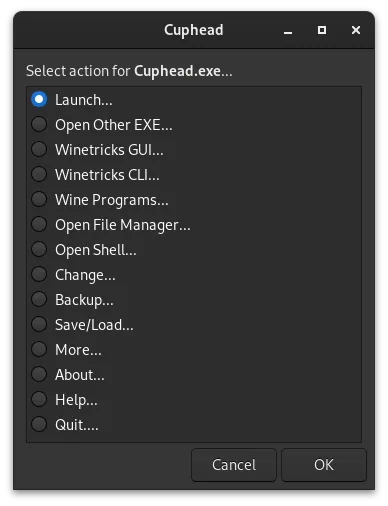
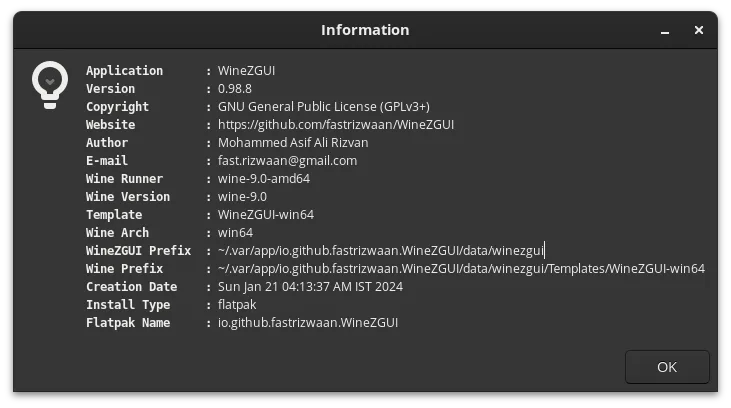
What is WineZGUI?
WineZGUI is a lightweight, script-driven tool that wraps Wine with a simple GUI using Zenity, making it easier to launch and manage Windows games on Linux. Developed by Mohammed Asif Ali Rizvan, it's been actively maintained and reached version 0.99.16 by early 2026. It doesn't aim to replace full launchers but fills a niche for users who want control without complexity.
It's best for intermediate Linux users who prefer scripting tools over polished UIs and want per-game Wine prefixes with minimal overhead. If you're comfortable in the terminal and want to avoid heavy gaming platforms, WineZGUI offers a no-frills way to run games without Lutris or Bottles. It’s especially useful if you already use winetricks or DXVK.
Compared to Battle.net, it doesn’t handle game downloads or account management — it runs local executables. You won’t get automatic updates or cloud saves. But for launching installed games, it feels more direct and transparent than heavier tools, giving you visibility into Wine processes and prefixes.
Best for: Users who want a minimal, script-based way to run Windows games with full Wine prefix control.
Key features of WineZGUI
- Runs Windows .exe files directly from file manager
- Creates desktop shortcuts for games
- Manages separate Wine prefixes per executable
- Imports existing Wine prefixes from Lutris, Bottles, or Heroic
- Supports custom Wine runners like Proton-GE
- Backs up and restores game prefixes
- Creates shareable game bundles (prefix + game + runner)
- Includes terminal access for debugging
Pros
- Lightweight and fast — no heavy UI or background services
- Full control over Wine prefixes and runners
- Easy integration with winetricks, DXVK, and vkd3d
- Supports importing from other tools like Lutris
- Script-based setup allows automation and customization
Cons
- No built-in game library or account syncing
- Zenity dialogs feel outdated compared to modern GUIs
- Requires manual setup for DXVK/vkd3d on many prefixes
- Limited error handling and user guidance for beginners
Windows programs WineZGUI replaces
How to install WineZGUI on Linux
flatpak install flathub io.github.fastrizwaan.WineZGUIsudo apt install winesudo apt install winesudo dnf install winesudo pacman -S winesudo zypper install wineTips for Windows users
Coming from Battle.net, know that WineZGUI only launches local .exe files — you still need to install the game client separately via Wine. Game progress and installs aren’t synced; manage saves manually. Shortcuts are created locally, and each game runs in its own prefix, so configure DXVK or Proton-GE per game. Use the import feature to bring in existing Lutris or Bottles setups, but reapply winetricks as needed.
Recent releases
- 0.99.16 —
add *.xz file to restore runner
- 0.99.15 —
Creates info file along with script. wine-9.0 and wine-8.0 download urls updated.
- 0.99.14 —
New Feature: Settings->Allow Single Prefix for all Exes
- 0.99.13 —
Runner->Download->Visit Kron4ek Website
WineZGUI: frequently asked questions
Does WineZGUI support Battle.net or Steam games?
It supports running locally installed Battle.net or Steam games via their .exe files. It doesn’t download or log into accounts — you install the game first, then launch it through WineZGUI.
How do I install DXVK in WineZGUI?
Use the 'Run Command' option to open a terminal in the prefix, then run 'winetricks dxvk'. Do this after creating the prefix or after switching runners.
Can I use Proton with WineZGUI?
Yes, you can download and use Proton-GE or other Wine builds via the 'Download Runner' option. Assign them per prefix for better compatibility with modern games.
What happens if I delete a game shortcut?
The shortcut is just a .desktop file — deleting it doesn’t remove the game or prefix. You can relaunch the .exe from the file manager or recreate the shortcut.
Updated