
Windows · Sound & Video
Best Linux alternatives to Wondershare Filmora
Wondershare Filmora is a paid, drag‑and‑drop video editor that requires an internet connection for export and 8 GB RAM.
Updated
Quick answer
The best Linux alternative to Wondershare Filmora is Kdenlive. Other strong options: Shotcut, OpenShot, Blender.
6 Linux alternatives to Wondershare Filmora
-

Kdenlive is a free, feature‑rich non‑linear video editor built on the MLT framework.
Kdenlive is a solid replacement for Wondershare Filmora for users who want a free, open‑source editor that supports drag‑and‑drop timeline editing, built‑in effects, transitions, 4K export, keyboard shortcuts, and basic color grading. It works well for hobbyists, small‑business video makers, and…
Feature parity85% -

Shotcut is a free, open-source video editor for Linux with support for a wide range of formats via FFmpeg.
Shotcut can replace Wondershare Filmora for users who need a free, open‑source editor with drag‑and‑drop timeline editing, built‑in effects, and 4K support. It works well on Linux and also on Windows/macOS, so cross‑platform teams can stay in one tool. However, it lacks Filmora’s polished UI, some…
Feature parity80% -

OpenShot is a free, open-source, non-linear video editor for Linux and other platforms, built with Python and MLT.
OpenShot is a solid, free alternative for basic to intermediate editing, but it lacks Filmora's polish and specialized AI features. It handles drag-and-drop timelines, 4K exports, and standard effects well. However, it is not a direct drop-in replacement for users relying on Filmora's one-click…
Feature parity75% -

Blender is a free, open-source 3D suite for modeling, animation, rendering, and video editing.
Blender is a capable but heavy-handed replacement for Wondershare Filmora. It covers all core needs: timeline editing, effects, 4K export, and color grading. However, it lacks Filmora’s drag-and-drop simplicity and one-click presets. You will spend time learning the interface. This is not a drop-in…
Feature parity65% -
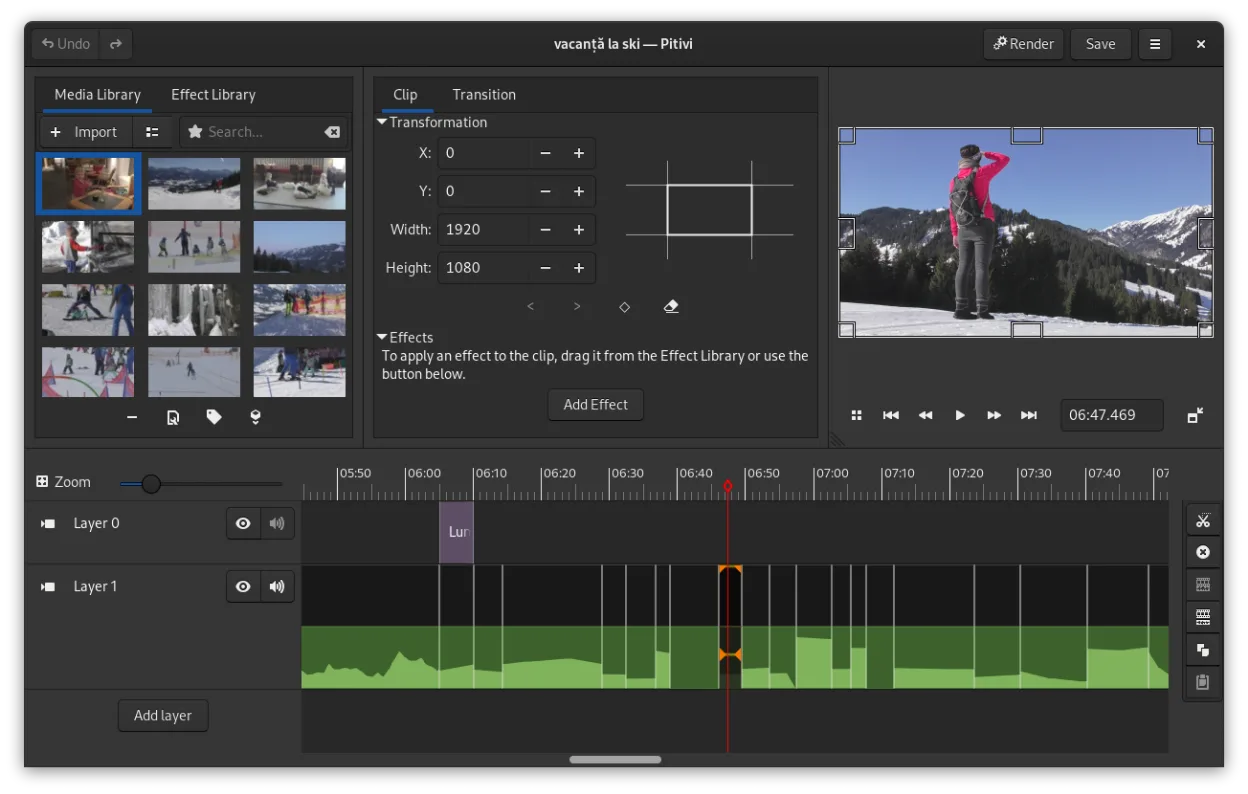
PiTiVi is a free, open-source, non-linear video editor for Linux built on GStreamer with a clean GNOME-integrated interface.
PiTiVi can replace Wondershare Filmora for users who need a free, open‑source editor that works offline and supports 4K export. It offers drag‑and‑drop timeline editing, built‑in effects, transitions, and basic color grading. However, it lacks Filmora’s cloud‑based export workflow and some advanced…
Feature parity70% -

Flowblade is a fast, stable, multitrack non-linear video editor for Linux, suitable for beginners to professionals.
Flowblade is a solid, free replacement for Wondershare Filmora if you value stability over flashy presets. It handles multitrack editing, 4K, and standard exports without subscription fees or internet checks. However, it lacks Filmora’s one-click AI effects and extensive template library. The…
Feature parity75%



What is Wondershare Filmora?
Filmora is a consumer‑oriented video editor that lets users cut, trim, and add effects with a simple drag‑and‑drop interface. It targets hobbyists, social media creators, and small businesses that need quick, polished videos without a steep learning curve. The software is sold as a subscription or perpetual license, with free updates for subscribers.
Because Filmora is proprietary and Windows‑only, many Linux users look for alternatives that run natively, are open source, and support the same file formats. They want a tool that can replace the drag‑and‑drop workflow without the need for a paid license.
Linux users also appreciate the ability to edit locally without an internet connection, and they often prefer software that is well maintained and has a strong community. The search for a Linux replacement focuses on those features while keeping the learning curve low.
What a replacement for Wondershare Filmora must do
- Drag‑and‑drop timeline editing
- Built‑in effects and transitions
- Export to common video formats (MP4, MOV)
- Support for 4K and higher resolutions
- Keyboard shortcuts and basic color grading
Can you run Wondershare Filmora on Linux?
There is no native Linux version of Filmora. The Windows installer can be run through Wine, but stability is uncertain and the license check may fail. A web version is not available. Users who need a reliable Linux workflow should avoid Wine and use a native editor instead.
Which alternative should you choose?
For beginners who want a simple drag‑and‑drop interface, OpenShot or Shotcut are good choices. Kdenlive offers more advanced features while still being user‑friendly. Blender is best for users who also need 3‑D animation. PiTiVi and Flowblade are lightweight options for basic editing needs.
Moving your Wondershare Filmora files and habits
Filmora projects are stored in proprietary .film files, which are not directly readable by Linux editors. Export the project to a standard video format (MP4, MOV) before switching. Most Linux editors support the same codecs, so you can re‑import the exported video for further editing.
Side-by-side comparison
Wondershare Filmora: frequently asked questions
Can I run Filmora on Linux via Wine?
It may run, but the license check can block export and the UI can be unstable. Not recommended for production work.
Does Filmora export to 4K?
Yes, if you have a subscription that allows the latest version; otherwise, you may be limited to lower resolutions.
Is there a free trial?
Filmora offers a 15‑day free trial, but the trial version will watermark videos.
What codecs does Filmora support?
It supports common codecs like H.264, H.265, and VP9 for export, and can import MP4, MOV, AVI, and others.
How important is Wondershare Filmora to you?
Know a better alternative? Suggest an alternative