
Windows · Graphics
Best Linux alternatives to Adobe InCopy
Adobe InCopy is a specialized word processor for collaborative editorial work with InDesign, offering track changes and layout preview.
Updated
Quick answer
The best Linux alternative to Adobe InCopy is Scribus. Other strong options: LibreOffice Writer, Calligra.
3 Linux alternatives to Adobe InCopy
-

Scribus is a free, open‑source desktop publishing program for professional page layout on Linux.
Scribus is a strong alternative for independent designers who need full control over layout and typography but do not require collaborative editorial workflows. It handles complex page composition, color management, and professional PDF output better than most free tools. However, it is not a…
Feature parity65% -

LibreOffice Writer is a free, open-source word processor and part of the LibreOffice office suite.
LibreOffice Writer is a solid, free replacement for Adobe InCopy if your workflow is standard text editing. It handles track changes, spell-checking, and DOCX/ODT files well. However, it lacks InCopy’s tight integration with InDesign. You will not get live layout previews or direct sync with…
Feature parity60% -
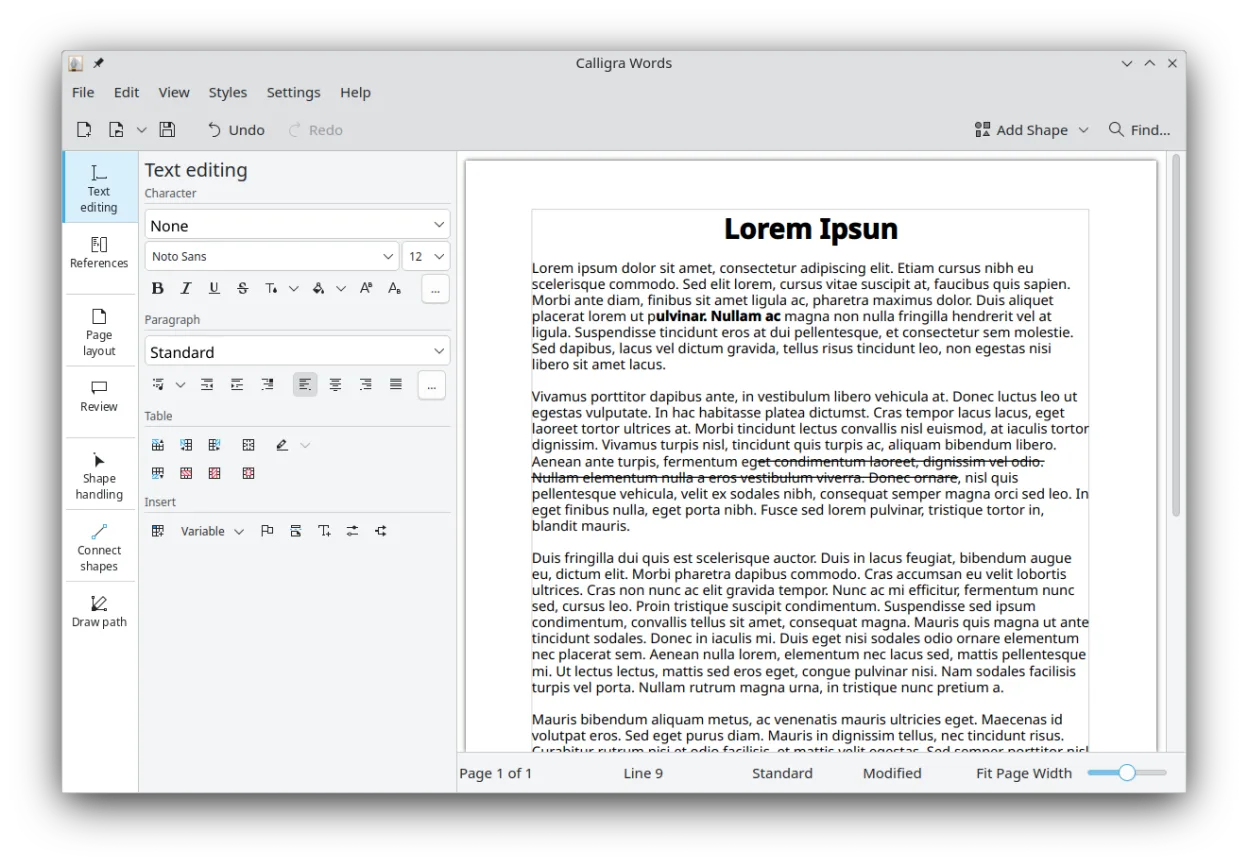
Calligra is a KDE office suite covering word processing, spreadsheets, presentations, and vector graphics.
Calligra Words can replace Adobe InCopy for basic editorial work that relies on word processing and simple desktop publishing. It offers track changes, spell check, word count, and PDF export, and can open DOCX and ODT files. However, it lacks the tight integration with InDesign, advanced layout…
Feature parity70%



What is Adobe InCopy?
Adobe InCopy serves as the writing companion to InDesign, primarily used by editors and writers in publishing houses. It allows text-heavy documents to be edited without disrupting the layout designer's work. The tool focuses on content creation, providing a clean interface for writing while still allowing users to see how text interacts with visual elements like images and frames.
The software operates on a subscription model through Adobe Creative Cloud, meaning it requires a recurring fee for access. It is not typically sold as a one-time purchase. This pricing structure, combined with its specific dependency on the Adobe ecosystem, makes it a significant ongoing cost for small teams or freelance editors who only need the writing and proofing aspects of desktop publishing.
Users often seek Linux alternatives due to the high subscription costs or because their entire workflow has moved to open-source tools. Since InCopy is tightly coupled with InDesign, finding a standalone Linux replacement is difficult. However, for users who only need the word processing and proofing features without the deep integration, general-purpose office suites or standalone DTP tools can often fill the gap.
What a replacement for Adobe InCopy must do
- Track changes and revision history
- Spell check and grammar tools
- Word count and document statistics
- Visual preview of layout elements
- Support for standard text formats (DOCX, ODT)
- Ability to export to PDF for proofing
- Stable text reflow during editing
Can you run Adobe InCopy on Linux?
Adobe InCopy does not have a native Linux version. Adobe has discontinued Linux support for its Creative Cloud suite, so you cannot install it directly. Running it via Wine or Proton is generally unreliable and not recommended for professional work, as the complex integration with InDesign and the specific UI elements often break. There is no official web version of InCopy; it remains a desktop application. If you require the specific InCopy-InDesign workflow, you are likely stuck using Windows or macOS, or using a virtual machine, though performance will be poor.
Which alternative should you choose?
If you need a full desktop publishing environment where you can also edit text, Scribus is the closest functional alternative, though it lacks the collaborative 'writer/designer' separation. For pure writing and editing tasks where layout preview is secondary, LibreOffice Writer is the most robust choice, offering excellent track changes and compatibility. Calligra Words is another option, but it is less maintained and may lack some of the advanced proofing features found in LibreOffice. Choose Scribus if you need to see the layout, or LibreOffice if you just need to write and edit text.
Moving your Adobe InCopy files and habits
Migrating from InCopy is straightforward for the text content. You can save your InCopy documents as .docx or .odt files, which both LibreOffice Writer and Calligra Words can open. If you are moving to Scribus, you will likely need to export the layout from InDesign as a PDF or EPS, then import that into Scribus, and paste the text from your InCopy file into the text frames. Be aware that complex styles and cross-references may not transfer perfectly, so always proofread the final output in the new environment.
Side-by-side comparison
| App | License | Flatpak | Latest version | Feature parity | Rating |
|---|---|---|---|---|---|
| Scribus | GPL-2.0+ | ✓ | 1.6.5 | 65% | — |
| LibreOffice Writer | MPL-2.0 | ✓ | 26.8.1.1 | 60% | — |
| Calligra | GPL-2.0-or-later | ✓ | 26.04.3 | 70% | — |
Adobe InCopy: frequently asked questions
Can I use LibreOffice Writer to replace InCopy entirely?
For writing and editing, yes. It has track changes, spell check, and word count. However, it does not have the specific 'link' feature that keeps text in sync with an InDesign layout in real-time. You will be working on a separate file.
Does Scribus have track changes?
Scribus is primarily a layout tool. It does not have built-in, collaborative track changes features like a word processor. You would typically edit text in a word processor and then import it, or use version control for the source files.
Is there a way to sync text between Linux and InDesign?
Not natively. You would have to manually export text from your Linux word processor and import it into InDesign. Some users use shared drives or cloud storage to manage the files, but the real-time collaborative editing aspect of InCopy is lost.
Which format is best for sharing drafts?
PDF is the standard for final proofs. For collaborative editing, .odt or .docx are best. If you are working with a team that uses InDesign, ensure you export text in a format that preserves basic styling, such as tagged PDF or .idml if you are moving the whole project.
How important is Adobe InCopy to you?
Know a better alternative? Suggest an alternative