
Windows · Graphics
Best Linux alternatives to XnView
XnView is a cross‑platform image viewer and converter that handles 500+ formats and offers batch processing.
Updated
Quick answer
The best Linux alternative to XnView is ImageMagick. Other strong options: darktable, GIMP, Krita.
6 Linux alternatives to XnView
-
ImageMagick is a command‑line and scriptable toolset for creating, editing, and converting raster images.
ImageMagick is a powerful but fundamentally different tool. It replaces XnView's batch conversion and editing capabilities with superior scriptability, but it lacks a graphical interface for casual viewing. If you rely on XnView for its GUI-based browsing, tagging, and quick previews, ImageMagick…
Feature parity60% -

darktable is a free, open‑source photo editor that manages raw files and offers a full non‑destructive workflow.
darktable can replace XnView for users who mainly work with raw images and need a non‑destructive editing workflow. It covers viewing, batch conversion, basic edits, and metadata handling, but it is geared toward photographers rather than general image browsing. If you only need a simple viewer or…
Feature parity70% -

GIMP is a free, open-source raster graphics editor for photo editing, digital painting, and image composition.
GIMP can replace XnView for users who need more than just viewing and batch conversion, such as advanced editing, layer work, or scripting. It covers most of XnView’s core tasks—format support, batch processing, basic edits, and metadata handling—while adding powerful image manipulation tools…
Feature parity85% -

Krita is a full‑featured open‑source digital painting and illustration program.
Krita is not a direct replacement for XnView. XnView is a lightweight viewer and batch processor, while Krita is a heavy, professional digital painting suite. If your primary need is viewing, organizing, and batch-converting images, Krita is the wrong tool; it lacks batch renaming and efficient…
Feature parity30% -
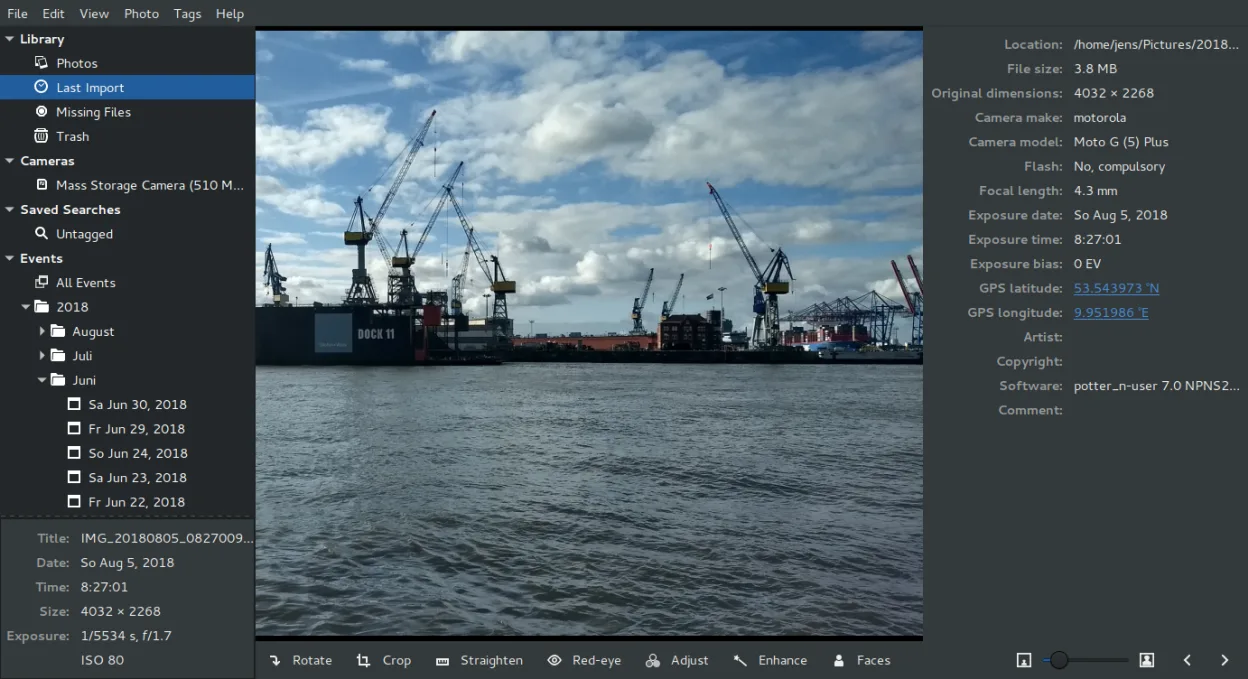
Shotwell is a GNOME photo manager for importing, organizing, and lightly editing images.
Shotwell is a partial replacement for XnView, but it targets a different user. If you need to view 500+ formats or perform heavy batch conversions, Shotwell will fail you. It is best for GNOME users who primarily manage personal photo libraries, need basic non-destructive edits, and want simple…
Feature parity45% -
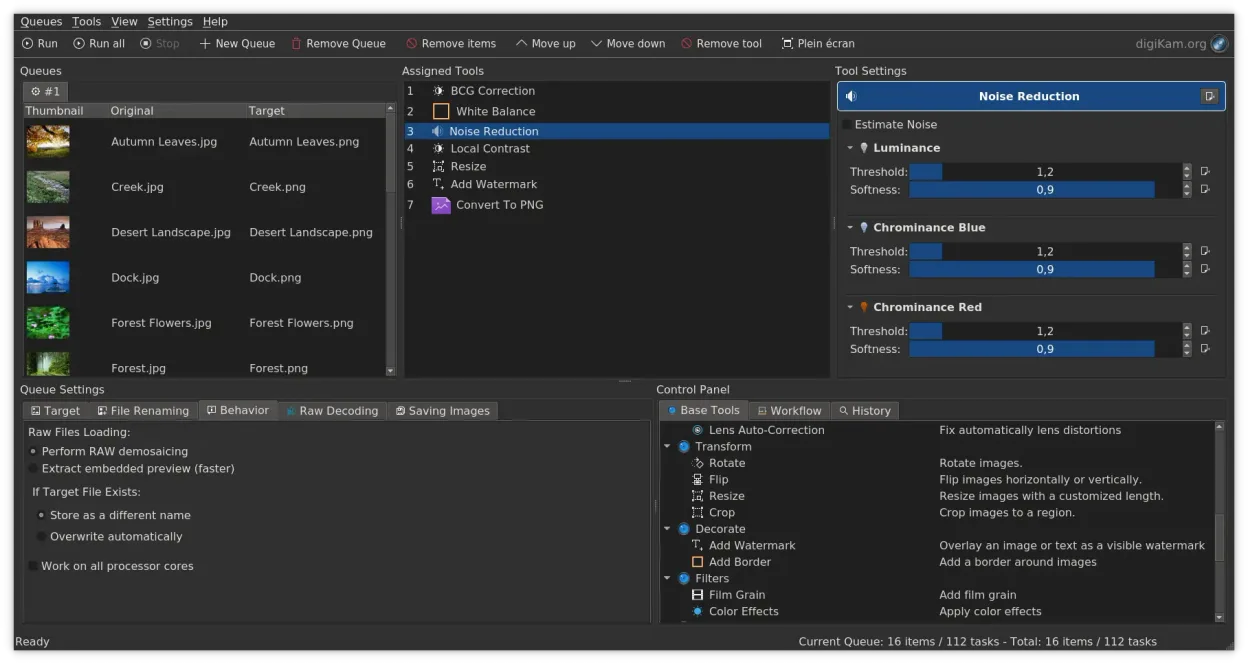
digiKam is a comprehensive KDE photo manager for organizing, tagging, and editing digital photos with strong RAW support.
digiKam is a strong replacement for XnView if your primary need is organizing and managing a large photo library with advanced tagging and RAW support. It handles viewing, basic editing, and metadata editing well. However, it is heavier and more complex than XnView. If you just need a quick…
Feature parity85%




What is XnView?
XnView is mainly used by photographers, designers and hobbyists who need to view, edit and organize large collections of images. It runs on Windows, macOS and Linux, and is available in a free version with limited features and a paid edition that unlocks advanced tools.
The free edition covers most everyday tasks such as viewing, basic editing, and batch conversion, while the paid version adds features like watermarking, advanced metadata editing and extended format support.
Users look for a Linux alternative when they prefer open‑source software, want to avoid licensing costs, or need tighter integration with Linux file systems and workflows.
What a replacement for XnView must do
- View and preview hundreds of image formats
- Batch conversion and renaming
- Basic image editing (crop, rotate, resize)
- Metadata editing (EXIF, IPTC, XMP)
- Organize images into folders or tags
Can you run XnView on Linux?
XnView has a native Linux binary (XnViewMP) that runs on most distributions. It can also be run under Wine, but native support is preferred for best performance and stability.
Which alternative should you choose?
Use ImageMagick if you need command‑line batch processing; darktable for raw photography editing; GIMP for advanced image manipulation; Krita for digital painting; Shotwell for simple photo management; digiKam for a full‑featured photo organizer.
Moving your XnView files and habits
All images stay in their original format, so you can simply copy the folders. Metadata can be exported as XMP or CSV from XnView and imported into the chosen Linux tool. Most Linux alternatives read standard EXIF and XMP tags without issue.
Side-by-side comparison
XnView: frequently asked questions
Is XnView free on Linux?
Yes, XnViewMP is free for personal use, but a paid license unlocks extra features.
Can I convert RAW files with XnView?
Yes, XnView supports RAW conversion, but dedicated tools like darktable offer better raw processing.
Does XnView support batch renaming?
Yes, it has a batch renaming tool with pattern options.
Is there a web version of XnView?
No, XnView is a desktop application only.
How important is XnView to you?
Know a better alternative? Suggest an alternative