
Windows · Graphics
Best Linux alternatives to Lightroom CC
Adobe Lightroom CC is a subscription-based photo editing and organization tool for photographers managing large libraries.
Updated
Quick answer
The best Linux alternative to Lightroom CC is darktable. Other strong options: RawTherapee, digiKam, GIMP.
5 Linux alternatives to Lightroom CC
-

darktable is a free, open‑source photo editor that manages raw files and offers a full non‑destructive workflow.
darktable is a solid replacement for Lightroom CC for photographers who want a free, open‑source, non‑destructive workflow on Linux. It covers RAW development, batch processing, metadata tagging, and color grading. The learning curve is steeper than Lightroom’s UI, but experienced users will…
Feature parity75% -

RawTherapee is an open‑source, cross‑platform raw photo development program.
RawTherapee is a solid replacement for Lightroom CC when you need raw development and non‑destructive editing, but it lacks a full digital asset management system. It works best for photographers who are comfortable handling large libraries in a separate tool (e.g., digiKam, darktable, or a…
Feature parity65% -
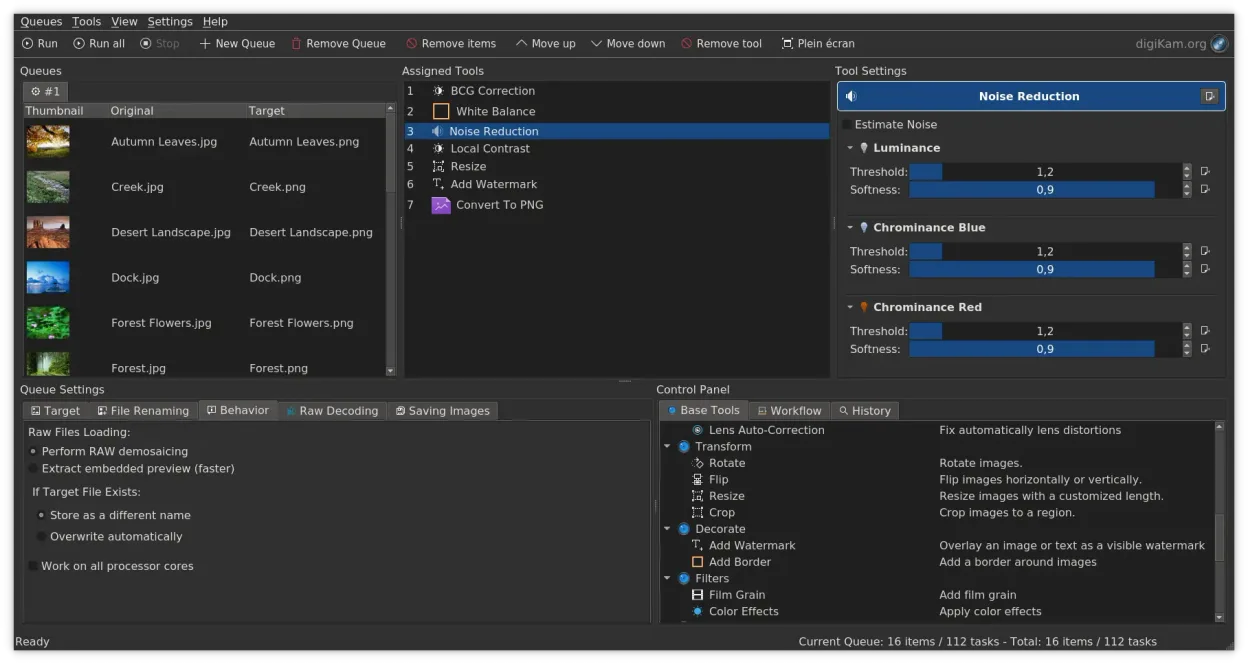
digiKam is a comprehensive KDE photo manager for organizing, tagging, and editing digital photos with strong RAW support.
digiKam can replace Lightroom CC for photographers who want a free, open‑source solution that handles RAW development, non‑destructive editing, and large libraries. It offers robust tagging, metadata editing, and batch export, but lacks the cloud sync, mobile app, and advanced color grading presets…
Feature parity80% -

GIMP is a free, open-source raster graphics editor for photo editing, digital painting, and image composition.
GIMP can replace Lightroom CC for basic RAW development and batch editing, but it lacks the dedicated catalog, metadata tagging, and cloud sync that Lightroom offers. Photographers who prefer a free, open‑source tool and are comfortable managing files manually will benefit. Those who need a…
Feature parity45% -

Krita is a full‑featured open‑source digital painting and illustration program.
Krita is not a replacement for Lightroom CC. It is a digital painting tool, not a photo management or RAW processing suite. While it can open images, it lacks the core functionality photographers need: non-destructive RAW development, large library cataloging, and metadata tagging. If your primary…
Feature parity10%





What is Lightroom CC?
Lightroom CC is designed for photographers who need to organize, tag, and edit large volumes of digital images. It handles RAW files, applies non-destructive edits, and manages metadata. Users rely on it for workflow efficiency, from initial import to final export for web or print.
The software operates on a subscription model through Adobe Creative Cloud. It is not sold as a one-time purchase. This recurring cost can be a significant barrier for hobbyists or those who do not need Adobe's full ecosystem. The service includes cloud storage and sync features, which are part of the subscription fee.
Many users seek Linux alternatives to avoid subscription costs and support open-source software. Linux offers powerful, free tools that handle RAW development and library management effectively. While no single tool replicates every Lightroom feature, combinations of these apps can cover most professional and hobbyist needs without recurring fees.
What a replacement for Lightroom CC must do
- RAW file development and processing
- Non-destructive editing workflows
- Large library organization and cataloging
- Metadata management and tagging
- Batch processing and export options
- Color grading and tone adjustment
- Plugin or script support for automation
Can you run Lightroom CC on Linux?
Adobe does not provide a native Linux version of Lightroom CC. It is primarily a Windows and macOS application. You can access some features via the web or mobile apps, but the full desktop experience is not available on Linux. Running it via Wine or Proton is possible but often unstable and requires significant tweaking. It is not recommended for professional workflows due to potential compatibility issues with Adobe's cloud services and updates.
Which alternative should you choose?
For a direct Lightroom replacement, darktable is the closest match, offering a similar dual-screen workflow and RAW processing. RawTherapee is excellent for high-end RAW development with advanced controls but lacks robust library management. digiKam is best for organizing large photo collections and managing metadata. GIMP and Krita are raster editors; use them for pixel-level retouching or painting, not for bulk photo management or RAW development.
Moving your Lightroom CC files and habits
Exporting from Lightroom involves saving your catalog and exporting images. Lightroom catalogs are proprietary, so you cannot directly import them into Linux tools. You will need to export your images as JPEG, TIFF, or DNG files. Metadata like ratings and keywords can be exported via XMP sidecar files, which darktable and digiKam can read. Plan to rebuild your folder structure and re-tag if necessary, as catalog structures differ significantly.
Side-by-side comparison
| App | License | Flatpak | Latest version | Feature parity | Rating |
|---|---|---|---|---|---|
| darktable | GPL-3.0+ | ✓ | 5.6.2 | 75% | — |
| RawTherapee | GPL-3.0+ | ✓ | 5.13 | 65% | — |
| digiKam | GPL-2.0+ | ✓ | 9.1.0 | 80% | — |
| GIMP | GPL-3.0+ AND LGPL-3.0+ | ✓ | 3.2.6 | 45% | — |
| Krita | GPL-3.0-only | ✓ | 5.3.4.1 | 10% | — |
Lightroom CC: frequently asked questions
Can I import my Lightroom catalog directly into darktable?
No, there is no direct catalog import. You must export your images and XMP metadata from Lightroom. darktable will index your files and read the XMP data, but you will need to restructure your library folders.
Is darktable a complete replacement for Lightroom?
darktable covers most core functions like RAW development, culling, and basic organization. However, it lacks some of Lightroom's specific cloud sync features and advanced printing modules, so it is not a 100% feature-for-feature clone.
Which tool is better for organizing thousands of photos, digiKam or darktable?
digiKam is generally stronger for pure organization, tagging, and database management of large libraries. darktable focuses more on the editing workflow, though it does have a library module. Many users combine both for a complete workflow.
Do these Linux tools support plugins like Lightroom does?
Support varies. darktable has a plugin system for developers. GIMP and Krita have extensive plugin ecosystems for retouching. However, the ecosystem is not as large or standardized as Lightroom's, so some specific third-party tools may not have direct equivalents.
How important is Lightroom CC to you?
Know a better alternative? Suggest an alternative