
Windows · Sound & Video
Best Linux alternatives to Adobe Premiere Elements
Adobe Premiere Elements is a consumer‑grade video editor for quick, easy edits.
Updated
Quick answer
The best Linux alternative to Adobe Premiere Elements is Kdenlive. Other strong options: Shotcut, OpenShot, Blender.
5 Linux alternatives to Adobe Premiere Elements
-

Kdenlive is a free, feature‑rich non‑linear video editor built on the MLT framework.
Kdenlive is a solid replacement for Adobe Premiere Elements for users who want a free, open‑source editor with a full set of non‑linear editing tools. It supports the same basic workflow—cutting, trimming, adding transitions, audio mixing, and exporting to social‑media formats—while adding advanced…
Feature parity85% -

Shotcut is a free, open-source video editor for Linux with support for a wide range of formats via FFmpeg.
Shotcut can replace Adobe Premiere Elements for most home‑video editors who need basic cuts, trims, joins, and a few effects. It supports the same common formats, offers a multi‑track timeline, and lets you export to MP4 or other social‑media ready files. Users who rely on Premiere Elements’ guided…
Feature parity80% -

OpenShot is a free, open-source, non-linear video editor for Linux and other platforms, built with Python and MLT.
OpenShot can replace Adobe Premiere Elements for most casual users who need basic to moderate video editing on Linux. It supports the same core tasks—importing common formats, cutting, trimming, adding transitions, and exporting to social‑media ready files—while offering extra features like…
Feature parity70% -

Blender is a free, open-source 3D suite for modeling, animation, rendering, and video editing.
Blender can replace Adobe Premiere Elements for users who need a free, open‑source solution that covers basic video editing. It supports import/export of MP4, MOV, AVI, offers cut, trim, join, split, audio mixing, and a selection of transitions and effects. The interface is more complex than…
Feature parity70% -
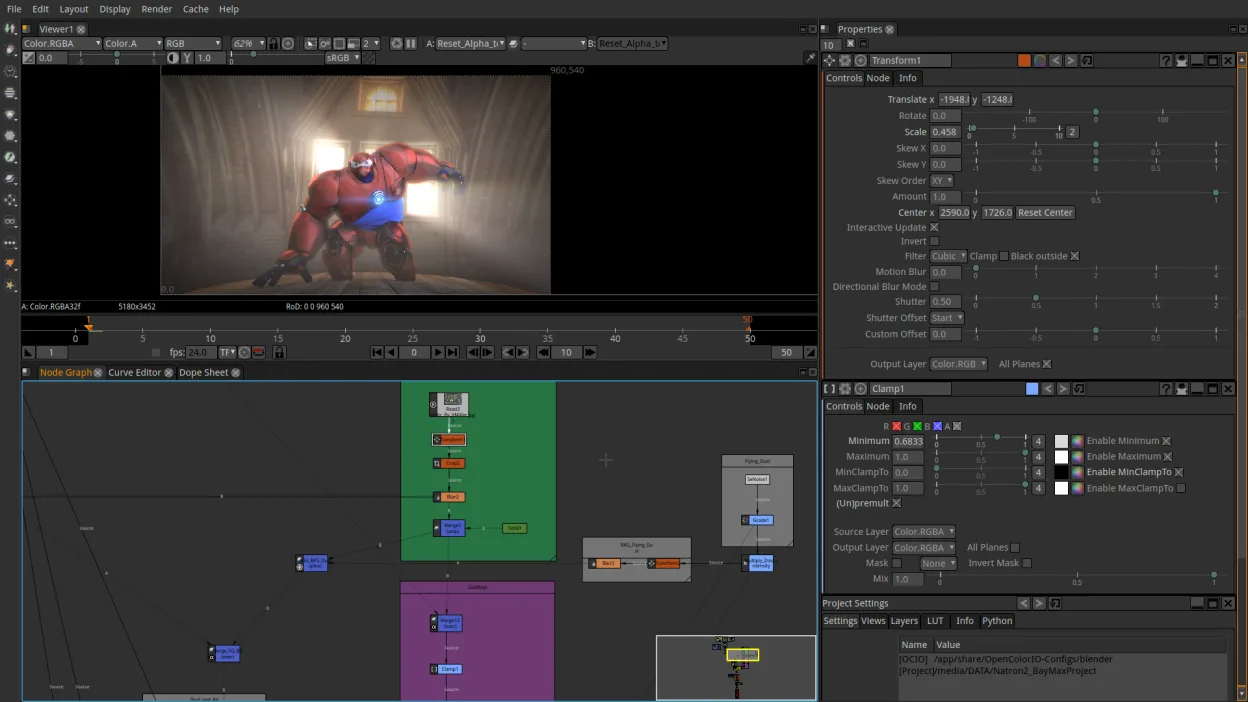
Natron is a free, open‑source node‑based video compositing tool for creating VFX and motion graphics.
Natron is not a direct replacement for Adobe Premiere Elements. It is a node‑based compositing tool aimed at VFX and motion graphics, not a consumer‑grade timeline editor. It can import and export common video formats, but lacks the simple cut‑trim‑join workflow, built‑in transitions, and…
Feature parity20%


What is Adobe Premiere Elements?
Adobe Premiere Elements lets home users trim clips, add transitions, and create simple movies. It targets people who want a quick way to polish videos without the steep learning curve of professional editors. The software is sold as a one‑time purchase, with separate upgrades for new releases. It is not free. Because Windows‑only, many Linux users look for alternatives that can handle the same file formats and basic editing tasks without needing a virtual machine.
What a replacement for Adobe Premiere Elements must do
- Import & export common video formats (MP4, MOV, AVI)
- Basic editing tools (cut, trim, join, split)
- Built‑in transitions & effects
- Audio adjustment and mixing
- Export to social‑media‑ready formats
- User‑friendly interface
- Support for multiple tracks
Can you run Adobe Premiere Elements on Linux?
No native Linux build exists for Premiere Elements. Users must rely on Windows emulation such as Wine, Proton, or Bottles, which may provide limited functionality and can be unstable for large projects. A web version is not available.
Which alternative should you choose?
For beginners who need a simple, drag‑and‑drop interface, OpenShot is a good fit. Those wanting more advanced transitions and a larger feature set should try Kdenlive. If you prefer a lightweight editor with a clean UI, Shotcut is suitable. Blender offers powerful video editing but has a steeper learning curve. Natron is best for users who need node‑based visual effects.
Moving your Adobe Premiere Elements files and habits
Premiere Elements projects are saved in proprietary .prproj files, which Linux editors cannot open directly. Export your media to standard formats (MP4, MOV, WAV) before importing into the Linux editor of choice. Most Linux editors support the same import/export formats as Premiere Elements, so you can recreate your project manually.
Side-by-side comparison
Adobe Premiere Elements: frequently asked questions
Can I run Premiere Elements on Linux via Wine?
It may run with Wine, but performance is unpredictable and some features may not work.
Do Linux editors support the same export formats as Premiere Elements?
Yes, most support MP4, MOV, AVI, and common audio codecs.
Is there a free alternative that matches Premiere Elements?
OpenShot and Shotcut are free and cover the core features.
Do I need a paid license for the Linux alternatives?
All listed alternatives are free; some offer optional paid add‑ons.
How important is Adobe Premiere Elements to you?
Know a better alternative? Suggest an alternative