
Windows · System Tools
Best Linux alternatives to BalenaEtcher
BalenaEtcher writes disk images like ISOs to USB drives and SD cards using a simple, cross-platform interface.
Updated
Quick answer
The best Linux alternative to BalenaEtcher is Fedora Media Writer. Other strong options: UNetbootin.
2 Linux alternatives to BalenaEtcher
-
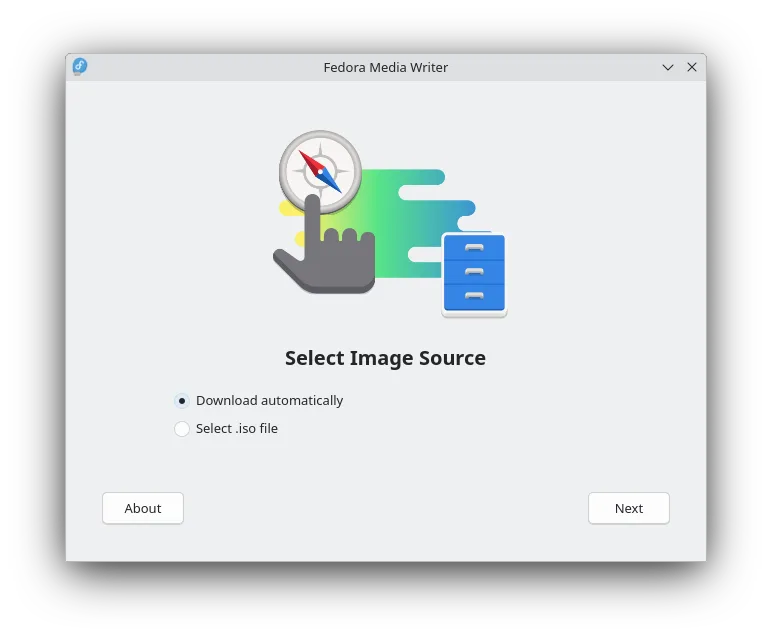
Fedora Media Writer creates bootable Fedora USB drives and can download ISOs automatically.
Fedora Media Writer is a good replacement for BalenaEtcher if you primarily work with Fedora images or standard ISOs. Its interface is simple and safe, with automatic media detection and protection against overwriting internal drives. While it supports writing local ISO, IMG, and ZIP files, it's…
Feature parity80% -
UNetbootin creates bootable USB drives from ISO files for installing Linux or running live systems.
UNetbootin is a reasonable replacement for BalenaEtcher if you're focused on creating Linux bootable USB drives, especially for live systems or installations. It supports ISO and IMG files, allows persistent storage, and runs natively on Linux. However, it lacks built-in verification of written…
Feature parity75%

What is BalenaEtcher?
BalenaEtcher is used to flash OS images to USB sticks and SD cards, commonly by developers, system administrators, and hobbyists installing Linux or recovering systems. Its clean interface makes it accessible for beginners, while reliability appeals to experienced users creating bootable media for Raspberry Pi, live Linux distributions, or diagnostics tools.
It's free and open-source, licensed under Apache 2.0, meaning anyone can inspect, modify, or distribute the code. There are no paid features or subscriptions. The app is developed and maintained by Balena, a company focused on IoT and container-based Linux tools, though community contributions also play a role.
People seek Linux alternatives because Etcher has dropped automatic updates on Linux and some consider its Electron base heavy for a simple task. Others want faster tools, better integration with their distro, or avoid Electron apps due to resource use or security preferences. Performance and minimalism are common drivers.
What a replacement for BalenaEtcher must do
- Write .iso, .img, and .zip image files to USB/SD
- Verify written data integrity
- Cross-platform or native Linux support
- Simple, intuitive interface
- Support for bootable drives
- Safe drive selection to prevent overwrites
- Automatic detection of removable media
Can you run BalenaEtcher on Linux?
Yes, balenaEtcher provides a native Linux version as an AppImage, .deb, and .rpm packages. It runs without needing Wine or containerization. The AppImage is portable and works across most distributions. Performance is acceptable, though some users report slower writes compared to lighter tools. It does not run in a browser — it's a standalone desktop application using Electron.
Which alternative should you choose?
Fedora Media Writer is ideal for Fedora and Red Hat users wanting fast, optimized ISO flashing with secure defaults. UNetbootin suits those needing legacy bootloader support or creating custom, non-live bootable drives. For general use, Fedora Media Writer is faster and lighter; UNetbootin offers more flexibility for niche cases but with fewer safeguards.
Moving your BalenaEtcher files and habits
No data migration is needed — balenaEtcher doesn’t store user data. You can directly use existing .iso or .img files. Most alternatives accept the same formats. However, UNetbootin uses its own format for custom distributions, so those aren’t portable. Stick to standard images for compatibility.
Side-by-side comparison
| App | License | Flatpak | Latest version | Feature parity | Rating |
|---|---|---|---|---|---|
| Fedora Media Writer | GPL-2.0+ | ✓ | 5.3.2 | 80% | — |
| UNetbootin | GPL-3.0 | — | 702 | 75% | — |
BalenaEtcher: frequently asked questions
Can I use balenaEtcher on Linux without installing?
Yes, download the AppImage version, make it executable, and run it directly without installation.
Is balenaEtcher safe to use on Linux?
Yes, but always verify the downloaded file's checksum. The app includes safeguards against writing to internal drives.
Why is Etcher sometimes slow?
It verifies data after writing by default, which ensures reliability but takes extra time. This can't be disabled in older versions.
Does Fedora Media Writer work with non-Fedora ISOs?
Yes, it writes most Linux ISOs correctly, though it's optimized for Fedora.
How important is BalenaEtcher to you?
Know a better alternative? Suggest an alternative