

Windows · System Tools
Best Linux alternatives to Windows Task Manager
GNOME System Monitor provides similar process, performance, and startup management on Linux as Windows Task Manager.
Updated
Quick answer
The best Linux alternative to Windows Task Manager is Mission Center. Other strong options: GNOME System Monitor.
2 Linux alternatives to Windows Task Manager
-
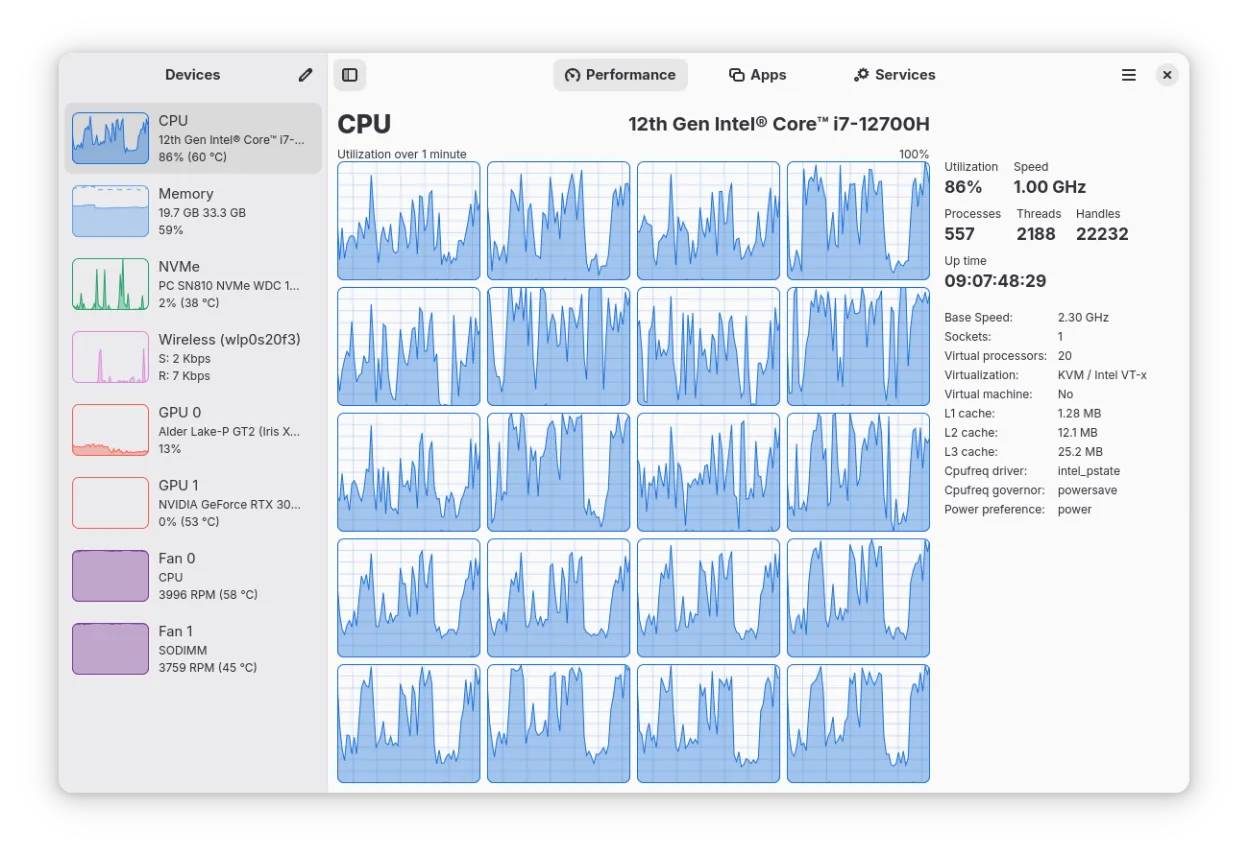
A GTK4-based system monitor for Linux that tracks CPU, RAM, disk, network, and GPU usage with per-process breakdowns.
Mission Center is a strong visual replacement for Windows Task Manager, offering modern GTK4 interfaces and detailed GPU stats via NVTOP. It handles core needs like process lists, CPU/RAM monitoring, and uptime well. However, it currently lacks direct process termination or priority adjustment…
Feature parity75% -
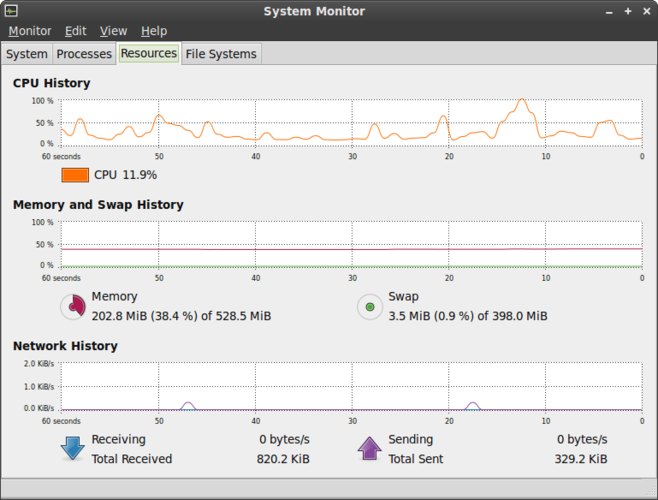
GNOME System Monitor is the standard Linux utility for viewing running processes, CPU, memory, and system resource usage.
GNOME System Monitor is a solid, native Linux replacement for Windows Task Manager if you stick to basic monitoring. It handles process lists, CPU/memory graphs, and killing tasks well. However, it lacks advanced controls like setting CPU affinity or detailed per-process I/O stats found in Windows…
Feature parity70%


What is Windows Task Manager?
Windows Task Manager is the built‑in utility that most Windows users rely on to see what programs are running, check CPU/GPU load, and manage startup items. It’s shipped with the OS, free of charge, and tightly integrated with Windows services and the user session. Many people switching to Linux miss that quick overview and look for a native tool that offers comparable visibility without needing to learn a completely new interface.
On Linux the tooling is split between command‑line utilities like top/htop and graphical monitors that ship with desktop environments. GNOME System Monitor is the default GUI for the GNOME desktop and mirrors much of what Task Manager does: process list, resource graphs, and the ability to end or change priority of tasks. It’s open‑source, freely available, and maintained by the GNOME project.
Users choose a Linux alternative because they want a familiar, point‑and‑click way to troubleshoot, they need to adjust startup programs, or they simply prefer not to rely on terminal commands for everyday monitoring. GNOME System Monitor satisfies those needs while fitting naturally into a GNOME or other GTK‑based environment.
What a replacement for Windows Task Manager must do
- Display list of running processes with names and IDs
- Show real‑time CPU, memory, and GPU usage
- Allow terminating processes and changing priority/affinity
- Provide basic I/O and network activity stats
- Expose startup applications and enable disabling them
- Show logged‑in users and system uptime
Can you run Windows Task Manager on Linux?
GNOME System Monitor is a native Linux application; it comes pre‑installed with GNOME and can be added to other desktops via the gnome-system-monitor package. There is no official web version, and it does not run under Wine or Proton because it is not needed – it works directly on Linux.
Which alternative should you choose?
If you use GNOME or any GTK‑based desktop, GNOME System Monitor is the most straightforward drop‑in replacement. KDE users might prefer KSysGuard for a more integrated look, while lightweight environments can use Xfce’s Task Manager or the terminal‑based htop.
Moving your Windows Task Manager files and habits
There is no data file to export from Windows Task Manager; it merely reports live system state. On Linux you simply start GNOME System Monitor and begin monitoring. Startup entries are managed via the same .desktop files or systemd services, so you’ll need to recreate any custom startup shortcuts manually.
Side-by-side comparison
| App | License | Flatpak | Latest version | Feature parity | Rating |
|---|---|---|---|---|---|
| Mission Center | GPL-3.0-or-later | ✓ | 1.2.0 | 75% | — |
| GNOME System Monitor | GPL-2.0 | — | 51.1 | 70% | 5/5 |
Windows Task Manager: frequently asked questions
Can GNOME System Monitor show GPU usage?
Yes, it includes a GPU usage graph when the system reports it via the appropriate drivers.
Is there a way to see service status like in Task Manager?
The Services tab lists systemd services and their status, similar to Windows services view.
Does it support changing processor affinity?
You can set CPU affinity via the process properties dialog, though the UI is less detailed than the Windows version.
Can I use it on non‑GNOME desktops?
Yes, install the gnome-system-monitor package; it runs on any desktop but may look out of place on non‑GTK environments.
How important is Windows Task Manager to you?
Know a better alternative? Suggest an alternative