
Windows · Sound & Video
Best Linux alternatives to CamRanger
Tethered photography tool for live camera control, image preview, and file management during shoots.
Updated
2 Linux alternatives to CamRanger
-
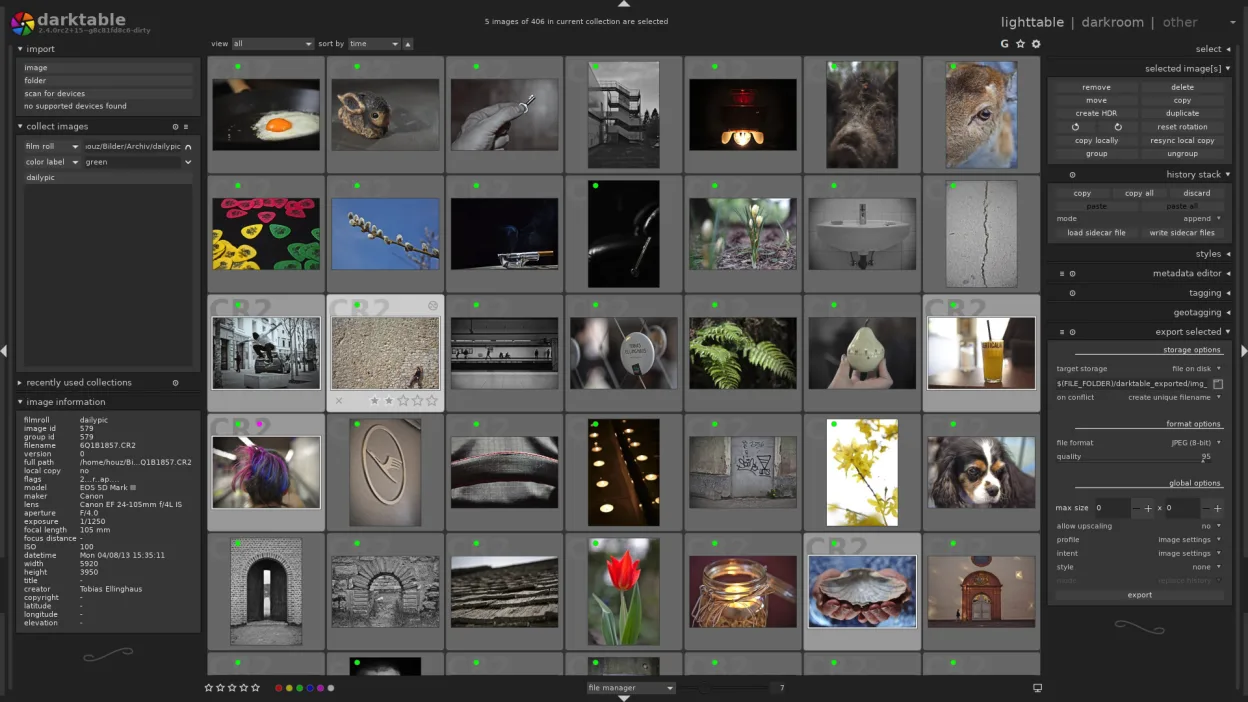
darktable is a free, open‑source photo editor that manages raw files and offers a full non‑destructive workflow.
darktable is not a dedicated tethering tool like CamRanger, but it does offer basic tethering support for Canon and Nikon cameras, allowing remote capture with live preview and file saving. It’s a decent option if you’re already using darktable for raw processing and want minimal tethering…
Feature parity50% -
gPhoto2 is a command‑line tool that lets you control and transfer photos from digital cameras on Linux.
gPhoto2 is a functional but rough replacement for CamRanger. It handles remote capture, live view, and file transfer for Canon and Nikon cameras, covering the core mechanical needs. However, it lacks a dedicated graphical interface, so you must use third-party frontends or scripts. The experience…
Feature parity65%

What is CamRanger?
CamRanger is a tethered shooting application designed for professional photographers and advanced enthusiasts. It allows users to control camera settings remotely, view high-resolution images on a computer screen in real-time, and organize files immediately after capture. This workflow is essential for studio shoots, product photography, and large-format work where immediate feedback and precise control are required.
The software operates on a subscription-based model, typically requiring an annual fee for access to the latest features and updates. It is not a one-time purchase, which can be a significant cost factor for independent photographers or those who only need the software for occasional projects. The pricing structure reflects its professional-grade capabilities and ongoing development.
Users seek Linux alternatives primarily to integrate tethering into an existing Linux-based workflow or to avoid recurring subscription costs. While Windows dominates the professional photography space, many editors and developers prefer Linux for its stability and customization. Finding a reliable tethering solution on Linux allows for a consistent environment across editing, processing, and capture stages without switching operating systems.
What a replacement for CamRanger must do
- Remote camera control (shutter, aperture, ISO)
- Real-time image preview on computer
- Automatic file transfer to disk
- Support for major camera brands (Canon, Nikon)
- High-resolution image handling
- Stable connection during long sessions
- File organization and renaming
Can you run CamRanger on Linux?
CamRanger does not have a native Linux version. It is officially supported on Windows and macOS. Running it via Wine or Proton is possible but often unreliable due to the specific USB drivers and hardware communication required for tethering. Many users report that while the interface may load, the actual camera connection fails. If you must use it, test thoroughly with your specific camera model before relying on it for a paid shoot. Native Linux tethering tools are the safer bet.
Which alternative should you choose?
gPhoto2 is the most direct functional replacement for basic tethering, offering command-line and GUI tools to control cameras and download images, though it lacks the polished live-view experience. digiKam is better suited if you need to manage and organize the resulting files within a comprehensive photo library, with some tethering support. darktable is primarily a RAW processor and does not replace the tethering function itself, so it should be used alongside gPhoto2 or digiKam rather than as a standalone replacement for CamRanger.
Moving your CamRanger files and habits
Tethering workflows do not involve migrating a database in the traditional sense. Instead, you are moving from a software-controlled capture process to a different software-controlled process. Your existing RAW files remain compatible regardless of the capture method. If you used CamRanger for specific file naming conventions or folder structures, you will need to replicate those settings in gPhoto2 or digiKam. There is no proprietary data lock-in; the images themselves are standard formats that any Linux tool can read and process.
Side-by-side comparison
CamRanger: frequently asked questions
Does gPhoto2 support live view?
Live view support in gPhoto2 depends heavily on the specific camera model and manufacturer. Some cameras expose live view data over USB, while others do not. Check the gPhoto2 compatibility list for your camera to see if live view is supported before committing to this workflow.
Can I use digiKam for tethering?
Yes, digiKam has built-in tethering capabilities. It allows you to shoot and download images directly into your digiKam library. However, its interface is more focused on library management than the granular, real-time control that dedicated tethering apps like CamRanger provide.
Is gPhoto2 difficult to use?
gPhoto2 is powerful but has a steeper learning curve than CamRanger. It offers both a command-line interface and a GUI (digikam or gphoto2-gui). For simple tasks, the GUI is manageable, but for advanced scripting or batch processing, the command line is more effective.
Do I need a specific cable for Linux tethering?
You need a standard USB cable that supports data transfer. Ensure your camera is recognized by Linux (check with lsusb). Some cameras may require specific drivers or kernel modules, but most modern Canon and Nikon models are supported out of the box by gPhoto2.
How important is CamRanger to you?
Know a better alternative? Suggest an alternative