
 GIMPLinux
vs
Corel PaintShop Pro 2022Windows
GIMP als Linux-Alternative zu Corel PaintShop Pro 2022
Aktualisiert am
Unser Fazit
GIMP is a solid replacement for Corel PaintShop Pro 2022 if you are comfortable with a steeper learning curve. It covers all core raster editing tasks, including layer management, retouching, and batch processing. The interface feels less polished than PaintShop Pro, and the workflow is less intuitive for beginners. However, the feature set is extensive, and the open-source nature allows for deep customization. It is ideal for users willing to invest time in learning shortcuts and scripting to match their previous efficiency.
- Lizenz
- GPL-3.0+ AND LGPL-3.0+
- Preis
- Kostenlos
- Aktuelle Version
- 3.2.8 (2. November 2026)
- Bewertung
- —
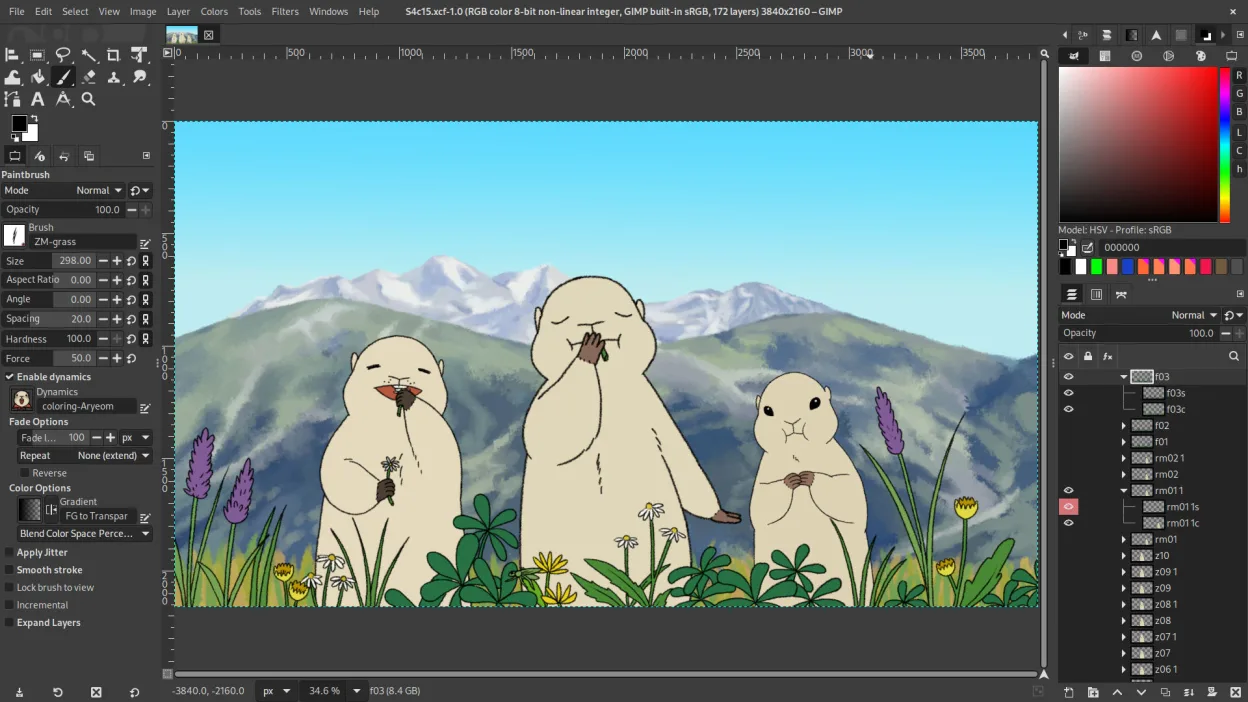
Was gleich funktioniert
- Layer-based raster editing with masks and blending modes
- Comprehensive photo retouching tools including healing, clone, and dodge/burn
- Support for common formats like JPEG, PNG, TIFF, and PSD
- Batch processing capabilities via scripting or menu options
- Extensive filter and effect libraries for digital art and photo manipulation
Was anders ist
- GIMP lacks a unified, beginner-friendly interface; panels are dockable but can feel cluttered initially
- Non-destructive editing is not as integrated by default as in PaintShop Pro, often requiring plug-ins like G'MIC
- PaintShop Pro includes more guided, step-by-step tutorials for specific photo effects out of the box
- GIMP’s brush engine is powerful but requires more manual configuration for specific digital painting styles
- Corel’s ecosystem includes cloud storage and mobile app integration, which GIMP lacks
Ihre Corel PaintShop Pro 2022-Dateien öffnen
GIMP natively supports opening and exporting JPEG, PNG, TIFF, and WebP files without issue. It can open PSD files, preserving layers and masks, though complex effects or smart objects may be flattened or lost. Corel’s proprietary .PSP format is not natively supported, so you must save your work as PSD or TIFF in PaintShop Pro before migrating to GIMP to retain layer structure.
Von Corel PaintShop Pro 2022 zu GIMP wechseln – Schritt für Schritt
- Export all existing projects from PaintShop Pro as PSD or TIFF files to preserve layers
- Install GIMP via your distribution’s package manager or Flathub for the latest version
- Import your PSD/TIFF files into GIMP and verify that layers and masks are intact
- Set up your preferred color profile in GIMP’s color management settings to match your monitor
- Learn the default keyboard shortcuts for retouching tools to speed up your workflow
- Test batch processing on a small set of images using the Batch Processing dialog or Script-Fu
Wichtige Funktionen von GIMP
- Ebenenbasiertes Bearbeiten mit Masken, Mischmodi und Transparenz
- Fortschrittliche Pinsel‑Engine für digitale Malerei und Retusche
- Unterstützung für Photoshop‑kompatible Plug‑ins (via Kompatibilitätsschichten)
- Stapelverarbeitung und Skripting mit Script‑Fu, Python oder GEGL
- Nicht‑destruktives Bearbeiten über Plug‑ins wie G'MIC möglich
- Umfangreiche Formatunterstützung: PNG, JPEG, TIFF, PSD, WebP und weitere
- Anpassbare Oberfläche mit anheftbaren Panels und Themes
- Farbmanagement mit ICC‑Profilunterstützung
GIMP unter Linux installieren
flatpak install flathub org.gimp.GIMPsudo apt install gimpsudo apt install gimpsudo dnf install gimpsudo pacman -S gimpsudo zypper install gimpHäufige Fragen
Can GIMP open Corel PaintShop Pro files directly?
No, GIMP does not natively open .PSP files. You must convert them to PSD or TIFF in PaintShop Pro first to maintain layer integrity.
Is GIMP’s batch processing as easy to use as PaintShop Pro’s?
GIMP’s batch processing is powerful but less intuitive. It uses a dialog-based interface or scripting (Python/Script-Fu), which requires more setup but offers greater flexibility.
Does GIMP support non-destructive editing?
GIMP supports non-destructive editing through plug-ins like G'MIC and by using layer masks, but it is not as seamlessly integrated into the core workflow as in PaintShop Pro.
3 weitere Alternativen zu Corel PaintShop Pro 2022
 KritaKrita ist ein vollwertiges Open‑Source-Programm für digitales Malen und Illustration.Open SourceKostenlosFlatpakKrita vs. Corel PaintShop Pro 2022
 darktabledarktable ist ein kostenloser, quelloffener Bildbearbeitungsprogrammier, der Rohdateien verwaltet und einen…Open SourceKostenlosFlatpakdarktable vs. Corel PaintShop Pro 2022
 RawTherapeeRawTherapee ist ein quelloffenes, plattformübergreifendes Programm zur Entwicklung von Raw-Fotos.Open SourceKostenlosFlatpakRawTherapee vs. Corel PaintShop Pro 2022