
 GIMPLinux
vs
Creative CloudWindows
GIMP als Linux-Alternative zu Creative Cloud
Aktualisiert am
Unser Fazit
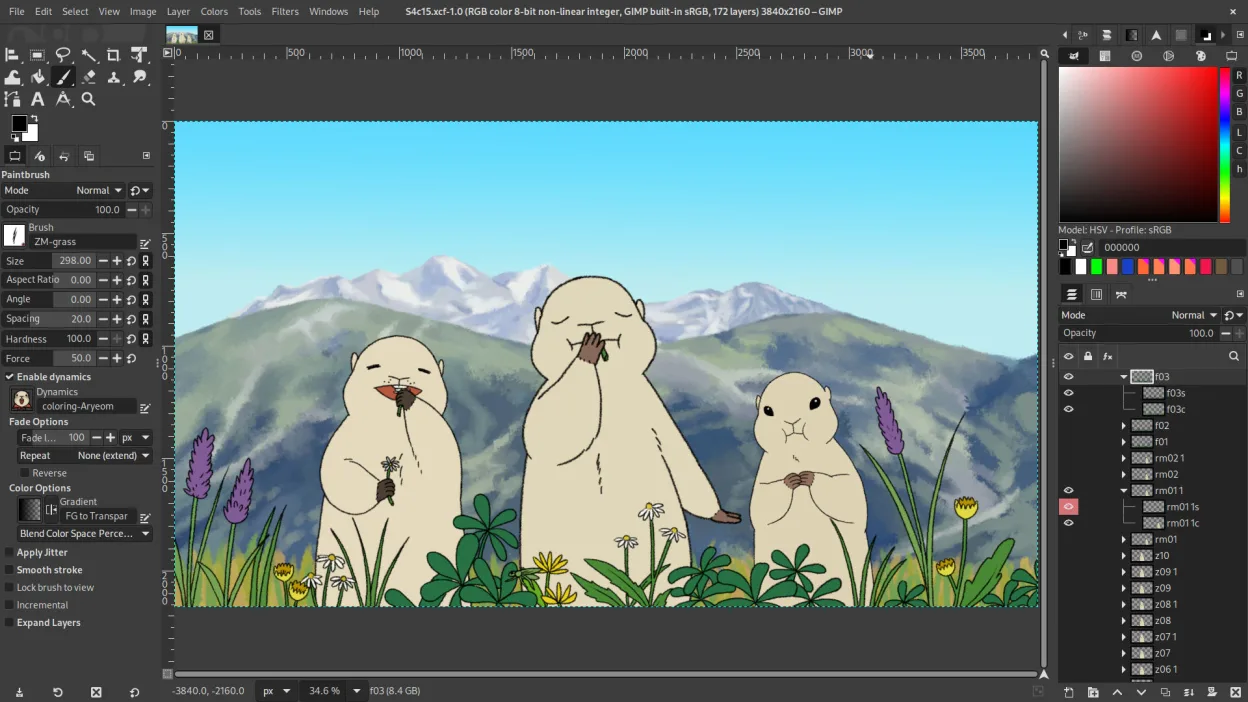
GIMP is a solid replacement for Adobe Creative Cloud if you rely mainly on Photoshop for photo editing, retouching, and raster graphics work. It handles layers, masks, blending modes, and scripting well, and supports PSD files. Artists and hobbyists will find it capable and free. However, professionals needing precise color workflows, advanced typography, or integration with other Adobe tools (like Lightroom or Illustrator) will face gaps. GIMP lacks non-destructive editing by default and has a steeper learning curve. It’s best for those willing to adapt workflows.
- Lizenz
- GPL-3.0+ AND LGPL-3.0+
- Preis
- Kostenlos
- Aktuelle Version
- 3.2.8 (2. November 2026)
- Bewertung
- —
Was gleich funktioniert
- Layer-based editing with masks, transparency, and blending modes
- Support for Photoshop-compatible plugins via compatibility layers
- Advanced brush engine for digital painting and retouching
- Batch processing and scripting with Python, Script-Fu, and GEGL
- Extensive file format support including PSD, PNG, JPEG, and TIFF
Was anders ist
- No built-in non-destructive editing (requires G'MIC or other plug-ins)
- Weaker typography and vector tools compared to Photoshop
- No native integration with Adobe ecosystem (e.g., Lightroom, Illustrator)
- Interface customization is limited compared to Photoshop’s workspace flexibility
- Color management support exists but is less refined for print workflows
Ihre Creative Cloud-Dateien öffnen
GIMP can open and edit Photoshop (PSD) files, preserving layers, masks, and basic blending modes. However, complex PSDs with advanced features like smart objects, layer effects, or nested groups may not translate perfectly. Text layers with special formatting can lose fidelity. Exporting to PSD is possible but not always reliable for round-tripping into Photoshop. For basic to intermediate use, compatibility is acceptable, but heavy PSD users should test workflows carefully.
Von Creative Cloud zu GIMP wechseln – Schritt für Schritt
- Install GIMP via your distribution’s package manager or Flathub
- Import brushes, gradients, and custom scripts from old setup if available
- Install G'MIC for enhanced filters and non-destructive editing options
- Use the PSD import feature to open existing Creative Cloud projects
- Customize the interface with dockable panels and keyboard shortcuts to match your workflow
Wichtige Funktionen von GIMP
- Ebenenbasiertes Bearbeiten mit Masken, Mischmodi und Transparenz
- Fortschrittliche Pinsel‑Engine für digitale Malerei und Retusche
- Unterstützung für Photoshop‑kompatible Plug‑ins (via Kompatibilitätsschichten)
- Stapelverarbeitung und Skripting mit Script‑Fu, Python oder GEGL
- Nicht‑destruktives Bearbeiten über Plug‑ins wie G'MIC möglich
- Umfangreiche Formatunterstützung: PNG, JPEG, TIFF, PSD, WebP und weitere
- Anpassbare Oberfläche mit anheftbaren Panels und Themes
- Farbmanagement mit ICC‑Profilunterstützung
GIMP unter Linux installieren
flatpak install flathub org.gimp.GIMPsudo apt install gimpsudo apt install gimpsudo dnf install gimpsudo pacman -S gimpsudo zypper install gimpHäufige Fragen
Can GIMP replace Photoshop completely?
For most photo editing, retouching, and raster work, yes. But it lacks smart objects, advanced typography, and some non-destructive tools. Professionals relying on those will need workarounds.
Is GIMP really free?
Yes. GIMP is free and open-source under GPL-3.0+ and LGPL-3.0+. No subscription, no ads, no paywalls.
How well does GIMP handle tablets and digital painting?
GIMP supports pressure-sensitive tablets via Wacom and others. The brush engine is capable, though less refined than Photoshop’s. Artists find it usable but may miss advanced brush dynamics.
3 weitere Alternativen zu Creative Cloud
 InkscapeInkscape ist ein kostenloser, quelloffener Vektorgrafikeditor, der Adobe Illustrator und CorelDRAW Konkurrenz…Open SourceKostenlosFlatpakInkscape vs. Creative Cloud
 KritaKrita ist ein vollwertiges Open‑Source-Programm für digitales Malen und Illustration.Open SourceKostenlosFlatpakKrita vs. Creative Cloud
 darktabledarktable ist ein kostenloser, quelloffener Bildbearbeitungsprogrammier, der Rohdateien verwaltet und einen…Open SourceKostenlosFlatpakdarktable vs. Creative Cloud