 Dolphin EmulatorLinux
vs
Dolphin EmulatorWindows
Dolphin Emulator as a Linux alternative to Dolphin Emulator
Updated
Our verdict
Dolphin Emulator on Linux is a direct replacement for the Windows version. It offers the same core functionality—GameCube and Wii emulation, HD rendering, controller support, save states and netplay—so anyone who runs Dolphin on Windows can switch to Linux without losing features. The Linux build uses OpenGL or Vulkan for graphics, which matches the performance of the Windows DirectX path, making it suitable for gamers, developers and hobbyists who prefer a Linux environment.
- License
- GPL-2.0+
- Price
- Free
- Latest version
- 2609b (November 8, 2026)
- Rating
- —
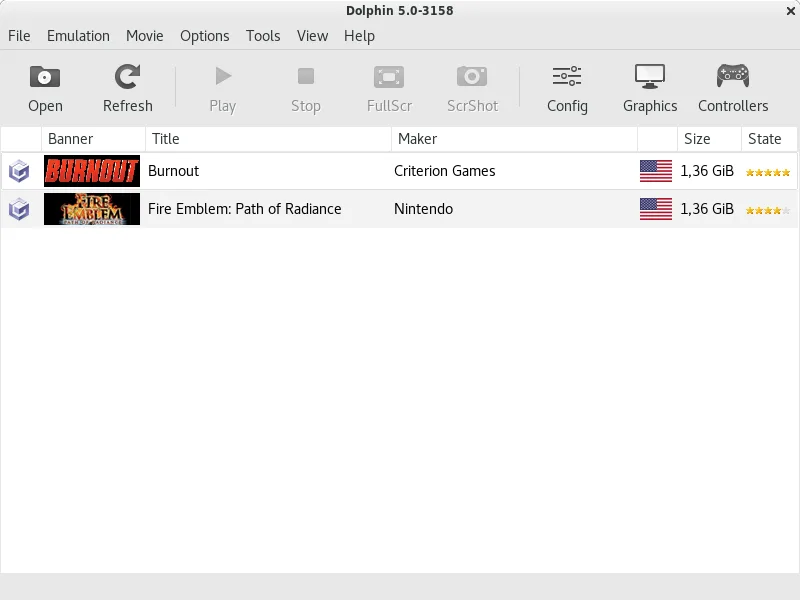
What works the same
- Emulates GameCube and Wii hardware
- Supports 1080p+ resolutions and graphical enhancements
- Full controller and keyboard input mapping
- Save states and memory‑card management
- Online multiplayer/netplay
What is different
- Linux uses OpenGL/Vulkan while Windows can also use DirectX
- Installation method differs (e.g., Flathub package vs. installer exe)
- Some Windows‑only third‑party plugins are unavailable on Linux
- Minor UI theme differences due to desktop environment integration
Opening your Dolphin Emulator files
Dolphin stores its configuration, save states, and memory cards in user‑specific directories (e.g., ~/.dolphin-emu on Linux). The file formats are identical across platforms, so you can copy the "Config", "SaveStates" and "GameSettings" folders from a Windows installation to the Linux home directory and continue where you left off. Exporting recordings or screenshots works the same way; they are saved as standard video or image files.
Switching from Dolphin Emulator to Dolphin Emulator, step by step
- Install Dolphin from Flathub or your distribution’s repository.
- Copy the "Config", "SaveStates", "GameSettings" and "Wii" folders from the Windows %AppData%\Dolphin folder to ~/.dolphin-emu.
- Place your GameCube/Wii ISO files in a directory of your choice and add that folder in Dolphin’s game list.
- Configure your controller in the Input Settings, matching the layout you used on Windows.
- Test a few games to verify graphics (OpenGL/Vulkan) and netplay work as expected.
Key features of Dolphin Emulator
- Emulates Nintendo GameCube and Wii consoles
- Supports 1080p and higher resolutions
- Compatible with standard PC keyboards and controllers
- Includes turbo speed and frame skipping options
- Supports networked multiplayer via online play
- Cross-platform support for Linux, Windows, and macOS
- Open-source codebase with active community development
- Save state functionality for instant game pausing
How to install Dolphin Emulator on Linux
flatpak install flathub org.DolphinEmu.dolphin-emuFrequently asked questions
Can I use the same controller profiles from Windows on Linux?
Yes. Dolphin’s controller mapping files are portable; just copy the "Config/Profiles" directory and they will appear in the Linux client.
Do I need to reinstall my game ISOs?
No. ISOs are just files; you can keep them wherever you like and point Dolphin to the folder.
Is netplay compatible between Windows and Linux users?
It is. Dolphin’s netplay protocol is platform‑agnostic, so Windows and Linux players can join the same sessions.