
 draw.ioLinux
vs
Microsoft Visio ViewerWindows
draw.io as a Linux alternative to Microsoft Visio Viewer
Updated
Our verdict
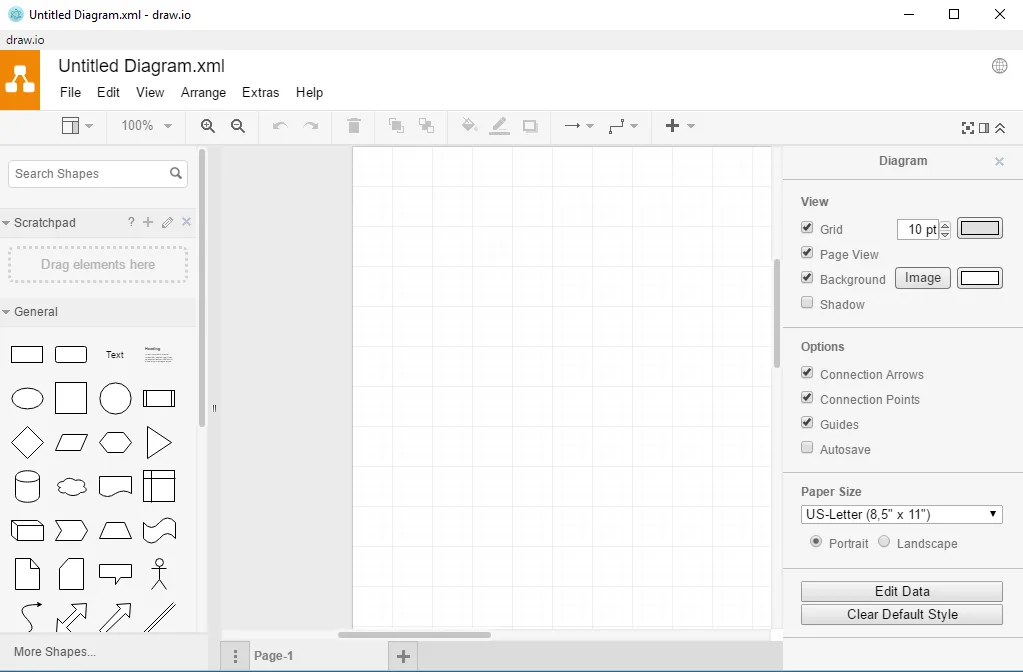
draw.io is a solid replacement for Microsoft Visio Viewer if you need to view and share Visio files on Linux. It opens .vsdx files directly and renders them clearly, with reliable zoom and navigation for large diagrams. While it’s primarily a creation tool, its viewing capabilities are strong, and it supports printing. Since it’s free, open-source, and cross-platform, it’s especially good for users who want privacy and don’t need editing. However, those who only view files may find its interface more complex than a minimal viewer.
- License
- Apache-2.0
- Price
- Free
- Latest version
- 32.6.1 (October 23, 2026)
- Rating
- —
What works the same
- Can open and display .vsdx files accurately
- Supports zooming and panning through large diagrams
- Allows printing of diagrams
- Cross-platform: runs on Linux, Windows, macOS, and web
- Free to use with no licensing cost
What is different
- draw.io is primarily a diagram editor, not just a viewer
- No read-only mode by default—users could accidentally edit
- Requires importing .vsdx files rather than opening them natively in a lightweight viewer
- Larger application footprint than a minimal viewer
- No support for older .vdx or .vss formats, only .vsdx
Opening your Microsoft Visio Viewer files
draw.io can import and display .vsdx files created by Microsoft Visio, preserving most shapes, layout, and connections. It does not support older binary formats like .vdx or .vss. While imported diagrams are viewable and navigable, complex formatting or custom fonts may not render exactly. Exporting back to .vsdx is not supported—draw.io works with its own format, though you can save as PDF, PNG, or SVG for sharing. For pure viewing, the import step adds minor overhead but doesn’t block access.
Switching from Microsoft Visio Viewer to draw.io, step by step
- Install draw.io via Flathub or download the desktop app
- Open draw.io and choose 'Open Existing Diagram'
- Select the .vsdx file to import
- Use zoom and pan to navigate the diagram
- Print or export to PDF/PNG if needed
Key features of draw.io
- Create flowcharts, UML, ER, and network diagrams
- Offline support via desktop app
- Import/export from Visio (.vsdx)
- Real-time collaboration (web version)
- Extensive library of shapes and icons
- Embed diagrams in Confluence, Notion, etc.
- Cross-platform: Linux, Windows, macOS, web
How to install draw.io on Linux
flatpak install flathub com.jgraph.drawio.desktopFrequently asked questions
Can draw.io open Visio files without an internet connection?
Yes, the desktop version supports offline import of .vsdx files with no internet required.
Does draw.io support Visio stencils (.vssx)?
No, .vssx stencil files are not supported. Only .vsdx diagram files can be imported.
Is there a risk of accidentally modifying a viewed diagram?
Yes, since draw.io is an editor, diagrams can be changed unless exported and shared read-only.
3 other alternatives to Microsoft Visio Viewer
 LibreOffice DrawLibreOffice Draw is a free vector graphics and diagramming tool for creating flowcharts, technical drawings…Open sourceFreeFlatpakLibreOffice Draw vs Microsoft Visio Viewer
 ONLYOFFICE Desktop EditorsONLYOFFICE Desktop Editors is a free, open‑source office suite for Linux that edits Word, Excel, PowerPoint…Open sourceFreeFlatpakONLYOFFICE Desktop Editors vs Microsoft Visio Viewer
 DiaDia is a free, open‑source diagramming tool for flowcharts, network diagrams, and UML on Linux.Open sourceFreeDia vs Microsoft Visio Viewer