
 GNU EmacsLinux
vs
RustRoverWindows
GNU Emacs as a Linux alternative to RustRover
Updated
Our verdict
GNU Emacs is a viable replacement for RustRover if you are willing to invest time in configuration. It covers core needs like syntax highlighting, Cargo integration, and debugging via external tools. However, it lacks the out-of-the-box, deep IDE experience of RustRover. This swap suits experienced Emacs users who value extensibility and terminal-centric workflows over polished GUI features. If you need immediate, zero-config professional Rust development with integrated refactoring and GUI debugging, stick with RustRover. Emacs requires manual setup of LSP and tooling to match that level of support.
- License
- GPL-3.0+ and GFDL-1.3+
- Price
- Free
- Latest version
- 31.1 (August 24, 2026)
- Rating
- —
What works the same
- Supports Rust syntax highlighting and editing modes
- Integrates with the Rust compiler and Cargo for builds
- Provides debugging capabilities, typically via GDB or LLDB integration
- Includes version control support, particularly for Git
- Allows for code refactoring, though often via external tools or packages
What is different
- RustRover offers a dedicated, polished GUI for debugging and variable inspection, while Emacs relies on terminal-based debuggers and custom interfaces
- RustRover provides deep, native refactoring tools out of the box, whereas Emacs requires configuring LSP servers or external tools for similar functionality
- Emacs is a general-purpose editor requiring significant configuration for Rust-specific features, unlike RustRover’s ready-to-use IDE environment
- RustRover has a more intuitive graphical interface for project management and file navigation compared to Emacs’s keybinding-heavy workflow
Opening your RustRover files
GNU Emacs can open and edit Rust source files (.rs), Cargo.toml, and other project files without issue, as these are standard text formats. However, it cannot open or edit RustRover’s proprietary project configuration files (.idea directory) in a meaningful way. You will need to manually recreate project settings in Emacs, such as defining the Cargo project root and specific build commands, rather than importing them directly from RustRover.
Switching from RustRover to GNU Emacs, step by step
- Install GNU Emacs and the necessary Rust development tools (rustup, cargo, rustc) on your system
- Configure Emacs to use a Rust LSP server like rust-analyzer for code completion and diagnostics
- Set up Emacs packages for Cargo integration, such as cargo.el or rust-mode, to manage builds and dependencies
- Configure a debugger interface in Emacs, such as gdb-mi or lldb, to connect to Rust binaries
- Adjust Emacs keybindings and settings to match your preferred workflow for refactoring and navigation
- Test the setup by building, running, and debugging a sample Rust project to ensure all tools work correctly
Key features of GNU Emacs
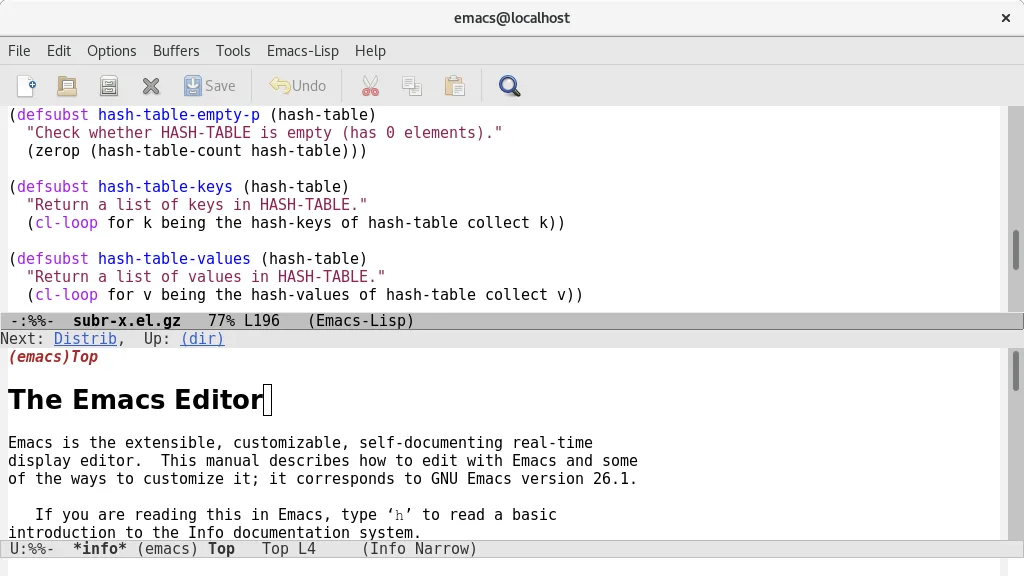
- Built-in Emacs Lisp interpreter for full customization
- Content-sensitive editing modes with syntax highlighting
- Integrated debugger interface and project management
- Full Unicode support for nearly all human languages
- Built-in mail and news reader
- Comprehensive built-in documentation and tutorial
- Highly customizable via code or graphical interface
How to install GNU Emacs on Linux
flatpak install flathub org.gnu.emacssudo apt install emacssudo apt install emacssudo dnf install emacssudo pacman -S emacssudo zypper install emacsFrequently asked questions
Does GNU Emacs have built-in Rust support?
No, but it supports Rust via packages like rust-mode and integration with rust-analyzer for language server protocol features.
Can I use the same Rust project in both RustRover and Emacs?
Yes, since both use standard Rust project structures and Cargo, you can switch between them without modifying your code or dependencies.
Is Emacs suitable for large Rust codebases?
Yes, with proper LSP configuration, Emacs can handle large codebases efficiently, though navigation and refactoring may require more manual effort than in RustRover.
3 other alternatives to RustRover
 NeovimNeovim is a modern Vim fork that adds extensibility, advanced UI support, and powerful extensions while…Open sourceFreeFlatpakNeovim vs RustRover
 VimVim is a highly configurable, modal text editor for efficient editing on Linux.Open sourceFreeFlatpakVim vs RustRover