

Linux · Programming
GNU Emacs
GNU Emacs is a highly extensible text editor and Lisp interpreter that functions as a complete development environment.
- License
- GPL-3.0+ and GFDL-1.3+
- Latest version
- 31.1 (August 24, 2026)
- Developer
- Free Software Foundation
- Installs
- 1,246 (Flathub, 30 days)
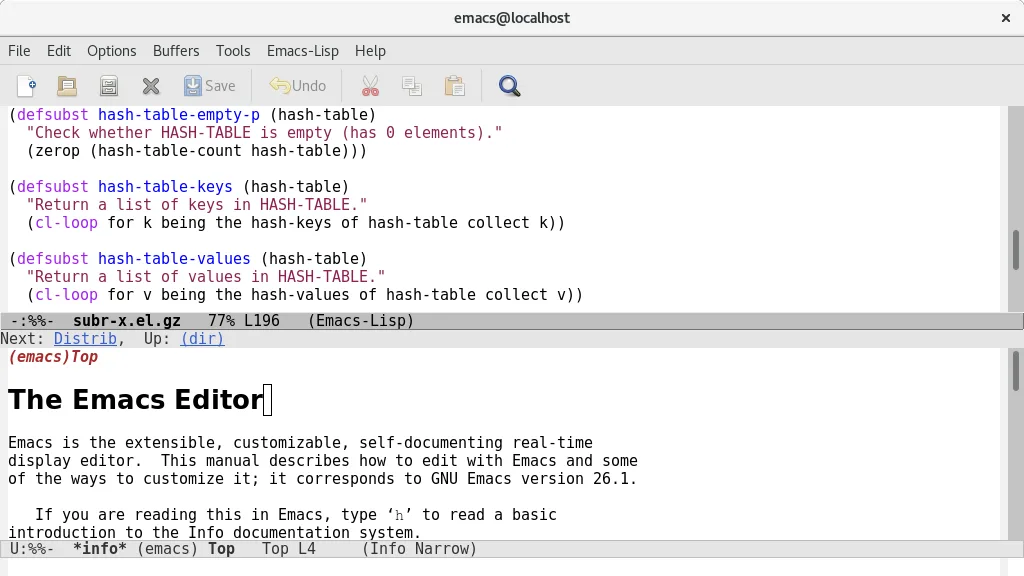
What is GNU Emacs?
GNU Emacs has been a staple of the Unix world since the 1970s, evolving from a simple editor into a platform for building custom tools. It is not just a text editor; it is a Lisp interpreter with editing capabilities built-in. This long history means it is incredibly stable and mature, with a vast ecosystem of packages and community support that spans decades. It is maintained by the Free Software Foundation and remains actively developed, with recent releases like version 31.1 ensuring modern compatibility and features.
This tool is primarily for programmers, system administrators, and power users who value customization and efficiency. If you are comfortable with a steep learning curve in exchange for a tool that can be tailored to your exact workflow, Emacs is the choice. It appeals to those who want to script their environment and integrate disparate tasks like email, calendar management, and debugging into a single interface without switching windows.
Coming from Visual Studio Code, Emacs feels different. VS Code is a ready-to-use IDE with a graphical interface that works out of the box. Emacs starts as a minimal editor that you build up using Emacs Lisp. The learning curve is steeper, but the ceiling is higher. Once configured, Emacs can be faster and more integrated than VS Code, though it requires more upfront effort to reach that state.
Best for: Programmers who want a highly customizable, all-in-one text editor and development environment on Linux.
Key features of GNU Emacs
- Built-in Emacs Lisp interpreter for full customization
- Content-sensitive editing modes with syntax highlighting
- Integrated debugger interface and project management
- Full Unicode support for nearly all human languages
- Built-in mail and news reader
- Comprehensive built-in documentation and tutorial
- Highly customizable via code or graphical interface
Pros
- Extremely powerful and customizable for advanced users
- All-in-one environment for coding, email, and planning
- Stable and mature with a long history of development
- Available on all major Linux distributions
Cons
- Steep learning curve for beginners
- Requires configuration to match the convenience of modern IDEs
- Interface can feel dated compared to GUI-centric tools
Windows programs GNU Emacs replaces
How to install GNU Emacs on Linux
flatpak install flathub org.gnu.emacssudo apt install emacssudo apt install emacssudo dnf install emacssudo pacman -S emacs-waylandsudo zypper install emacsTips for Windows users
Coming from VS Code, expect to spend time configuring Emacs. Start with the built-in tutorial. You will need to install packages for language support and LSP (Language Server Protocol) to get features similar to VS Code's IntelliSense. Shortcuts are different; learn the basic keybindings first. File formats are standard, so your code will open fine, but your settings will need to be recreated in Emacs Lisp or via the package manager.
Recent releases
- 31.1 —
- 30.2 —
- 30.1 —
- 29.4 —
GNU Emacs: frequently asked questions
Is Emacs hard to learn?
Yes, it has a steep initial learning curve. However, the time invested pays off with a highly efficient and customizable workflow.
Can Emacs replace VS Code for web development?
Yes, with the right packages for LSP, HTML/CSS/JS support, and debugging, it can serve as a full web development environment.
Does Emacs work offline?
Yes, Emacs is a local application and works entirely offline. It does not require cloud services to function.
Is Emacs free?
Yes, GNU Emacs is free and open-source software, licensed under the GPL-3.0+ and GFDL-1.3+.
Updated