
 EvolutionLinux
vs
Notion CalendarWindows
Evolution as a Linux alternative to Notion Calendar
Updated
Our verdict
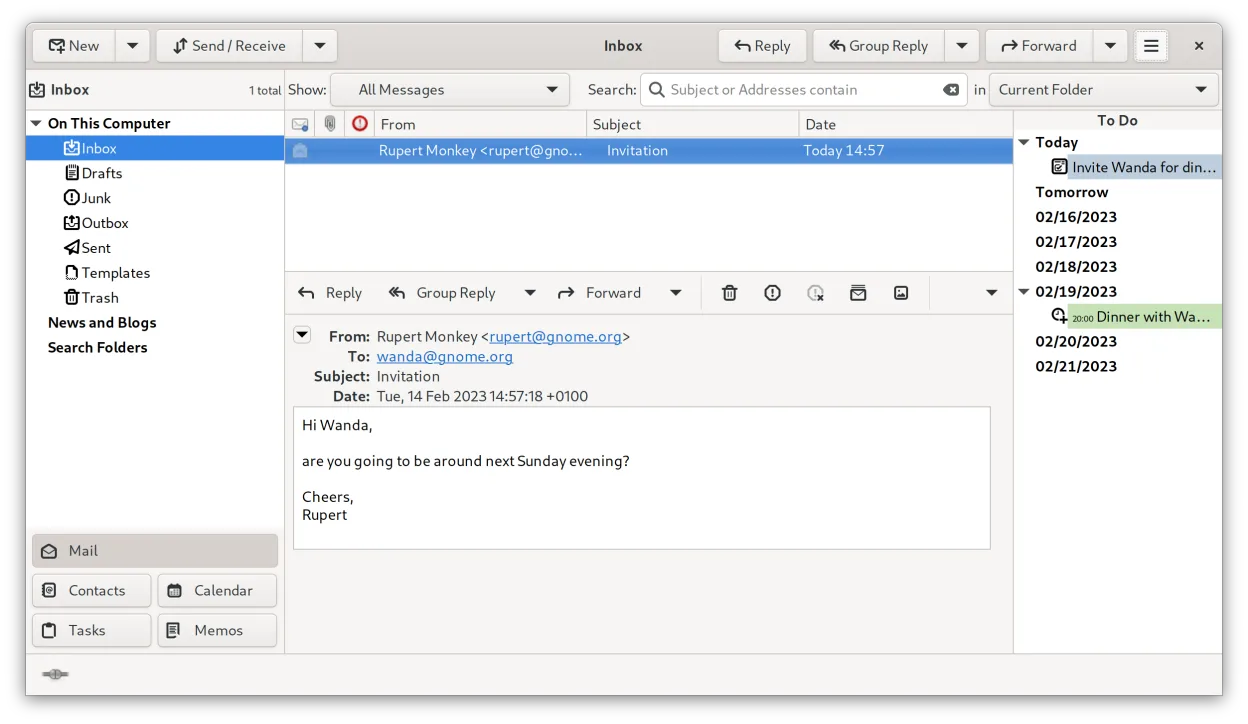
Evolution is a strong native Linux replacement for Notion Calendar if you value offline access and system integration over web-based convenience. It handles time-blocking, event scheduling, and task tracking effectively via CalDAV, offering true multi-device sync without relying on a browser. However, it lacks Notion’s specific habit-tracking features and the deep integration with Notion pages. For users who need a lightweight, resource-efficient desktop app that works offline and respects standard iCalendar formats, Evolution is a solid choice. If you depend heavily on Notion’s unique workflow or habit widgets, you will find the transition less seamless.
- License
- GPL-2.0+ and GFDL-1.3
- Price
- Free
- Latest version
- 3.62.1 (October 9, 2026)
- Rating
- —
What works the same
- Supports time-blocking and event scheduling within a visual calendar view
- Syncs data across multiple devices using standard protocols like CalDAV
- Includes task management features alongside calendar events
- Allows for customizable views and keyboard shortcuts for quick navigation
What is different
- Lacks native habit tracking features found in Notion Calendar
- Does not integrate with Notion pages or databases, requiring separate tools for notes
- Desktop application rather than a web-first tool, though it supports offline access
- No built-in collaboration features for shared Notion workspaces
Opening your Notion Calendar files
Notion Calendar does not use standard ICS files for its primary storage, as it is a proprietary web service. However, you can export your calendar data from Notion as an ICS file. Evolution fully supports importing and exporting standard iCalendar (.ics) files, so you can migrate your existing events and time blocks by exporting them from Notion and importing them into Evolution. This ensures your schedule data is preserved in a standard, open format.
Switching from Notion Calendar to Evolution, step by step
- Export your calendar data from Notion Calendar as an ICS file
- Install Evolution via your Linux package manager or Flathub
- Configure a CalDAV account in Evolution for multi-device synchronization
- Import the exported ICS file into your Evolution calendar
- Set up any local task lists or habits using Evolution’s task manager
- Test offline access and sync functionality across your devices
Key features of Evolution
- Integrated mail, calendar, contacts and tasks in one window
- Full support for IMAP, POP3, SMTP, CalDAV, and EWS
- Standard data formats (MIME, iCalendar, vCard)
- Built‑in encryption with GnuPG and S/MIME
- Address book with LDAP and local storage
- Calendar sharing and scheduling via CalDAV
- Mail filtering rules and search
- Customizable keyboard shortcuts
How to install Evolution on Linux
flatpak install flathub org.gnome.Evolutionsudo apt install evolutionsudo apt install evolutionsudo dnf install evolutionsudo pacman -S evolution-spamassassinsudo zypper install evolutionFrequently asked questions
Can Evolution track habits like Notion Calendar?
No, Evolution does not have a dedicated habit tracking feature. You can use its task list to create recurring tasks to simulate habit tracking, but it lacks the visual habit grid and streak features found in Notion.
Does Evolution work offline?
Yes, Evolution is a native desktop application that stores data locally. You can view and edit your calendar and tasks without an internet connection, and changes will sync when you reconnect.
Is Evolution resource-heavy?
Evolution is generally lightweight compared to running multiple browser tabs for web apps. It is optimized for desktop use and should not consume significant system resources during normal operation.
3 other alternatives to Notion Calendar
 ThunderbirdThunderbird is a free, open-source email, calendar, and chat client that supports open standards and replaces…Open sourceFreeFlatpakThunderbird vs Notion Calendar