
Windows · Office
Best Linux alternatives to Notion Calendar
Notion Calendar is a web-based scheduling tool that integrates with Notion for events, habits, and time-blocking.
Updated
Quick answer
The best Linux alternative to Notion Calendar is GNOME Calendar. Other strong options: KOrganizer, Thunderbird, Evolution.
4 Linux alternatives to Notion Calendar
-
GNOME Calendar is a simple calendar app for managing events and appointments, integrated with GNOME and Evolution Data Server.
GNOME Calendar is a solid, lightweight replacement for users who need reliable local scheduling and standard ICS synchronization. It handles time-blocking well by creating all-day or timed events. However, it lacks Notion's integrated habit tracking and deep task management features. If you rely…
Feature parity65% -
KOrganizer is a calendar and task manager part of the KDE suite, designed to replace tools like Asana on Linux.
KOrganizer is a solid, native Linux replacement for users who need a lightweight, offline-first calendar. It handles standard scheduling, recurring events, and basic task tracking well, fitting the low-resource requirement perfectly. However, it lacks Notion Calendar’s deep integration with a…
Feature parity65% -
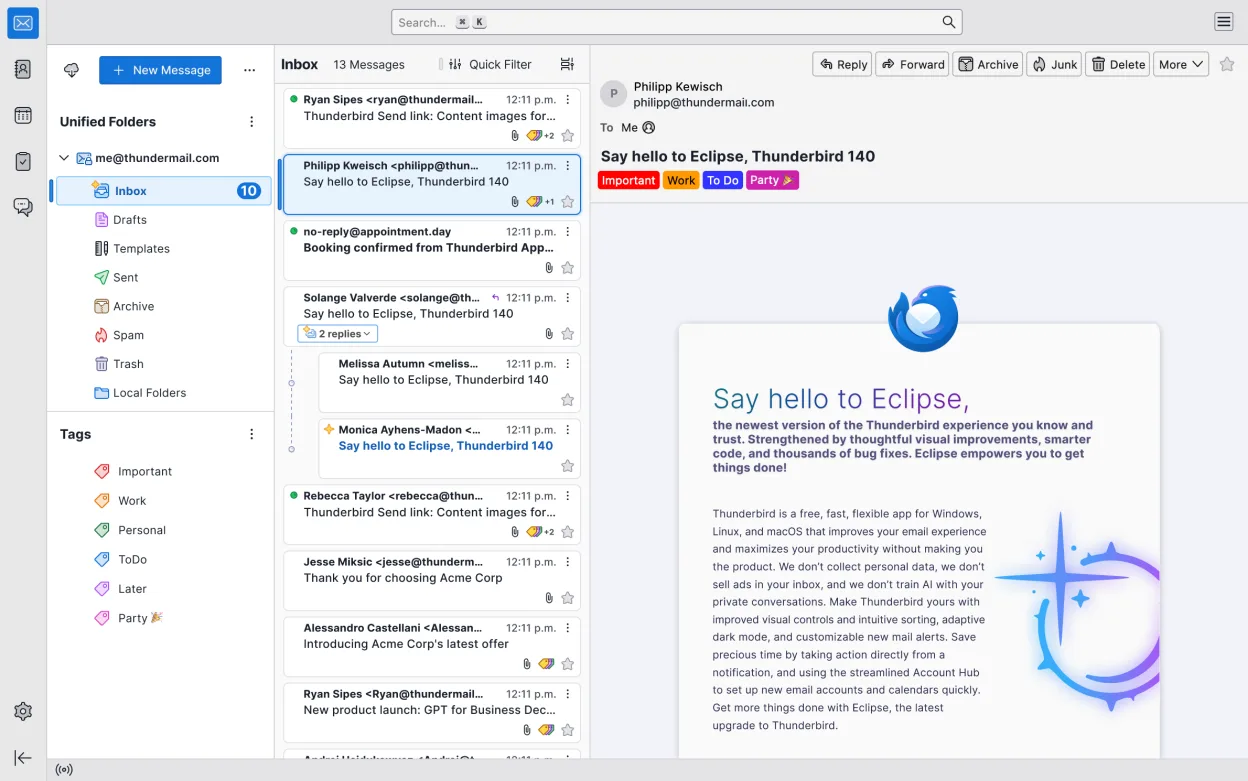
Thunderbird is a free, open-source email, calendar, and chat client that supports open standards and replaces Outlook or Windows Mail on Linux.
Thunderbird is a solid replacement for users who prioritize local control and open standards over cloud-first convenience. It handles event scheduling and CalDAV synchronization well, but it lacks the specific time-blocking visual interface and habit tracking features that define Notion Calendar…
Feature parity60% -
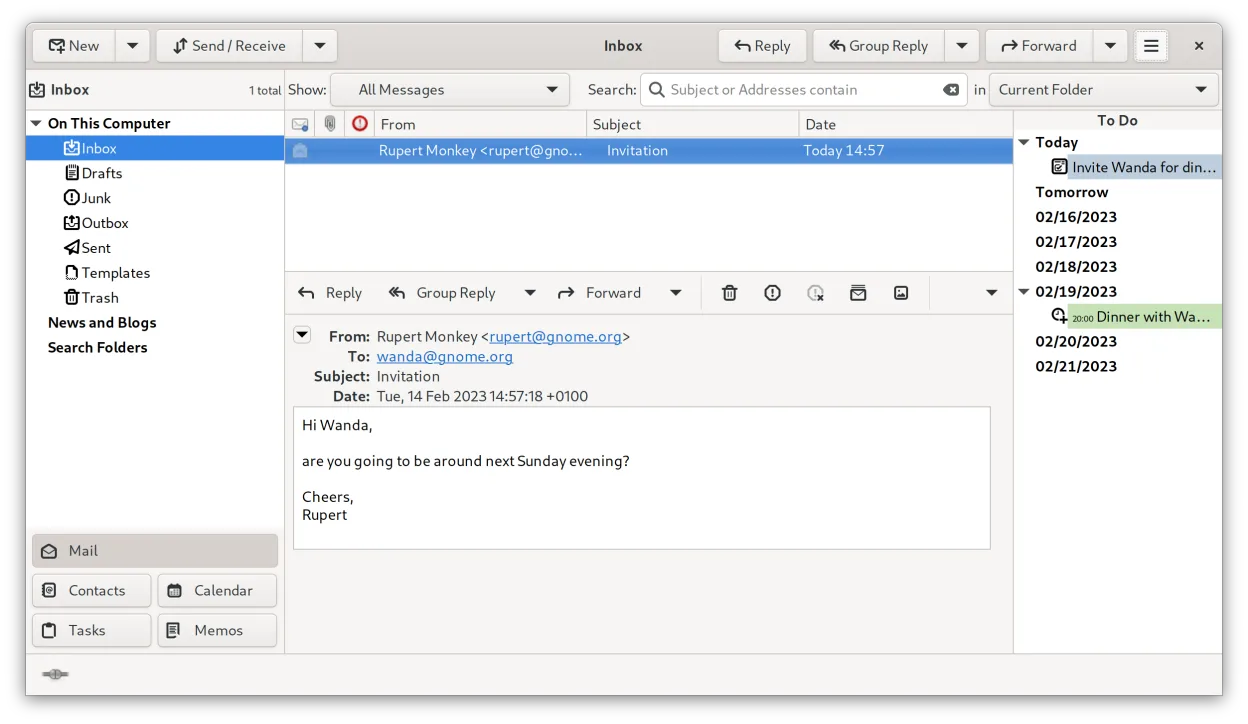
Evolution is a full‑featured personal information manager that combines email, calendar, contacts and tasks into one application.
Evolution is a strong native Linux replacement for Notion Calendar if you value offline access and system integration over web-based convenience. It handles time-blocking, event scheduling, and task tracking effectively via CalDAV, offering true multi-device sync without relying on a browser…
Feature parity75%


What is Notion Calendar?
Notion Calendar is a scheduling interface designed for users who already rely on Notion for their productivity workflow. It allows individuals and teams to manage daily events, track habits, and block out time for deep work directly within the Notion ecosystem. It is particularly useful for those who prefer a unified workspace where their calendar and notes are tightly linked, rather than using separate, disconnected applications.
The service operates on a freemium model. Basic calendar functionality is available for free, while advanced features, such as unlimited event storage or specific integrations, are typically part of Notion's paid business or enterprise plans. Since it is a web-based application, access is tied to your Notion account subscription status, meaning you do not need to install specific client software to use the core features.
Users often seek a Linux alternative because Notion Calendar is primarily a web service that may lack deep integration with the local Linux desktop environment. Some users prefer native applications that offer offline access, faster performance, and direct synchronization with local system calendars. Additionally, privacy-conscious users or those who want to avoid relying on a single vendor for both their notes and schedule may look for open-source or locally controlled solutions.
What a replacement for Notion Calendar must do
- Native Linux desktop application
- Support for time-blocking and event scheduling
- Integration with local system calendars (ICS)
- Offline access to calendar data
- Habit or task tracking features
- Multi-device synchronization
- Low resource consumption
Can you run Notion Calendar on Linux?
Notion Calendar is a web-based service, so it runs in any modern web browser on Linux, such as Firefox or Chromium. There is no native Linux desktop application for Notion Calendar itself, though the main Notion app has a Linux beta version that may include calendar features. Since it is a web service, it does not require Wine or Proton to function. If you rely on the specific UI of Notion Calendar, you must use a browser. If you need a native experience, you must switch to a different Linux-native calendar application.
Which alternative should you choose?
If you want a lightweight, GNOME-native experience, GNOME Calendar is the best fit, especially if you are already using the GNOME desktop environment. For users who prefer KDE Plasma or need more granular control over events and categories, KOrganizer is a strong choice. If your primary goal is email management with a built-in calendar, Thunderbird is the most robust option, offering powerful add-ons for time-blocking. Evolution is the best choice for users who need a full suite including contacts and tasks, as it integrates these elements closely, similar to how Notion links notes and events.
Moving your Notion Calendar files and habits
Migrating from Notion Calendar involves exporting your events. Notion allows you to export data, typically as ICS files or via Google Calendar sync. You can then import these ICS files into GNOME Calendar, KOrganizer, Thunderbird, or Evolution. Note that specific Notion features like habit tracking or complex time-blocking templates will not transfer directly, as Linux-native calendars focus on standard event data. You may need to manually recreate recurring rules or task links in the new application.
Side-by-side comparison
| App | License | Flatpak | Latest version | Feature parity | Rating |
|---|---|---|---|---|---|
| GNOME Calendar | GPL-3.0 | — | 51.0 | 65% | — |
| KOrganizer | GPL-2.0-or-later | — | 26.08.3 | 65% | — |
| Thunderbird | MPL-2.0 | ✓ | 161.0 | 60% | — |
| Evolution | GPL-2.0+ and GFDL-1.3 | ✓ | 3.62.1 | 75% | — |
Notion Calendar: frequently asked questions
Can I use Notion Calendar on Linux without a browser?
No, Notion Calendar is a web service. You must use a web browser to access it. There is no standalone native Linux client for the calendar component specifically.
Which Linux calendar supports time-blocking best?
Thunderbird and KOrganizer offer better flexibility for time-blocking through add-ons and detailed event settings. GNOME Calendar is simpler but less customizable for this specific use case.
Do these Linux alternatives sync with Notion?
No, the listed Linux alternatives are standalone calendar applications. They do not have native integrations with Notion. You would need to use ICS files or third-party bridges to sync data between them.
Is there a free version of Notion Calendar?
Yes, Notion offers a free plan that includes basic calendar features. However, advanced features and higher limits are reserved for paid plans.
How important is Notion Calendar to you?
Know a better alternative? Suggest an alternative