
 digiKamLinux
vs
Nik CollectionWindows
digiKam, alternative Linux à Nik Collection
Mis à jour le
Notre avis
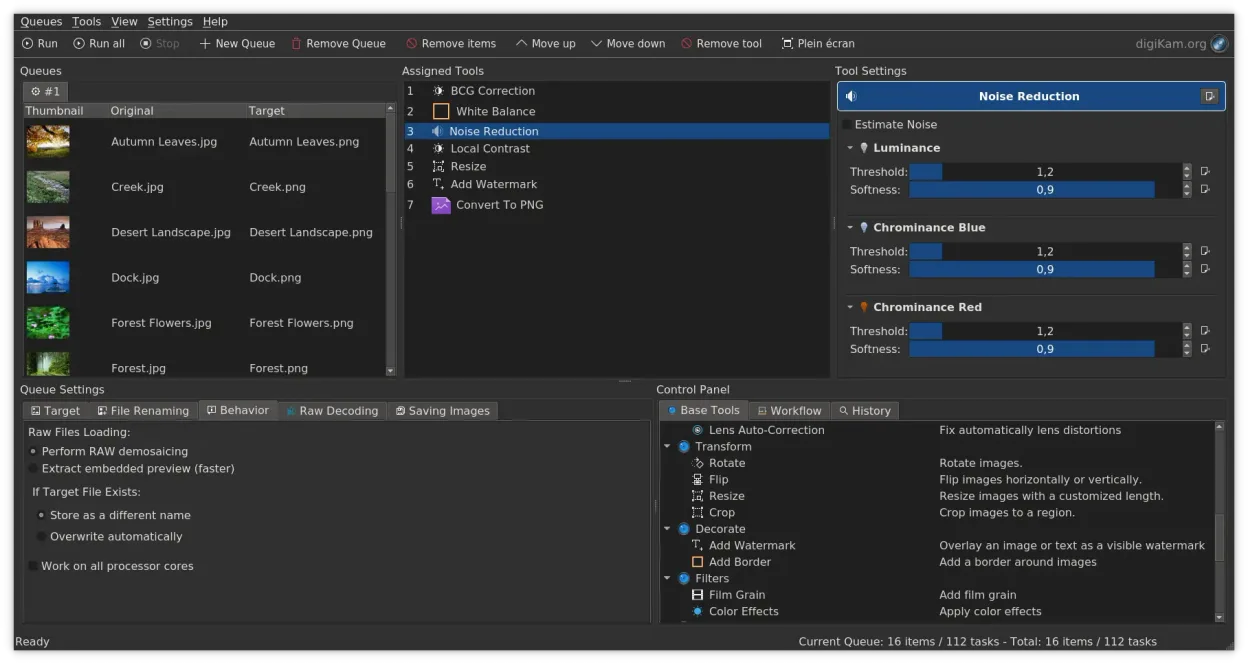
digiKam is not a direct replacement for the Nik Collection. It is a photo manager with basic editing tools, but it lacks the specialized plugin integration, advanced colour grading, and creative stylisation filters that Nik Collection provides. Photographers who need a lightweight, organized library with simple RAW adjustments may find digiKam useful, but those who rely on Nik’s retouching, noise reduction, or creative effects will need a different Linux solution such as Darktable or RawTherapee.
- Licence
- GPL-2.0+
- Prix
- Gratuit
- Dernière version
- 9.1.0 (7 juin 2026)
- Note
- —
Ce qui fonctionne pareil
- Both run on Linux, Windows, and macOS
- Both support RAW files
- Both offer basic colour adjustments and sharpening
- Both can be used as standalone applications
Ce qui change
- digiKam is a photo manager, not a plugin suite
- No plugin integration with host editors in digiKam
- Lacks advanced colour grading and creative stylisation filters
- Missing noise reduction and dedicated black‑and‑white conversion tools
- digiKam does not handle Nik Collection file formats
Ouvrir vos fichiers Nik Collection
digiKam cannot open or export Nik Collection plugin files (.lrn, .dng presets, etc.). The Nik Collection files are proprietary and require Adobe Lightroom, Photoshop, or the native Nik host applications. If you need to migrate presets, you would have to recreate them manually in a compatible editor on Linux.
Passer de Nik Collection à digiKam, étape par étape
- Export your Nik presets or settings from the host editor as a file or note them down.
- Identify equivalent tools in your chosen Linux editor (e.g., Darktable, RawTherapee).
- Recreate the adjustments manually, using the same parameters where possible.
- Save the new adjustments as presets in the Linux editor for future use.
- Verify the results by applying the new preset to a sample image.
Fonctionnalités clés de digiKam
- Import direct depuis les appareils photo, cartes SD et clés USB avec des règles configurables
- Systèmes avancés d'étiquetage, de notation et de libellés pour une organisation complexe de la bibliothèque
- Moteur de recherche puissant prenant en charge les critères de métadonnées EXIF, IPTC et XMP
- Retouche non destructive avec ajustements de couleur, recadrage et netteté
- Prise en charge native des fichiers RAW via LibRaw pour le décodage et l'aperçu
- Catalogage vidéo et extraction de métadonnées à l'aide de backends FFmpeg
- Organisation des albums avec une interface glisser-déposer
- Disponibilité interplateformes pour Linux, Windows et macOS
Installer digiKam sous Linux
flatpak install flathub org.kde.digikamsudo apt install digikamsudo apt install digikamsudo dnf install digikamsudo pacman -S digikamsudo zypper install digikamQuestions fréquentes
Can I use digiKam to edit photos the same way I use Nik Collection plugins?
No, digiKam offers basic editing such as colour balance, cropping, and sharpening, but it does not provide the advanced retouching or creative filters that Nik Collection plugins deliver.
Does digiKam support the same file formats as Nik Collection?
Both support RAW files, but digiKam cannot read or write the proprietary Nik Collection preset files. It works with standard image formats like JPEG, TIFF, and DNG.
Is there a way to integrate Nik Collection plugins into digiKam?
No. digiKam does not support third‑party plugin architectures like the Nik Collection. You would need to use a host editor that can load Nik plugins, such as GIMP with the Nik Collection plugin bridge, if available.
4 autres alternatives à Nik Collection
 GIMPGIMP est un éditeur de graphiques raster gratuit et open source, conçu pour la retouche photo, la peinture…Open sourceGratuitFlatpakGIMP ou Nik Collection
 darktabledarktable est un éditeur photo gratuit et open‑source qui gère les fichiers RAW et propose un flux de travail…Open sourceGratuitFlatpakdarktable ou Nik Collection
 RawTherapeeRawTherapee est un programme de développement de photos raw open‑source et multiplateforme.Open sourceGratuitFlatpakRawTherapee ou Nik Collection
 LightZoneLightZone est un éditeur de photos RAW gratuit et open source, doté d'un flux de travail non destructif basé…Open sourceGratuitFlatpakLightZone ou Nik Collection