

Linux · Sound & Video
SMPlayer
SMPlayer is a free, open-source media player with built-in codecs that handles nearly all video and audio formats without external dependencies.
- License
- GPL-2.0-or-later
- Latest version
- 25.6.0 (June 8, 2025)
- Developer
- Ricardo Villalba
- Installs
- 4,627 (Flathub, 30 days)
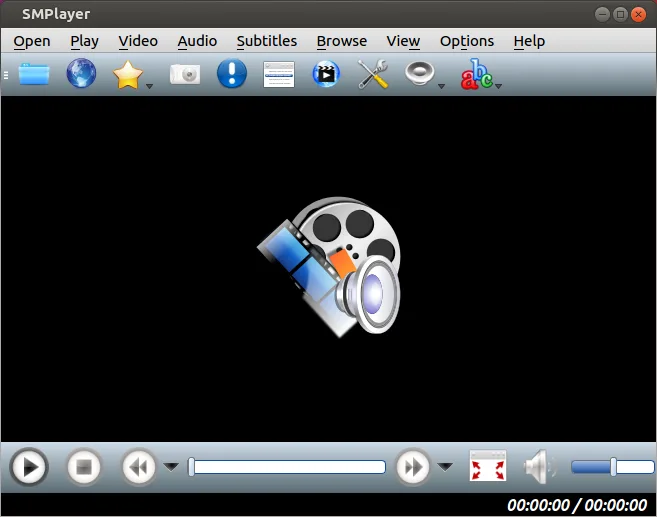


What is SMPlayer?
SMPlayer is a mature, feature-rich media player developed by Ricardo Villalba. It has been maintained for years and is widely available in major Linux distributions like Debian, Fedora, and Arch. The project focuses on simplicity and reliability, ensuring that users can play almost any file format immediately after installation because it bundles the necessary codecs internally.
This tool is ideal for users who want a straightforward media player that does not require constant configuration or codec hunting. It suits those who value remembering playback positions and settings for specific files, as well as users who occasionally need to stream from YouTube or cast content to mobile devices. It serves as a solid daily driver for general media consumption on Linux.
Compared to PotPlayer, SMPlayer feels less customizable but significantly more stable and easier to set up on Linux. While PotPlayer offers deep configuration options and high-performance decoding, SMPlayer prioritizes a 'works out of the box' experience. You lose some granular control over rendering and audio processing, but you gain a player that rarely breaks and requires zero external codec packs.
Best for: Users who want a reliable, no-fuss media player that handles any file format without requiring manual codec installation.
Key features of SMPlayer
- Built-in codecs for virtually all video and audio formats
- Remembers playback position and settings for each file
- Supports playing videos directly from YouTube
- Automatic subtitle search and download
- Cast media to external devices like smartphones and tablets
- No external codec packs required
- Available via Flathub and native package managers
Pros
- Zero configuration needed for most file formats
- Highly reliable and stable across different Linux distros
- Convenient memory feature for resuming playback
- Lightweight and resource-efficient compared to some alternatives
Cons
- Interface is functional but lacks the visual polish of modern players
- Fewer advanced customization options than PotPlayer or MPC-HC
- Subtitle search feature can sometimes be inconsistent
Windows programs SMPlayer replaces
How to install SMPlayer on Linux
flatpak install flathub info.smplayer.SMPlayersudo apt install smplayersudo apt install smplayersudo dnf install smplayersudo pacman -S smplayersudo zypper install smplayerTips for Windows users
If you are coming from PotPlayer, note that SMPlayer does not require you to install separate codec packs; everything is included. The interface is simpler, so you will not find the same depth of rendering or audio filter options. Use the 'Play' menu to access YouTube and subtitle features, and rely on the automatic memory feature to resume videos where you left off, which replaces the manual bookmarking workflows you might have used. Shortcuts are standard for media players, but check the preferences if you miss specific PotPlayer keybindings.
Recent releases
- 25.6.0 —
- 24.5.0 —
- 23.12.0 —
- 23.6.0 —
SMPlayer: frequently asked questions
Does SMPlayer need extra codecs to play MKV or MP4 files?
No, SMPlayer comes with built-in codecs that handle virtually all common video and audio formats out of the box.
Can I use SMPlayer to watch YouTube videos?
Yes, it has a built-in feature to search for and play YouTube videos directly within the player.
Is SMPlayer available on my Linux distribution?
It is packaged in major distros including Debian, Ubuntu, Fedora, Arch, and openSUSE, and is also available on Flathub.
Does SMPlayer remember where I left off in a video?
Yes, it automatically saves the playback position and settings for each file so you can resume later.
Updated